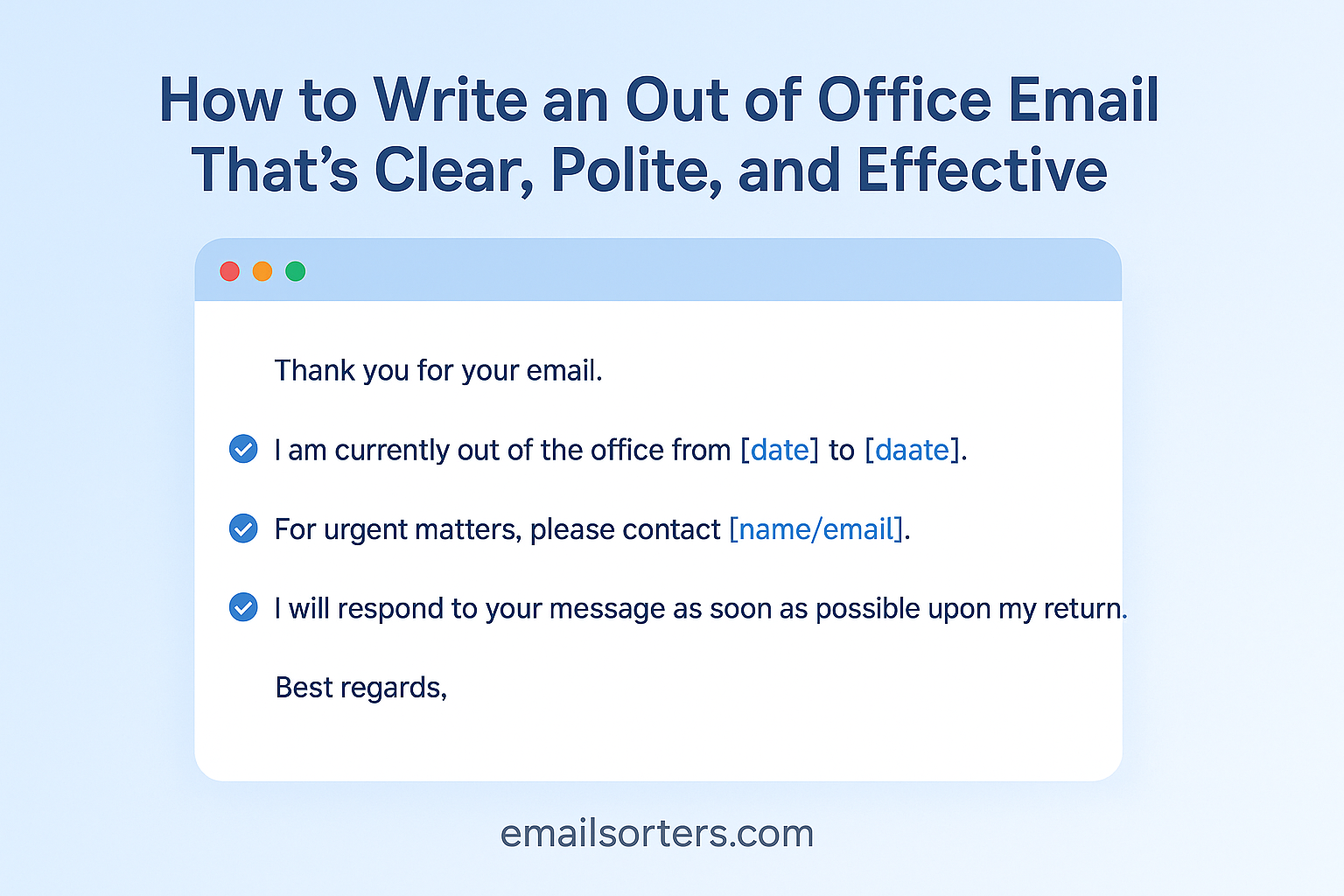
An out of office email is more than just a courtesy, it’s a professional necessity. Whether you’re on vacation, attending a conference, or taking a sick day, letting people know when they can expect a response helps prevent misunderstandings and keeps communication flowing smoothly. In 2025, with remote and hybrid work making schedules less predictable, a well-written out of office message is one of the simplest ways to stay professional and maintain boundaries.
This guide will show you how to create an effective out of office email, step by step, with examples for every situation.
Why Out of Office Emails Are Essential in 2025
With constant digital communication, people often expect immediate responses. Without an out of office email, you may unintentionally create confusion or frustration.
Setting Expectations for Response Time
An out of office message tells senders when they can expect to hear back from you. Instead of wondering why you haven’t responded, they’ll know you’re away and when you’ll return.
Maintaining Professionalism During Absences
Whether you’re gone for a day or two weeks, an auto-reply ensures your professional image stays intact. It shows that you’re organized and considerate enough to keep others informed.
Supporting Work-Life Balance
By setting an out of office reply, you permit yourself to disconnect without worrying about unanswered emails piling up. It’s a small step that reinforces healthy boundaries.
Key Elements of an Effective Out of Office Email
The best out of office messages are short, clear, and informative.
A Clear Subject Line
Most email platforms will display your subject as “Out of Office Auto-Reply,” but if you’re customizing, use something straightforward like “Out of Office: [Your Name]” to avoid confusion.
Dates of Absence
Always include the exact dates you’ll be away. Example: “I will be out of the office from Monday, May 6, through Friday, May 10.”
Alternative Contact Information
Provide a colleague’s name and email for urgent matters. This ensures business continues smoothly in your absence.
Brief Reason for Absence
You don’t need personal details, but a short reason like “I am attending a conference” or “I am on vacation” helps add context.
Polite Closing Message
End with a professional note, such as: “Thank you for your understanding. I’ll respond to your email as soon as possible upon my return.”
Types of Out of Office Emails
Different situations call for different tones and details.
Short-Term Leave (1–3 Days)
A short, simple message works best. No need for lengthy explanations—just dates and an alternate contact if needed.
Extended Leave (More Than a Week)
For longer absences, provide more details, such as who will handle responsibilities while you’re away.
Vacation Leave
Keep it friendly and professional. Let senders know you’re away for personal time and when you’ll return.
Sick Leave
Privacy matters. A short message like “I am currently out due to illness and will respond as soon as I return” is sufficient.
Conference or Training Attendance
Mention the event briefly. Example: “I am attending the Global Marketing Summit and will return on [Date].”
Writing Style for Out of Office Emails
Your message doesn’t need to be long—it just needs to be clear and respectful.
Keeping the Tone Professional Yet Friendly
Avoid sounding too stiff or robotic. Instead of “I am unavailable,” try “I’m currently out of the office and will return on [Date].”
Avoiding Unnecessary Details
Don’t overshare about personal plans. Stick to what the sender needs to know: dates, alternative contact, and return details.
Ensuring Readability on All Devices
Keep sentences short and paragraphs brief. Many people will read your out of office message on a mobile device.
Step-by-Step Guide to Writing Your Out of Office Email
Crafting an effective message is simple when you follow a step-by-step approach.
Start with a Polite Greeting
Begin with “Hello” or “Thank you for your message.”
State the Dates Clearly
Be precise: “I will be out of the office from May 6 through May 10.”
Provide Contact Options
Example: “If you need immediate assistance, please contact Jane Smith at [email protected].”
Add a Short Thank-You Note
“Thank you for your understanding” helps keep the tone courteous.
Close Professionally
Use a simple sign-off: “Best regards, [Your Full Name].”
Examples of Out of Office Email Templates
Having ready-to-use templates saves time and ensures your message is polished. Here are examples you can adapt depending on your situation.
Short-Term Absence Template
Subject: Out of Office – [Your Name]
Hello,
Thank you for your message. I am out of the office from [Start Date] through [End Date]. I will reply to your email when I return on [Return Date]. If your matter is urgent, please contact [Alternative Contact Name] at [Contact Email].
Best regards,
[Your Full Name]
Extended Leave Template
Subject: Out of Office – [Your Name]
Dear [Recipient],
I am currently out of the office from [Start Date] through [End Date]. During my absence, [Colleague’s Name] will be handling urgent matters. You can reach them at [Contact Information]. I will respond to your email as soon as possible upon my return.
Kind regards,
[Your Full Name]
Vacation Leave Template
Subject: Out of Office – [Your Name]
Hello,
I am currently out of the office on vacation from [Start Date] through [End Date]. For urgent inquiries, please reach out to [Colleague’s Name] at [Contact Information]. I’ll respond to your message after I return.
Thank you,
[Your Full Name]
Sick Leave Template
Subject: Out of Office – [Your Name]
Dear [Recipient],
I am out of the office due to illness and will not be checking emails regularly. For immediate assistance, please contact [Colleague’s Name] at [Contact Information]. I’ll respond once I’m back.
Sincerely,
[Your Full Name]
Conference Attendance Template
Subject: Out of Office – [Your Name]
Hello,
I am currently attending the [Conference Name] from [Start Date] through [End Date]. I will have limited access to email during this time. For urgent matters, please contact [Colleague’s Name] at [Contact Information].
Best regards,
[Your Full Name]
Mistakes to Avoid in Out of Office Emails
Even with templates, it’s easy to make small mistakes that can reduce effectiveness.
Leaving Out Dates
Not specifying when you’ll return leaves senders guessing. Always provide clear start and end dates.
Sharing Too Much Personal Information
You don’t need to explain personal details like family trips or medical specifics. Keep it professional and focused on what the sender needs to know.
Forgetting an Alternative Contact
If you’re gone for more than a day or two, always provide a backup contact. Without one, urgent matters may stall until your return.
Tools That Can Help Automate Out of Office Replies
Modern tools make it easier than ever to manage out of office messages.
Email Client Auto-Reply Features
Most platforms like Outlook, Gmail, and Apple Mail have built-in auto-reply functions. You can set start and end dates to automatically activate and deactivate your message.
Calendar Integration Tools
Integrating your email with a calendar system such as Google Calendar or Microsoft 365 ensures colleagues see your availability and can plan accordingly.
Mobile Apps for Quick Updates
If your plans change while away, mobile apps let you update your out of office message on the go. This flexibility prevents outdated information from circulating.
Out of Office Email Etiquette for Remote and Hybrid Work
Remote and hybrid work add new dimensions to out of office etiquette.
Clarifying Time Zone Differences
If you’re working in a different time zone or traveling, mention it in your message: “Please note I am currently in [Time Zone], so responses may be delayed.”
Handling Flexible Schedules
In hybrid environments, you may not be fully absent but working reduced hours. Clarify availability: “I will be checking email intermittently and may take longer than usual to respond.”
Setting Boundaries Without Sounding Unavailable
Balance professionalism with clarity. Instead of “I won’t check emails at all,” try: “I will not be available during this period but will respond promptly upon my return.”
Reviewing and Testing Your Out of Office Email
Before you activate your message, a quick review ensures professionalism.
Checking for Typos and Errors
Errors can make your message look rushed or careless. Proofread carefully before setting it live.
Ensuring Links and Contacts Are Correct
If you provide an alternative contact, confirm their email and phone number are correct. Broken links or wrong details defeat the purpose of your message.
Testing Mobile Display
Send a test to yourself and view it on your phone. Short paragraphs and simple formatting ensure readability on all devices.
Advanced Tips for Out of Office Emails in 2025
Once you’ve covered the basics, you can make your out of office email even more effective with a few advanced strategies.
Adding a Helpful Resource Link
If you expect frequent questions while you’re away, include a link to a resource that answers common inquiries. For example:
“If you need assistance with billing, please visit our Help Center: [Link].”
This reduces interruptions for your colleagues and provides immediate support for the sender.
Using a Friendly Yet Professional Sign-Off
The way you close your message leaves a lasting impression. A sign-off like “Best regards” or “Kind regards” is professional, but adding a touch of warmth—“Thank you for your understanding”—makes your message more personable.
Customizing for Internal vs. External Contacts
Some email platforms allow you to set different replies for colleagues versus external contacts. For example, an internal message may include more details about your availability, while the external version remains brief and formal.
Benefits of a Well-Written Out of Office Email
An effective out of office message benefits both you and the people trying to reach you.
Reduced Confusion and Frustration
Without an auto-reply, senders may wonder why you’re not responding, leading to repeated follow-ups. A clear message sets expectations and avoids unnecessary frustration.
Stronger Professional Image
A polished message shows that you value communication and care about keeping others informed. It reinforces your reputation as someone who is reliable and organized.
Better Work-Life Balance
By setting clear boundaries, you allow yourself to disconnect fully, whether for rest, travel, or recovery. This helps you return to work refreshed and more productive.
Cultural Considerations for Out of Office Messages
Since many workplaces are now global, it’s important to consider cultural differences in communication.
Varying Expectations Across Countries
In some cultures, it’s common to provide a detailed explanation for your absence. In others, a simple note with dates is considered sufficient. Adjust based on your audience.
Adjusting Formality to Cultural Norms
For example, in Germany or Japan, a more formal tone is often expected, while in countries like the U.S. or Australia, a slightly friendlier approach may be acceptable.
Being Mindful of Holiday Differences
If your absence is tied to a local holiday, consider mentioning it so international contacts understand the context: “Our offices are closed for [Holiday] from [Date] through [Date].”
What to Do If You Forget to Set an Out of Office Reply
Even the most organized professionals sometimes forget to activate their out of office message. If this happens, you can take a few quick steps to manage the situation.
Sending a Follow-Up Message Upon Return
As soon as you’re back, send a polite note to people who emailed you during your absence:
“Thank you for your patience. I was away from the office and am now reviewing messages. I’ll respond to your inquiry shortly.”
Notifying Key Contacts Directly
If you know certain clients or colleagues were waiting on important updates, prioritize contacting them first to rebuild trust and show reliability.
Updating Your Calendar for Transparency
If your workplace uses shared calendars, mark your absence retroactively so colleagues understand why there was a delay in responses.
Conclusion
An out of office email may seem like a small detail, but in 2025, it remains one of the most important tools for clear and respectful communication. A well-written message prevents confusion, sets professional boundaries, and keeps work running smoothly while you’re away.
The best messages share a few traits: they’re clear, concise, polite, and informative without oversharing. By including dates, an alternate contact, and a courteous closing, you show respect for both your time and the sender’s.
Think of your out of office email as your professional stand-in—it speaks for you when you’re unavailable. Done well, it reassures senders, protects your work-life balance, and reinforces your reputation as a thoughtful and reliable professional.
FAQs
How far in advance should I set my out of office email?
Set it at least one business day before your leave begins. This ensures early emails receive a timely response.
Should I include the reason for my absence?
Keep it brief. A simple note like “I am on vacation” or “I am attending a conference” is enough. Avoid personal details.
Can I set different messages for internal and external contacts?
Yes, and it’s often recommended. Internal messages can include more detail about your availability, while external ones should stay short and formal.
What’s the ideal length for an out of office message?
Most out of office replies are 50–100 words. Just enough to cover dates, alternative contact, and a polite note.
Should I update my voicemail as well as my email?
Yes. A voicemail greeting consistent with your out of office email ensures that anyone trying to reach you through different channels receives the same information.


