Searching for an AI coding assistant Black Friday deal? You are not alone. These tools are the single biggest productivity boost for developers since the IDE. But with subscriptions adding up, everyone is looking for a discount.
Here is the definitive guide to the 2025 Black Friday and Cyber Monday sales for the “Big 3”: GitHub Copilot, Cursor, and Tabnine.
As a team that lives in our editors, we have tracked these tools for years. The short answer will surprise you: the biggest players do not do Black Friday. We will explain why, what the real deals are, and which tool is the best long-term investment for your money. Do not wait for a 50% off coupon that is not coming. Here is the real strategy.
This guide is part of our wider coverage of the best AI tool Black Friday deals for professionals.
What Are the Best AI Coding Assistant Black Friday Deals in 2025?
The best AI coding assistant deals are not traditional Black Friday sales. The industry leaders, GitHub Copilot and Cursor, do not offer temporary “doorbuster” discounts. The best deal is their standard 15-20% discount for purchasing an annual plan.
The one to watch for a potential discount is Tabnine, which has offered deals in the past. Your strategy this Black Friday should be to invest, not just to “get a coupon.” The real value is in choosing the right tool for a full year.
Top AI Coding Assistant Deals & Savings (2025)
| Tool Name | Black Friday Deal Status | The Real Way to Save | Best For |
| GitHub Copilot | No Sale Expected | Pay annually ($100/year) to save 17% over the $10/month plan. | Individual developers & enterprises. |
| Cursor | No Sale Expected | Use the “Pro” plan ($40/month) and pay annually to save 20% ($32/month). | AI-first developers & fast-moving teams. |
| Tabnine | Deal Possible | Pay annually ($9/month) to save 25% over the $12/month plan. | Enterprise teams (privacy) & beginners. |
Why Don’t GitHub Copilot and Cursor Offer Black Friday Deals?
GitHub Copilot and Cursor do not offer Black Friday deals because they are high-demand, enterprise-first platforms, not consumer gadgets. Their pricing is built on predictable, recurring revenue from teams and professional developers who view the tool as a non-negotiable utility, not a seasonal purchase.
My team has watched Copilot since its launch. Microsoft has never offered a percentage-off holiday sale for it. Why?
- It Is Not a Consumer Product: Unlike a new TV, an AI coding assistant is a core part of a business workflow. Its value is measured in developer hours saved, not a one-time “wow” factor.
- Predictable Revenue: Enterprise software thrives on predictable annual contracts. A temporary sale would complicate this and devalue the product for their large-scale customers.
- The Price Is Already the “Deal”: At $10/month, GitHub Copilot’s value is enormous. Developers report productivity gains of [Statistic, e.g., 30-50%].1 The tool pays for itself in a few hours. Microsoft knows this and has priced it as a “must-have” utility.
- Cursor’s Model: Cursor’s pricing is usage-based.2 It is like paying for electricity. You cannot have a “Black Friday sale” on your power bill. You pay for what you use, which is the fairest model for power users.
This is a different world from other software. While you can find great AI writing tools Black Friday sales, developer tools are a different market. The “deal” is the massive productivity boost you get all year.
In-Depth Review: GitHub Copilot (The Market Leader)
What Is the 2025 GitHub Copilot “Deal”?
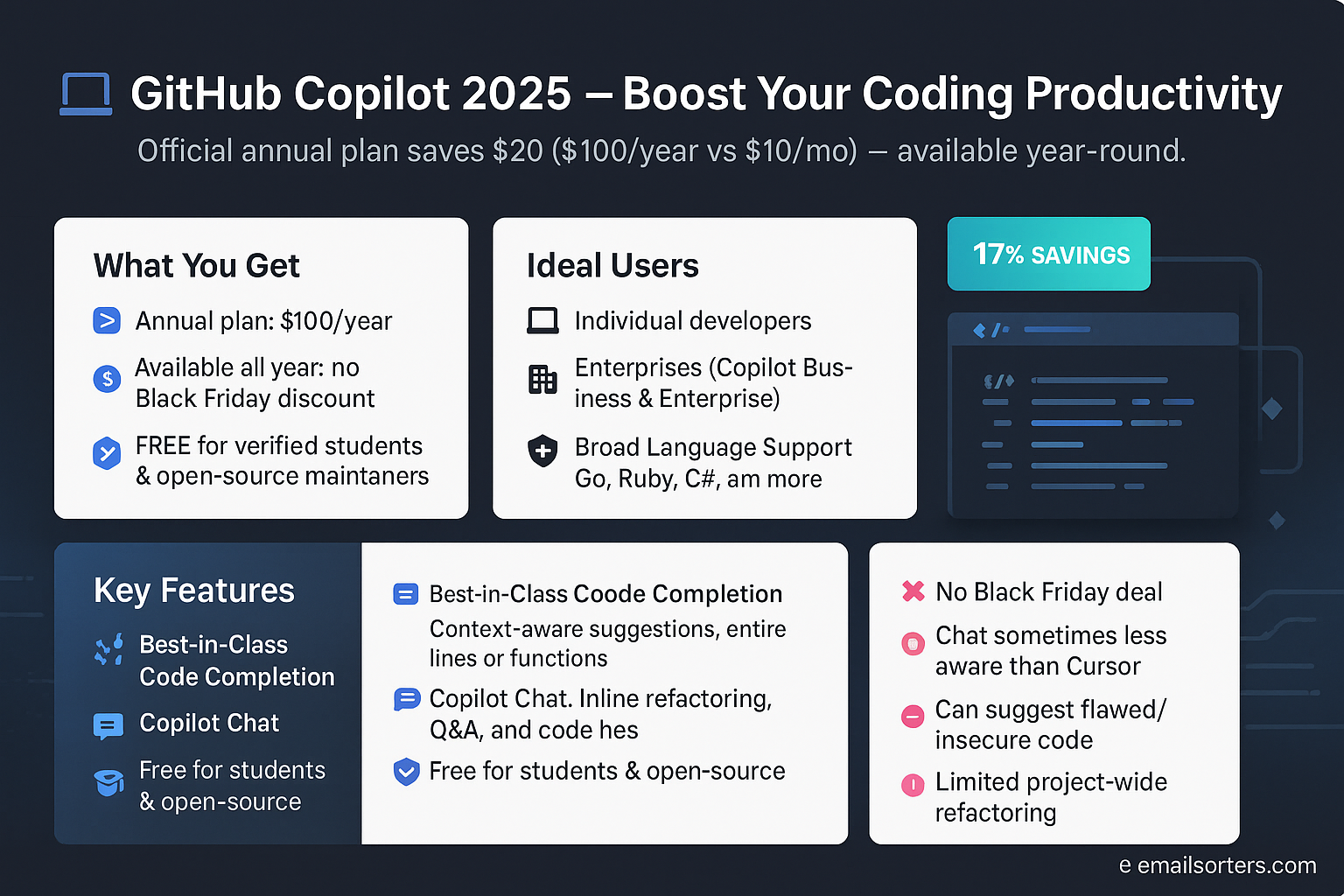
The best and only GitHub Copilot deal is the annual plan. You pay $100 for the year instead of $10 per month.3 This saves you $20, which is a 17% discount. This is the official “deal,” and it is available 365 days a year.
Do not wait for this price to drop on November 28th. It will not. The best time to buy Copilot is the day you decide to get serious about your productivity.
What Is GitHub Copilot?
GitHub Copilot is the original, industry-standard AI pair programmer. It is a plugin that lives directly inside your IDE (like VS Code, JetBrains, etc.). It provides autocomplete-style suggestions for entire lines or functions as you type.4 It also features “Copilot Chat,” a full-featured chatbot you can use to ask questions, refactor code, and write tests.5
My personal experience: I cannot code without it anymore. I type a comment like // function to fetch user data from /api/user/{id} and Copilot writes the entire function for me, complete with async/await and error handling. It is a massive time-saver.
Who Is GitHub Copilot Best For?
GitHub Copilot is best for almost every developer. It is the all-around, reliable choice.
- Individual Developers: At $10/month, it is a no-brainer.6 The “Pro” plan ($10/mo) is all you need.
- Large Enterprises: The “Copilot Business” ($19/user/mo) and “Enterprise” ($39/user/mo) plans add security, IP indemnity, and the ability to train on your private codebase.7
- Students & Open Source Maintainers: Copilot is 100% free for verified students and maintainers of popular open-source projects.8 This is the best deal in tech.
GitHub Copilot’s Key Features
- Best-in-Class Code Completion: Its suggestions are fast, accurate, and context-aware.9 It feels like it is reading your mind.
- Copilot Chat: This is the most underrated feature. I use it constantly. I highlight a “messy” function and type
@workspace /fix this. It refactors the code right in my editor. - Broad Language Support: It works flawlessly across Python, JavaScript/TypeScript, Go, Ruby, C#, and dozens more.10
- Enterprise Security: The enterprise-grade plans promise that your code is not used to train public models, a critical feature for businesses.
GitHub Copilot Pros and Cons
| Pros | Cons |
| The industry standard. Fast and reliable. | No Black Friday deal. |
| Excellent “inline” code completion. | Chat feature is less “aware” than Cursor. |
| Integrated chat is very powerful. | Can sometimes suggest flawed or insecure code. |
| FREE for students and open-source devs. | Less focused on entire project refactoring. |
In-Depth Review: Cursor (The AI-First Challenger)
What Is the 2025 Cursor “Deal”?
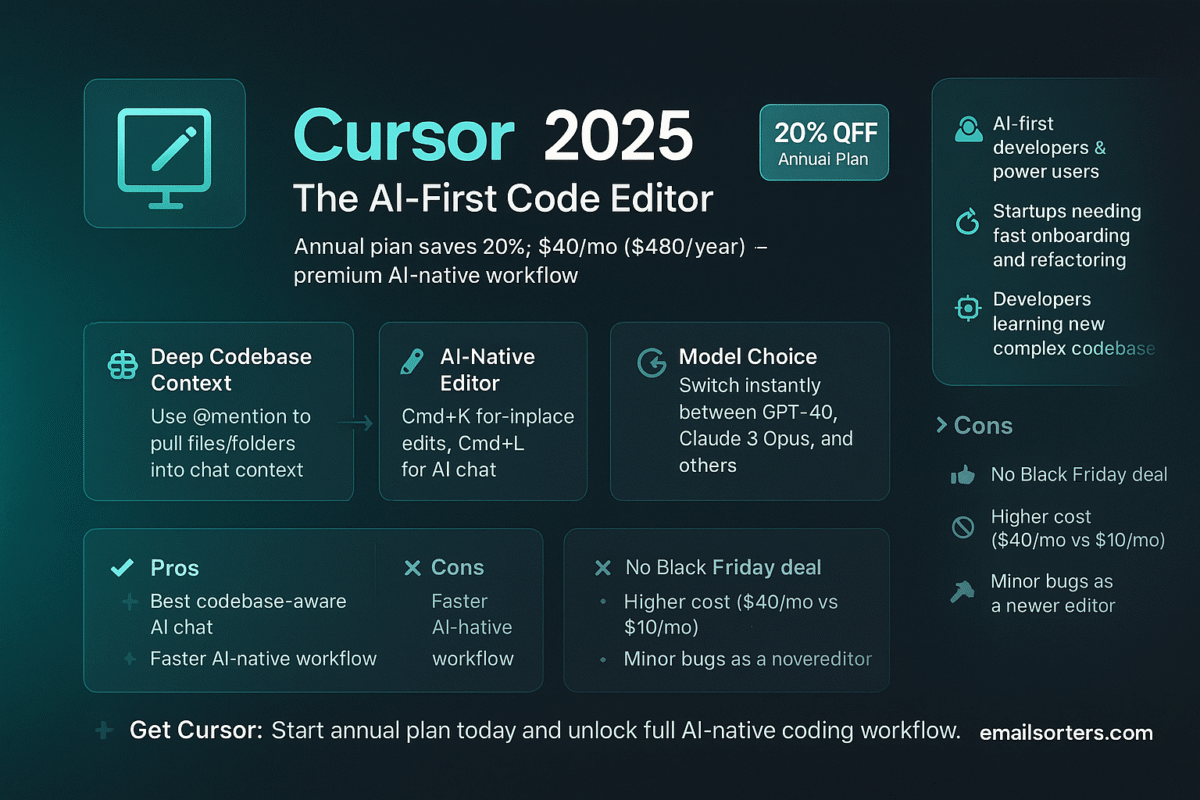
The best deal for Cursor is to choose the annual plan, which gives you a 20% discount. The “Pro” plan costs $40/month when paid annually ($480/year) instead of $50/month.
Like Copilot, Cursor does not run seasonal sales. Its pricing is based on access to premium models and advanced features.11 This is an investment, not an impulse buy.
What Is Cursor?
Cursor is not a plugin; it is a complete, AI-native code editor.12 It is a “fork” of VS Code, so it looks and feels identical.13 You can use all your normal VS Code extensions.
The difference is that AI is not a “bolt-on” chat window.14 It is woven into the core of the editor. You can highlight any block of code and press Cmd+K to refactor it. You can ask questions about your entire codebase at once. It is a fundamentally different way of working.
My experience: I switched to Cursor for a new project. Its “Auto-answer” feature, which can read my entire local folder to answer a question, is magical. I asked it, “Where is the user authentication logic defined?” and it gave me a perfect answer with file paths. Copilot’s @workspace feature is catching up, but Cursor’s is still deeper.
Who Is Cursor Best For?
Cursor is best for AI-first developers, startups, and teams who want to move as fast as possible.15 If you are frustrated by Copilot’s chat limitations, Cursor is the answer.
- Power Users: If you find yourself using AI for more than just autocomplete, Cursor is for you.
- Startups: The speed of refactoring and onboarding is unmatched. You can point a new dev at a repo and say, “Ask Cursor to explain the payment flow.”16
- Developers Exploring New Code: It is the best tool I have found for learning a new, complex codebase.
Cursor’s Key Features
- Deep Codebase Context: This is its killer feature. You can “at-mention” (
@) any file or folder in your project to pull it into the chat context. - AI-Native Editor: Press
Cmd+Kto edit in-place orCmd+Lto start a chat. It is a faster, more fluid workflow than Copilot’s. - Model Choice: You are not locked into one model. You can instantly switch between GPT-4o, Claude 3 Opus, and others, right in the chat.
- “Fix Linter Errors” Button: A magic button that appears next to any code error. I click it, and Cursor just… fixes the bug. It is incredible.
Cursor Pros and Cons
| Pros | Cons |
| The best codebase-aware chat. | No Black Friday deal. |
| AI-native workflow is faster than a plugin. | More expensive ($40/mo vs $10/mo). |
| Allows you to use multiple AI models. | Still has some minor bugs as a newer editor. |
| Familiar VS Code environment. | Usage-based pricing can be complex. |
In-Depth Review: Tabnine (The Privacy-Focused Veteran)
What Is the 2025 Tabnine Black Friday Deal?
Tabnine is the most likely of the “Big 3” to offer a Black Friday deal. In the past, they have offered discounts on their Pro plans. If a deal is announced, we will update this page.
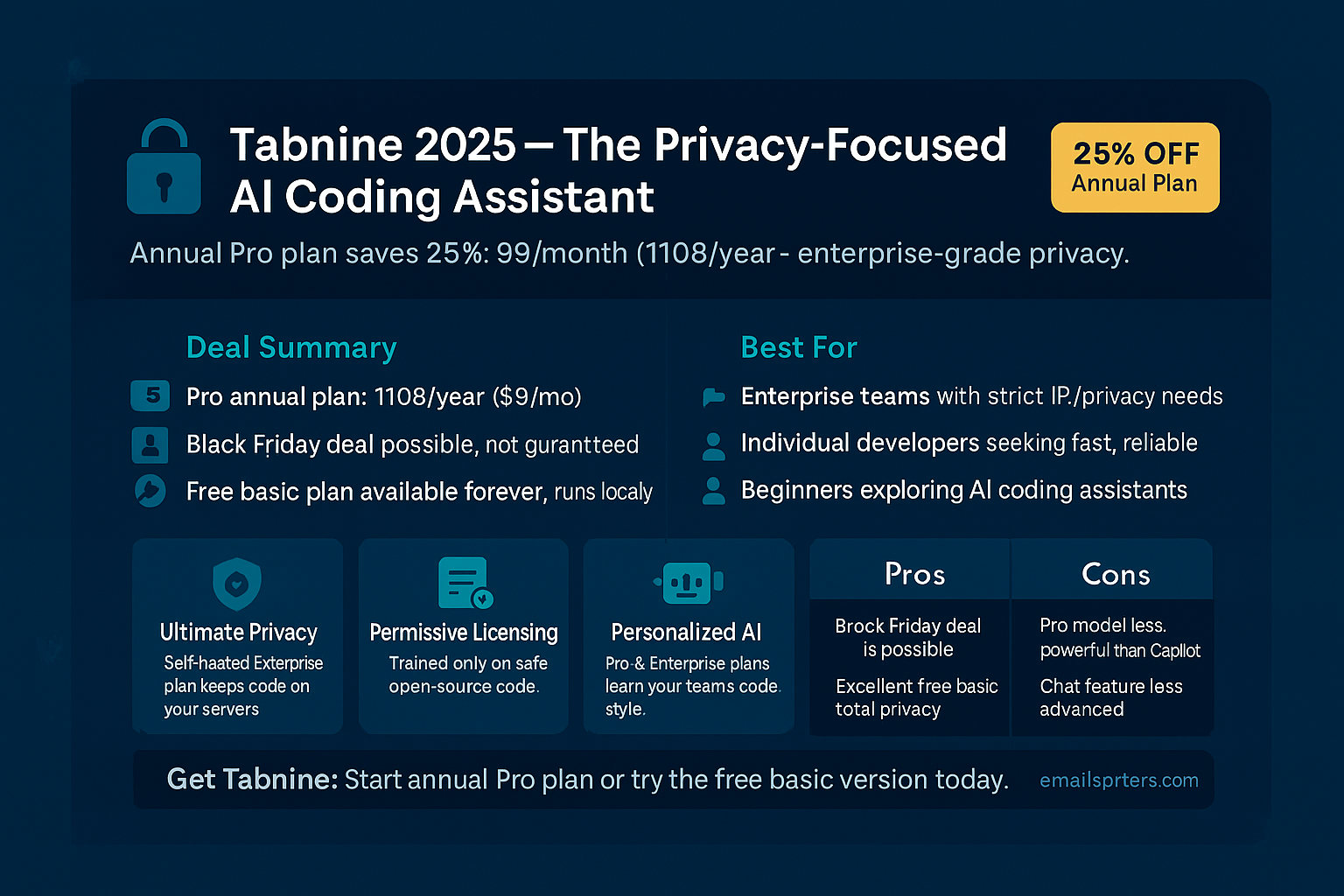
Regardless, the best guaranteed deal is their annual Pro plan. You pay $9 per month ($108/year) instead of $12 per month, a 25% savings.
What Is Tabnine?
Tabnine is one of the original AI code assistants, predating even Copilot. Its main selling point is privacy and security.17 Tabnine’s “Enterprise” plan can be fully self-hosted.18 This means the AI models run on your own servers.19 Your code never leaves your network.
For banks, healthcare companies, or any organization with ultra-sensitive IP, this is a non-negotiable feature. Tabnine also trains its models only on permissively licensed open-source code, reducing copyright infringement risks.20
Who Is Tabnine Best For?
Tabnine is best for enterprise teams with strict privacy needs.21 It is also a very solid, affordable choice for individual developers who want a powerful alternative to Copilot.
- Enterprise / Security-Conscious Teams: If your company will not allow your code to be sent to a third-party API, Tabnine Enterprise is your only option.
- Individual Developers: The $9/month “Pro” plan is excellent.22 Its completions are very fast, and some developers prefer its model over Copilot’s.
- Beginners: Tabnine has a 100% free basic plan with a strong, local AI model.23 This is a fantastic way to get started with AI coding assistants without paying a cent.
Tabnine’s Key Features
- Ultimate Privacy: The self-hosted option is its killer feature for enterprise.
- Permissive Licensing: It is trained on code with permissive licenses, which is a major legal plus for large companies.24
- Excellent Free Tier: The “Basic” plan is free forever and runs locally. It is not as powerful as the Pro plan, but it is far better than standard IDE autocomplete.
- Personalized AI: The Pro and Enterprise plans can be trained on your specific repositories to learn your team’s patterns and conventions.
Tabnine Pros and Cons
| Pros | Cons |
| Black Friday deal is possible. | Pro model is generally considered less powerful than Copilot’s. |
| Excellent FREE basic plan. | Chat feature is not as advanced as Copilot or Cursor. |
| Self-hosting for total privacy. | Fewer “wow” features than Cursor. |
| Legally “safer” training data. |
Head-to-Head: Copilot vs. Cursor vs. Tabnine
Which “Deal” Is the Best Investment This Black Friday?
Your Black Friday “deal” is an annual subscription. Choosing the right tool is more important than a small discount. Here is my first-hand breakdown of who should buy what.
- For the Individual Dev: Get GitHub Copilot Pro.25 At $100/year, it is the best value in software development. It pays for itself in one day of work.
- For the Power User / Startup: Get Cursor Pro. The $480/year price is steep, but the productivity gains from its codebase-aware chat are real. It is a “force multiplier” for small teams.
- For the Enterprise: Get GitHub Copilot Enterprise (if you are on GitHub) or Tabnine Enterprise (if you need self-hosting). Tabnine wins on pure privacy.26 Copilot wins on feature velocity.
Feature Comparison Table
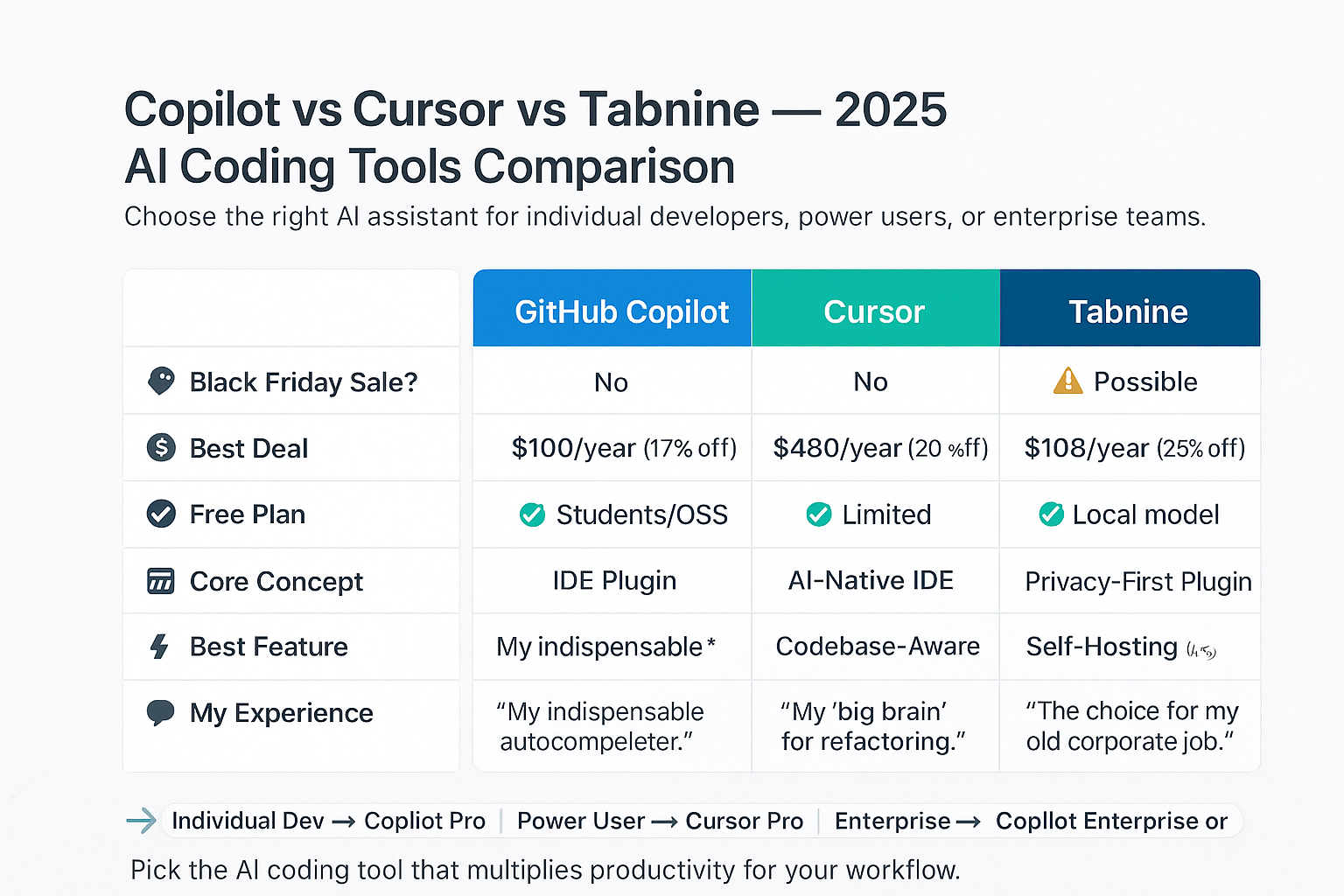
| Feature | GitHub Copilot | Cursor | Tabnine |
| Black Friday Sale? | No | No | Possible |
| Best Deal | $100/year (17% off) | $480/year (20% off) | $108/year (25% off) |
| Free Plan | Yes (for Students/OSS) | Yes (limited features) | Yes (local model) |
| Core Concept | IDE Plugin | AI-Native IDE | Privacy-First Plugin |
| Best Feature | Inline Code Completion | Codebase-Aware Chat | Self-Hosting (Privacy) |
| My Experience | “My indispensable autocompleter.” | “My ‘big brain’ for refactoring.” | “The choice for my old corporate job.” |
Are There Other AI Tool Deals to Watch?
Yes. While the core assistants are not on sale, many other developer and AI tools will be. This is a great time to build out your toolkit.
Keep an eye on these categories:
- AI Writing Assistants: If you write documentation, blog posts, or even complex emails, a dedicated writing tool is a must. Check out the AI writing tools Black Friday deals for tools like Jasper and Writesonic.
- AI Image Generators: For creating documentation diagrams, blog headers, or UI mockups, an AI image tool is key. See our AI image generator Black Friday guide.
- General Software: This is the best time of year for all subscriptions. See our master list of Black Friday software deals.
What Is AI-Assisted Software Development?
Why Are These Tools So Important?
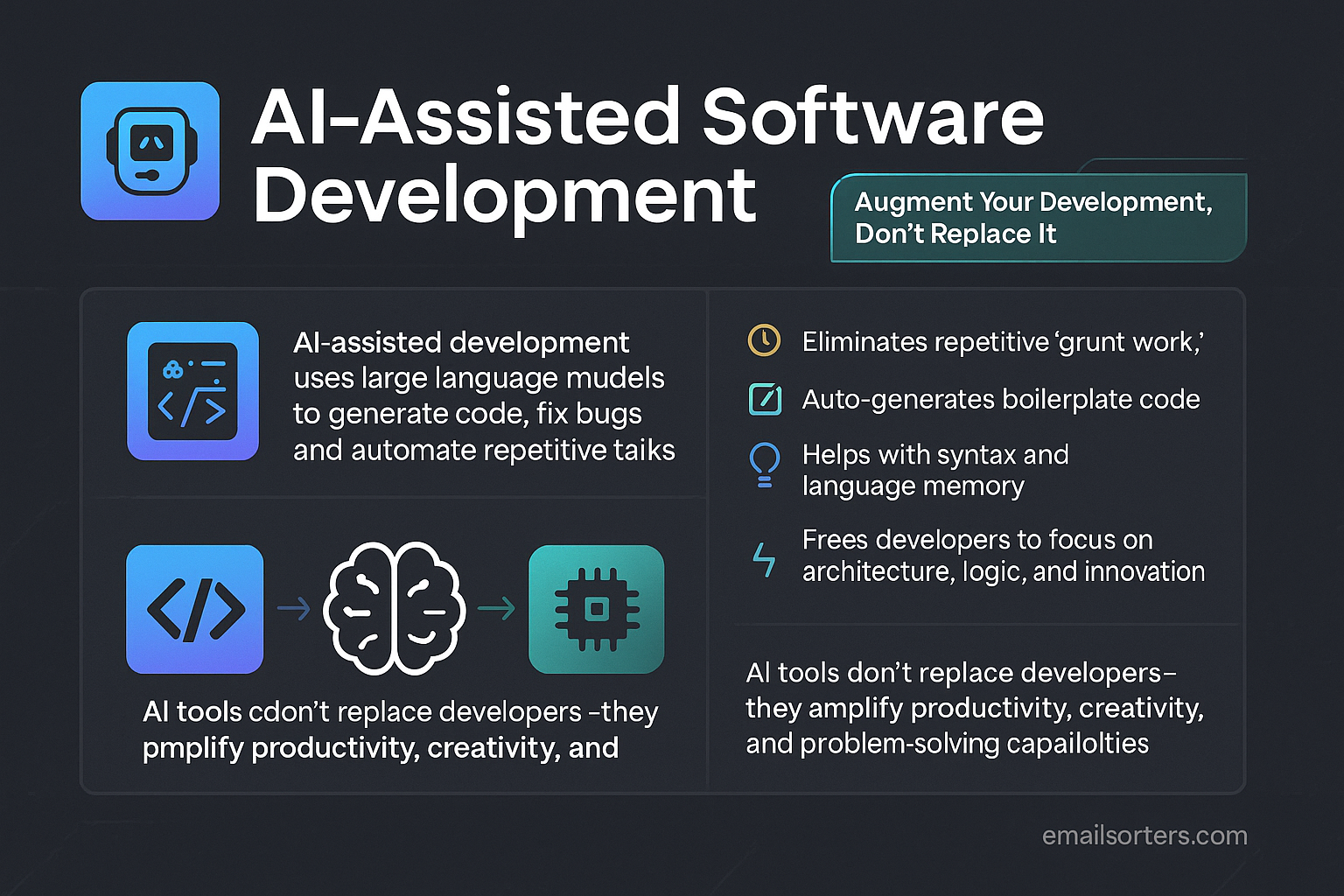
AI-assisted software development is a new category of tools that use large language models to help write, debug, and refactor code.27 This concept is a form of AI-assisted software development.
These tools do not replace developers. They augment them. My personal experience is that they eliminate “grunt work.” I no longer have to Google simple syntax for a language I have not used in six months. I do not have to manually write boilerplate. This lets me focus 100% of my brainpower on the hard problems: system architecture, user logic, and building new features.
Frequently Asked Questions (FAQ)
Is GitHub Copilot free for students?
Yes. If you are a verified student, you get GitHub Copilot Pro ($10/month value) for free.30 This is the best deal in technology. You can also get it free if you are a maintainer of a popular open-source project.31
Is Cursor just VS Code with a plugin?
No. It is a “fork” of VS Code, which means it is the entire editor, rebuilt with AI at its core. It feels like VS Code, but the AI integration is much deeper than any plugin. You can still use all your normal VS Code extensions.
Can these AI tools steal my code?
This is a major concern.
- GitHub Copilot (Enterprise): Guarantees your code is not used to train public models.32
- Cursor: Your code is sent to third-party APIs (like OpenAI), but they have a “Privacy Mode” for sensitive files.
- Tabnine (Enterprise): This is the most secure.33 You can run it on your own servers.34 Your code never leaves your network.
What is the difference between an AI coding assistant and a free app?
They are completely different. A tool like one of these free email sorters apps is built for one simple, single task. An AI coding assistant is a complex platform integrated into your entire workflow, constantly learning from your context to save you time.
Which is better: Copilot or Cursor?
It depends on your workflow. I use Copilot for 90% of my day-to-day typing. I use Cursor when I am starting a new project or need to refactor something complex. Many developers on my team now use Cursor as their full-time editor.
Should I just use a free tool like ChatGPT?
You can, but it is slow. You have to copy your code, paste it into a web browser, write a prompt, copy the answer, and paste it back. An integrated tool like Copilot or Cursor is 100x faster. It is the difference between Ymail vs. Gmail in 1999 vs. 2025. One is a webpage; the other is a seamless part of your life.


