A professional email address looks clean and usually consists of your first and last name without extra characters or numbers. You should aim for a format that is easy to read and type for your recipients. This guide provides various examples to help you create a credible identity for your personal or business communication. Choosing a clear address is the first step toward building professional trust and ensuring your messages reach the right people.
What Is an Email Address?
An email address is a unique digital identifier that allows you to send and receive messages across the internet. It acts as your virtual mailbox location so that data reaches your specific account among millions of others worldwide. You use this address to sign up for services, contact coworkers, and manage your daily digital life.
Every address follows a specific structure to function correctly. It starts with a username, followed by the “@” symbol, and ends with a domain name. For example, in [email protected], “yourname” is the part you choose, while “gmail.com” represents the service provider. This format ensures that every message travels to the correct destination without getting lost. You can think of it as a house address for the digital world that belongs only to you.
What Does a Professional Email Address Look Like?
A professional email address looks simple and uses your actual name to establish credibility with the person receiving your message. It avoids nicknames, slang, or random strings of numbers that could make your message look like junk mail. You want an address that tells the recipient exactly who you are before they even open the email.
Consistency and clarity are the most important factors for your choice. Using your full name or a combination of your initials makes it easy for others to find you in their inbox. It also helps with branding, as your address serves as a digital business card. When your address is professional, you show that you take your work and your communication seriously. This builds a foundation of trust for every interaction you have online.
What Are Professional Email Address Examples You Can Use?
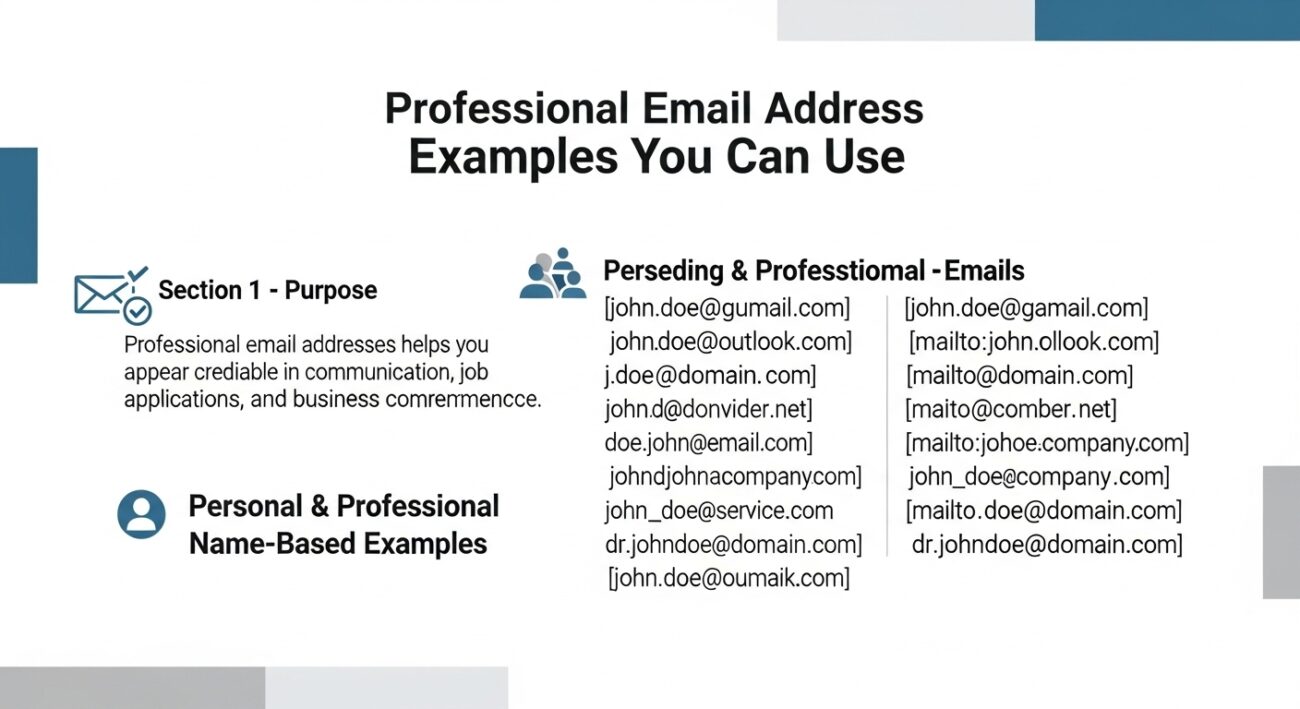
This section lists professional email address examples for personal use, job hunting, and business communication. You can follow these patterns to ensure your contact information remains clear and respected. Use these as a guide to create an address that fits your needs today.
Personal and Professional Name-Based Examples:
- [email protected]
- [email protected]
- [email protected]
- [email protected]
- [email protected]
- [email protected]
- [email protected]
- [email protected]
- [email protected]
- [email protected]
Business and Departmental Examples:
- [email protected]
- [email protected]
- [email protected]
- [email protected]
- [email protected]
- [email protected]
- [email protected]
- [email protected]
- [email protected]
- [email protected]
These examples show how you can combine your name or your role with a clean domain. You should choose the one that feels most natural for your specific industry or personal goals. Keeping it simple ensures that you are easy to reach.
What Are Good Email Address Ideas for Personal and Business Use?
Email address ideas depend on your name and the purpose of your communication. You should choose a pattern that remains professional while fitting within the availability of your chosen domain provider. These ideas help you create a unique but credible identity that people can easily remember when they need to contact you.
How to use name patterns for your email address
You can create a solid address by rearranging your first, middle, and last names in different ways. If your full name is already taken, try using your middle initial or a shortened version of your first name. For example, [email protected] or [email protected] both look clean and formal. These patterns ensure your name is the focal point, which helps with personal branding and recognition.
Choosing ideas for your specific career or location
Adding a professional qualifier or a city can help if you have a common name. You might use your job title, such as [email protected], or your location, like [email protected]. These additions provide context to the recipient and can make your address stand out in a busy inbox. Avoid using years or ages, as these can make your email feel dated or less professional over time.
What Is the Best Email Format for Professional Use?
Professional email formats are simple and consistent to ensure your address is easy to read and share. You should prioritize a format that places your name at the front and uses a reputable domain at the end. A clean format reduces the risk of your address being mistyped or misunderstood during verbal communication.
Why first name and last name formats work best
The most common and effective format is [email protected]. This structure is the industry standard because it leaves no doubt about your identity. Using a period or an underscore between your names makes the address more legible, especially if your names are long. Most businesses use this format because it looks organized and scales well as more people join an organization.
Selecting the right domain for your format
Your choice of domain impacts how people perceive your email format. For personal use, sticking to well-known providers like Gmail or Outlook is a safe and professional choice. If you are representing a business, using a custom domain like @yourcompany.com is the best format for building authority. A custom domain tells the recipient that you are a legitimate professional rather than a casual user.
What Special Characters Should You Avoid in Email Addresses?
Special characters can cause problems in email addresses because many mail servers and contact forms do not recognize them. You should stick to periods or underscores if you need to separate words in your username. Using unusual symbols often leads to delivery errors or makes your address difficult for others to type correctly.
Why you should skip most symbols
Most people expect an email to contain only letters and numbers. If you include characters like exclamation points, pound signs, or dollar signs, your address looks like a mistake or a spam account. Some older email systems might even reject your message before it reaches the recipient. Keeping your address alphanumeric ensures that it works across all platforms and devices without issue.
The risk of using hyphens and dots incorrectly
While periods and underscores are common, you should use them sparingly. Do not start or end your username with a dot, as this is an invalid format for many providers. You should also avoid using multiple special characters in a row. A clean address like [email protected] is much safer than [email protected]. Simple choices help you stay reachable and professional.
What Is the Difference Between Personal and Business Email Addresses?
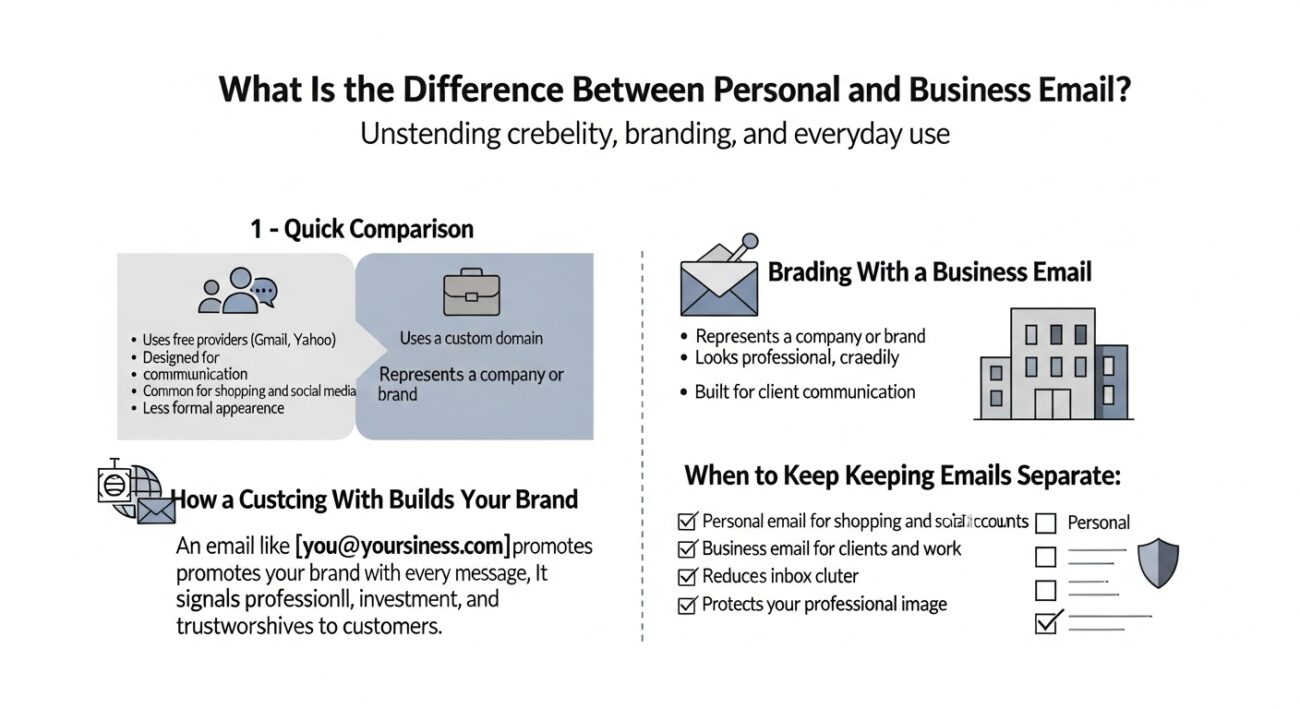
Business emails use custom domains to establish a brand identity and show a higher level of credibility. A personal email often relies on a free provider like Google or Yahoo for casual use. Choosing a business address tells your clients that you represent a serious company rather than just yourself.
How a custom domain builds your brand
When you use an address like [email protected], you are advertising your brand with every message you send. This format looks much more official than a generic free account. It shows that you have invested in your own website and professional infrastructure. Customers are more likely to trust an email that matches the website of the company they are dealing with.
When to keep your personal email separate
You should use your personal email for things like online shopping, social media, and chatting with friends. Mixing your work and private life in one inbox can lead to clutter and missed deadlines. A personal account allows for more flexibility, while a business account should remain strictly professional. Keeping these two areas of your life separate helps you stay organized and protects your professional image.
How Do Email Addresses Affect Professional Communication and Marketing?
A professional email address builds immediate trust and improves your deliverability rates in both communication and marketing. You should use a clear, name-based or brand-based address to ensure your messages reach the primary inbox. Professional addresses are up to 40% more likely to be opened compared to messages from generic or free accounts.
Building trust with your recipients
The single most important factor in whether someone opens an email is if they trust the sender. When you use a professional email address, you prove that you represent a real person or a legitimate business. If you send an email from a random or unprofessional address, people may worry about scams or phishing. Clear branding in your address helps people recognize you instantly, which fosters a long-term relationship.
Enhancing your email marketing success
In email marketing, your sender reputation determines if your emails even reach your audience. Mailbox providers like Gmail and Outlook give you a reputation score based on how people interact with your address. If you use a professional domain and get high open rates, your reputation improves. This ensures your future marketing campaigns land in the inbox rather than the spam folder.
Improving brand recall and recognition
Every email you send is a chance to reinforce your brand in the mind of your customer. If your email address matches your website domain, people are more likely to remember your company name. This repeated exposure builds familiarity over time, making customers more comfortable with your services. A consistent and professional identity across all your emails acts as a free digital business card.
Avoiding technical spam filters
Spam filters often flag emails from free webmail providers if they appear to be sending bulk business messages. By using a professional, domain-based email, you comply with modern authentication standards that verify your identity. This reduces the chance of your invoices or proposals being blocked by security systems. Technical correctness in your email address is vital for maintaining a smooth flow of business communication.
What Are Common Mistakes When Creating an Email Address?
The most common mistakes when creating an email address include using unprofessional nicknames, excessive numbers, or confusing symbols. You should also avoid using your birth year or references to hobbies that do not belong in a work setting. These choices can make your messages feel casual or untrustworthy to potential employers and clients.
Staying aware of how your address looks to others is the best way to maintain a high standard. Here are the specific mistakes you should watch for:
- Using childhood nicknames: Names like “coolguy123” or “partygirl” are not suitable for professional use and can harm your reputation.
- Adding random numbers: If
john.doeis taken, adding a long string of numbers likejohn.doe98234looks messy and hard to remember. - Including your birth year: Using
smith85orjones1990can lead to age bias or reveal personal information you might want to keep private. - Mixing symbols and characters: Overusing dots, underscores, or hyphens makes your address difficult for people to type or speak aloud.
- Using outdated domains: While still functional, using very old email providers can sometimes suggest you are not tech-savvy.
- Referencing hobbies or beliefs: Keep your political views, religious beliefs, or favorite sports teams out of your professional contact info.
- Forgetting to update: Using an email from a former job or school once you have moved on looks disorganized and unprofessional.
Your email is often the first thing people see when you reach out. A clean, simple address shows that you are organized and serious about your work. If your current address has any of these issues, you should consider creating a new one for your professional needs.
How Do You Choose the Right Email Address for Your Needs?
The right email address depends on your purpose, whether you are seeking a job, running a business, or managing personal tasks. You should aim for a balance between availability and professional standards to ensure you remain reachable. A clear address acts as a foundation for all your digital interactions and protects your personal brand.
Defining your primary goal
You must decide if your address is for broad professional use or for a specific company brand. If you are a freelancer or job seeker, a name-based address on a major provider is a solid choice. If you represent a business, you should always invest in a custom domain to show authority. Identifying the main reason you need the address helps you narrow down the best format quickly.
Testing for clarity and ease of use
A good email address is easy to say over the phone without having to spell out every character. You should choose a username that is short enough to fit on a business card or a resume without looking cluttered. Try saying your chosen address out loud to a friend to see if they can understand it the first time. If they have to ask for clarification, the address is likely too complex for professional use.
What Are Some Creative but Professional Email Address Ideas?
Creativity should not reduce clarity when you are building a professional presence. You can find email address ideas by adding your professional role or a specific skill to your name if the basic version is already taken. For example, using [email protected] or [email protected] shows exactly what you do. This approach keeps you looking like an expert while helping you secure a unique address.
How Can You Create a Unique Email Address Without Looking Unprofessional?
Uniqueness should still follow professional rules to ensure you are taken seriously by colleagues and recruiters. You can create a unique email address by using a combination of your first initial, middle name, and last name. Avoid using slang or “leetspeak” (replacing letters with numbers) as this looks like spam. A structured approach ensures your address stands out for its professional tone rather than a confusing format.
What Is a Custom Email Address and Why Does It Matter?
A custom email address is an account that uses your own personal or business domain name, such as [email protected]. This matters because it gives you full control over your digital identity and instantly boosts your authority. It proves that you have invested in your brand and makes you look more established than those using free webmail. Custom domains also provide more flexibility as your business or career grows.
How Does Email Autofill Work and Why Should You Be Careful?
Autofill can cause email mistakes because it suggests addresses based on your past activity without checking for errors. While it saves time, you might accidentally send a private message to the wrong recipient if they have a similar name. Always double-check the “To” field before you hit send to avoid professional embarrassment. Keeping your contact list clean helps your autofill email address feature work more accurately for your daily needs.
What Is a No-Reply Email Address and When Should It Be Used?
A no-reply email address is a specialized account used by businesses for automated messages that do not require a response. You often see these used for shipping updates, password resets, or newsletter blasts. You should use them sparingly because they can frustrate customers who have follow-up questions. Providing a clear path for support alongside these messages ensures you maintain a helpful brand image.
Why Should You Avoid Fake Email Address Generators?
Fake email addresses harm trust because they suggest you are trying to hide your identity or avoid a commitment. While these fake email address generators can help you avoid temporary spam, they often trigger security filters on professional sites. Using your real, professional address is always the better choice for building long-term relationships. Reliability is the most important trait in professional communication.
What Makes an Email Address Truly Professional?
A professional email address summarizes your identity through a clean, recognizable name and a trustworthy domain. It is the digital equivalent of a firm handshake and a clear introduction when you meet someone new. By following the standards of clarity and simplicity, you ensure that your first impression is always a positive one. This small detail serves as a powerful foundation for all your future success.
Final Thought
Your email address is the digital equivalent of a business card, serving as your identity in every message you send. Choosing a professional format ensures that your communication is taken seriously by employers, clients, and colleagues. By avoiding clutter and sticking to a name-based structure, you create a foundation of trust before the recipient even reads your first sentence.
Keeping your address simple and consistent allows you to build a reliable personal brand over time. Whether you use a major provider like Gmail or invest in a custom domain for your business, clarity remains your most valuable asset. A professional email address is a small detail that makes a significant difference in your long-term career success and networking.