Choosing between WooCommerce and Shopify is a decision about your business infrastructure, not just a list of features. This choice defines your daily operations, your financial predictability, and how much control you keep over your digital assets. You are deciding between two fundamentally different philosophies: the hosted model and the self-hosted model.
The hosted model, represented by Shopify, functions like renting a high-end commercial space. You pay a monthly fee, and the landlord handles the plumbing, electricity, and security. You can focus entirely on selling products. The self-hosted model, represented by WooCommerce, is like owning the land and building the store yourself. You have total freedom to change the layout or add custom rooms, but you are responsible when the roof leaks or the power goes out.
Success depends on matching the platform to your internal resources. If you have a dedicated technical team or need deep customization, the self-hosted route offers the flexibility you require. If your priority is speed to market and minimizing technical overhead, the hosted route provides a stable, managed environment. Your decision should rest on your long-term growth strategy and how much time you want to spend managing software versus managing sales.
Quick Decision Summary: WooCommerce vs Shopify
The choice between WooCommerce and Shopify depends on your technical comfort and how much time you want to spend on maintenance. Shopify offers a faster start with managed security. WooCommerce provides total ownership and lower initial software fees but requires you to manage your own hosting and updates.
Use the table below to see which platform aligns with your current business needs.
| Feature | Shopify | WooCommerce |
| Model | Hosted (SaaS) | Self-Hosted (WordPress) |
| Setup Speed | Very Fast | Moderate to Slow |
| Technical Skill | Low (No code) | Moderate to High |
| Security | Managed by Shopify | Your Responsibility |
| Maintenance | Included | Manual Updates Required |
| Transaction Fees | Yes (if not using Shopify Payments) | None (Gateway fees only) |
| Customization | High (within limits) | Unlimited |
What Is WooCommerce?
WooCommerce is an open-source ecommerce framework built on top of WordPress. It is not a standalone service but a plugin that transforms a standard website into a fully functional online store. Because it is open-source, the core software is free to download and modify. This model gives you complete ownership of your data and your store’s code. You can change every detail of the checkout process, integrate with any obscure third-party service, and build unique features that “out-of-the-box” platforms cannot support.
However, this freedom comes with infrastructure responsibilities. You must choose a hosting provider, install SSL certificates, and manage backups. You are the “General Contractor” of your store. While the plugin ecosystem is massive, you must ensure that different plugins play well together. If a site update breaks your checkout page, you or your developer must fix it. It is the best choice if you already use WordPress or if you want a store that grows into a complex, custom-coded machine without hitting a “feature ceiling.”
What Is Shopify?
Shopify is a dedicated ecommerce subscription service that handles the technical side of your store for you. It is a Software-as-a-Service (SaaS) platform where the hosting, security, and core updates are bundled into your monthly price. You don’t need to worry about server crashes during a flash sale or PCI compliance for credit card data. The platform is designed to be user-friendly, allowing you to launch a professional store in hours without writing a single line of code.
While Shopify simplifies the experience, it operates within a “walled garden.” You have less control over the underlying server architecture and the checkout code. You pay for this convenience through monthly subscription fees and potential transaction costs. Shopify is ideal if you want to focus on marketing and brand building rather than server logs. It provides a predictable operating environment where the infrastructure scales automatically as your traffic increases, making it a favorite for brands that value stability over total technical control.
WooCommerce vs Shopify: Feature Comparison
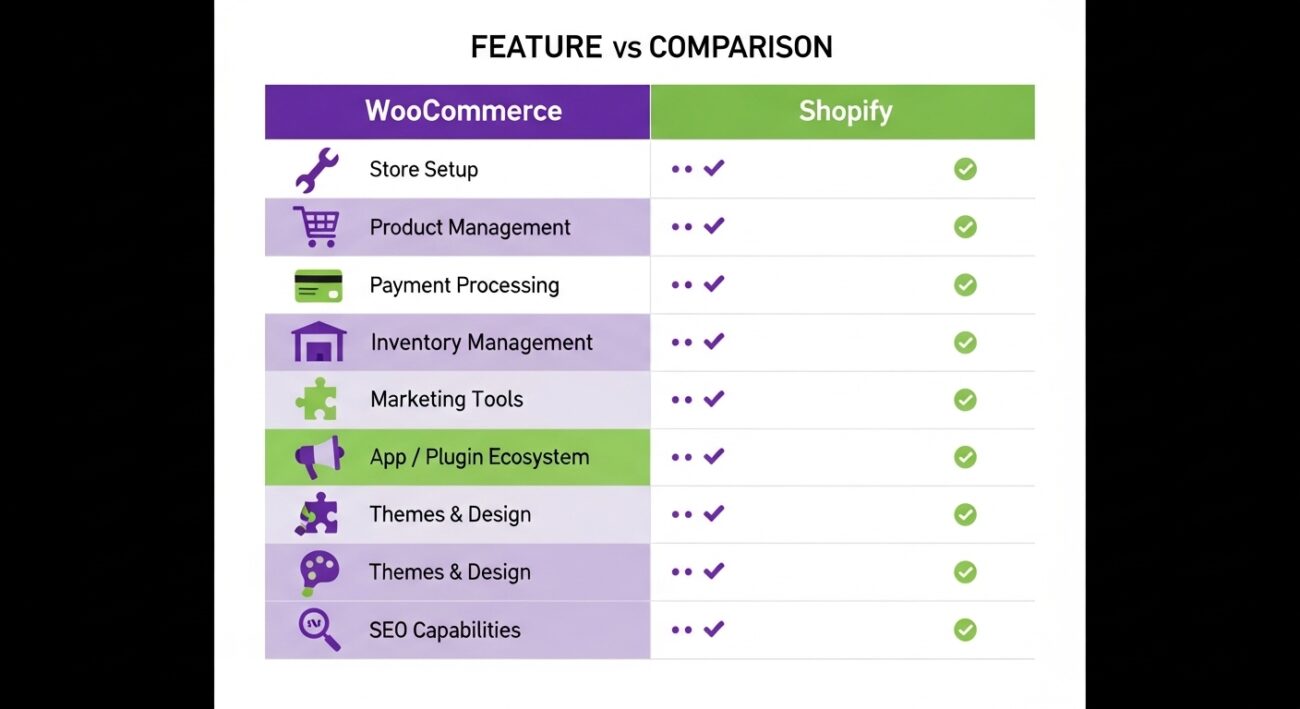
Choosing the right platform involves looking at how you will perform daily tasks. Each system handles common ecommerce workflows differently.
Store Setup
Shopify is built for speed. Once you create an account, you have a working store immediately. You pick a theme, add products, and you are live. WooCommerce requires more steps. You must buy hosting, install WordPress, add the WooCommerce plugin, and configure your server settings. It takes longer but gives you a custom foundation from day one.
Product Management
Both platforms handle physical and digital goods well. Shopify uses a very structured, clean interface that makes adding variants like size or color simple. WooCommerce offers more flexibility for complex product types, such as composite products or highly customized items, because you can modify the database structure if needed.
Payment Processing
Shopify pushes its own tool, Shopify Payments. If you use a different provider, they charge an extra transaction fee. This can eat into your margins. WooCommerce does not charge any extra fees for using third-party gateways. You only pay the processing fees charged by the bank or provider you choose.
Inventory Management
Shopify has built-in tools that are reliable for most small to mid-sized stores. It tracks stock levels across multiple locations easily. WooCommerce relies on its core features for basic tracking but often requires extra plugins for advanced multi-location inventory. This gives you more power but adds more pieces to manage.
Marketing Tools
Shopify includes basic SEO and email tools in the dashboard. For more power, you use their curated App Store. WooCommerce leverages the power of WordPress, which is arguably the best platform for content marketing and SEO. You have access to thousands of plugins to fine-tune every meta tag and social share.
App / Plugin Ecosystem
WooCommerce has a massive, open marketplace. You can find a plugin for almost anything, often for free or a one-time fee. Shopify’s App Store is more regulated. Apps usually work better out of the box, but they almost always require a monthly subscription, which adds up quickly.
Themes & Design
Shopify themes are polished and mobile-responsive but offer limited structural changes without editing liquid code. WooCommerce themes are infinitely customizable. If you can dream it, you can build it, but it is easier to “break” a WooCommerce design if you aren’t careful with your CSS and PHP.
SEO Capabilities
Shopify handles the basics like sitemaps and clean URLs automatically. However, you have limited control over some URL structures. WooCommerce gives you full access to the technical SEO of your site. Using plugins like Yoast or RankMath, you can control every technical detail to rank higher in search results.
Pricing Comparison (Real Cost Breakdown)
Here’s the content reformatted as a clear comparison table for Shopify vs. WooCommerce total cost of ownership (TCO) over time:
| Aspect | Shopify | WooCommerce |
| Base Pricing | Transparent: $39, $105, or $399/month | Free plugin, but requires hosting ($20–$100/month) |
| Add-On Costs | Apps for rewards, filters, upsells: $10–$50/month each; mid-range store: $150–$300/month total software | Premium theme ($60–$100 one-time); paid plugins (subscriptions/bookings): $50–$200/year |
| Transaction Fees | Yes, if not using Shopify Payments | None (depends on payment gateway) |
| Maintenance | Included in platform; low dev needs | High if non-technical: hire dev at $75–$150/hour for updates/troubleshooting |
| Scaling Behavior | Predictable monthly costs; grows expensive with apps | Cheaper per-transaction at scale (no monthly subs/platform fees) |
Ease of Use & Technical Skill Required
Shopify is designed for the “non-techie.” The interface is intuitive, and the risk of breaking your site is very low. You don’t need to know what a “database” or “PHP version” is to run a successful store. The onboarding is smooth, and you can manage your entire business from a mobile app.
WooCommerce has a steeper learning curve. You need to understand how WordPress works. You are responsible for troubleshooting plugin conflicts and making sure your hosting has enough memory. If your site slows down, it’s up to you to optimize the images or use a CDN. For a business owner who wants to focus on products, WooCommerce can feel like a part-time job as a web admin.
Which Platform Scales Better?
Scaling is about how your store handles more traffic and more data. Shopify scales horizontally without your input. If you get a sudden surge from a viral social post, Shopify’s servers adjust automatically to keep you online. This “peace of mind” is a major reason why high-volume brands stay on the platform.
WooCommerce scales “vertically,” meaning you must upgrade your hosting plan as you grow. If you go from 100 visitors to 100,000, your cheap $10 hosting will crash. You must move to a VPS or a dedicated server. While WooCommerce can handle massive stores, it requires an architect to ensure the database and hosting environment are optimized for high loads. If you want the platform to handle the heavy lifting, Shopify wins. If you want to control exactly how your server resources are used, WooCommerce wins.
Security & Maintenance Responsibility
Security is the biggest operational difference. On Shopify, security is their problem. They handle PCI compliance, SSL certificates, and protect you against hacking attempts at the server level. You don’t have to worry about updating the core software or patching security holes.
On WooCommerce, security is your problem. You must ensure you are using a reputable host and keeping your WordPress core, themes, and plugins updated. Outdated plugins are the leading cause of hacked sites. You also need to manage your own backups and security firewalls. For many business owners, this responsibility creates unnecessary stress and risk.
Which Platform Should You Choose?
Your choice should match your business stage and technical comfort.
Choose Shopify if:
- You want to launch your store as fast as possible.
- You do not have an in-house developer or technical skills.
- You want a fixed monthly cost for your core infrastructure.
- You want the platform to handle security and server maintenance.
- You are focused on dropshipping or simple retail models.
Choose WooCommerce if:
- You already have a WordPress site and want to add a shop.
- You need a highly custom checkout or unique product logic.
- You want to avoid the “platform tax” and transaction fees.
- You want 100% control over your data and hosting environment.
- You have a developer on call or are comfortable managing software.
If you are comparing this to other business tools, it is similar to choosing a CRM. Much like our Zoho CRM vs Pipedrive comparison, the right choice is the one that fits your team’s workflow and technical capacity.
When NOT to Choose WooCommerce
Do not choose WooCommerce if you view technology as a burden. If the idea of logging in to update plugins or fixing a “white screen of death” sounds like a nightmare, stay away. WooCommerce is a poor fit for solo founders who have zero technical interest and no budget for a developer. It is also risky if you are on a very tight budget and try to use “cheap” hosting for a store that requires high performance; you will lose more money in downtime than you save in hosting fees.
When NOT to Choose Shopify
Do not choose Shopify if you need deep, unconventional customization. If your business model requires you to change how the shopping cart calculates taxes in a way their API doesn’t allow, you will hit a wall. It is also a bad fit if you sell high-risk products that Shopify’s terms of service might flag. Finally, if you hate the idea of being “locked in” to a monthly subscription where your store disappears if you stop paying, the SaaS model isn’t for you.
Migrating Between WooCommerce and Shopify
Moving from one to the other is complex. It isn’t as simple as clicking a button. You have to migrate product data, customer lists, and order history. While tools like Cart2Cart can help, you often lose your design and layout in the process.
The biggest risk is SEO. Your URL structures will change, and if you don’t set up 301 redirects correctly, you could lose your Google rankings overnight. Migration usually costs several thousand dollars and takes weeks of testing. It is much better to choose the right platform now than to try and switch two years later when your catalog is larger.
Final Verdict
There is no “best” platform, only the best platform for your specific situation. Shopify is the gold standard for ease of use and reliability. It is the choice for entrepreneurs who want to sell things without becoming webmasters. WooCommerce is the powerhouse of flexibility. It is the choice for creators and brands who want a bespoke digital experience and total ownership of their tech stack.
Consider your long-term goals. If you want to scale without thinking about servers, go with Shopify. If you want to build a unique, content-rich ecosystem, WooCommerce is your best bet. If you are still exploring different software solutions, check out our Software Comparisons Hub for more deep dives.


