Looking for the best email spam blockers to finally clean up your inbox? If you’re tired of junk mail, phishing emails, and unwanted promotions cluttering your workflow, you’re not alone. Spam overruns inboxes every day, hiding important messages and creating real security risks.
Many users try simple fixes, like learning how to block an email address in Gmail or Outlook, but manual blocking isn’t enough. Spammers rotate domains and senders constantly, making basic filters easy to bypass. To truly stop junk mail and protect your data, you need a powerful email spam blocker that uses advanced filtering and real-time threat detection.
This guide reviews the top email spam blockers available today and explains how each tool works to keep your inbox clean, secure, and organized. Whether you need a free option, a business-grade solution, or an AI-powered spam filter, you’ll find the right tool to eliminate spam for good.
What Is an Email Spam Blocker, and How Does It Prevent Unwanted Emails?
An email spam blocker is a specialized software application or filtering system designed to identify, segregate, and stop unsolicited messages before they clutter your primary inbox. Unlike simple manual blocks, these tools use complex algorithms to analyze sender data, subject lines, and message content to determine if an email is legitimate or junk.
Understanding the First Line of Defense
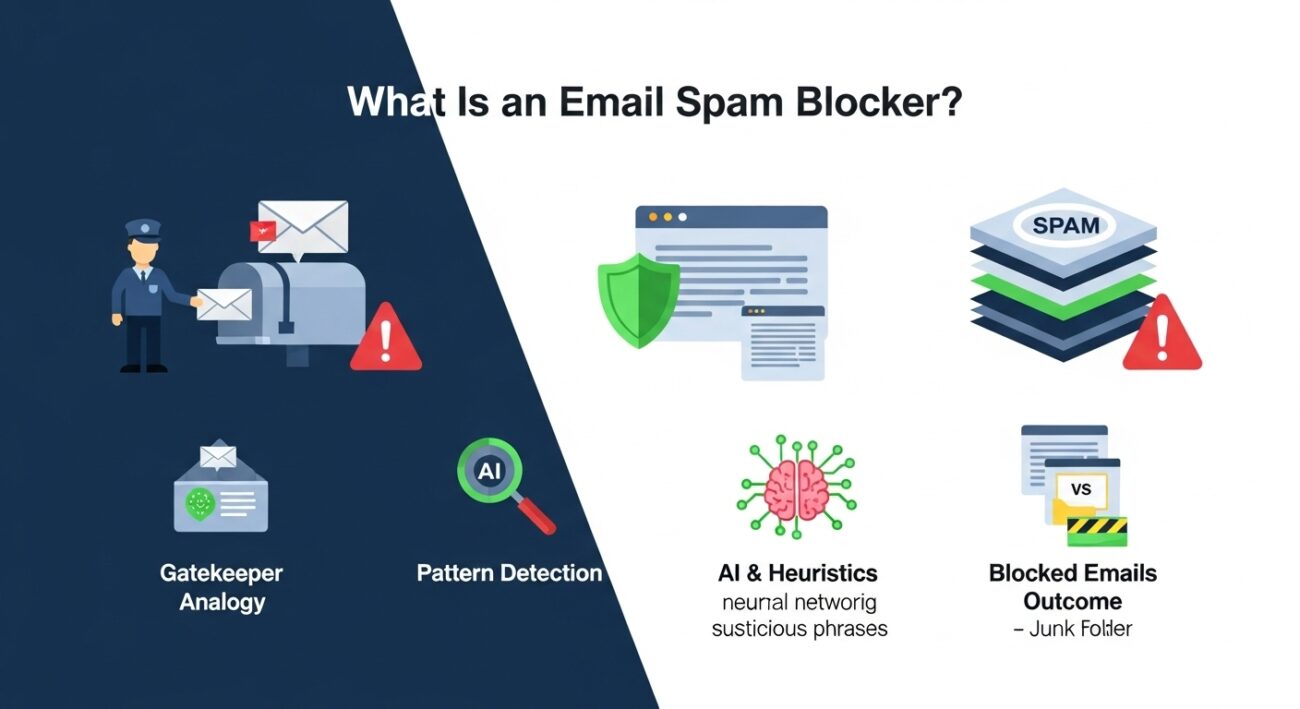
Think of a spam blocker as a gatekeeper for your digital home. Without one, your inbox is like a house with the front door wide open—anyone can walk in and drop a flyer on your floor. When you install a blocker, you’re putting a security guard at the entrance who checks IDs and turns away known troublemakers.
At its core, a spam blocker functions differently than a standard email deletion rule. When you simply delete an email, the sender doesn’t know, and they can keep emailing you. Even if you learn how to block an email address in Gmail manually, you are only stopping that specific sender. Spammers are smart; they will just switch to a slightly different address and email you again five minutes later.
A dedicated spam blocker goes much deeper. It doesn’t just look at who sent the email; it looks at what the email is. These tools rely on massive databases of known spam signatures. If thousands of people report an email as spam, the blocker “learns” this and stops that message from reaching other users. This community-based feedback loop is why tools like email sorter and other organizing platforms are essential—they help structure your inbox so you can spot anomalies faster.
The Role of AI and Heuristics
Modern spam blockers have moved past simple lists of “bad words.” They now use heuristics—a fancy way of saying they look for patterns. For example, does the email claim to be from a bank but originate from a strange web domain? Does it use urgent language demanding you “click here immediately”?
A quality spam blocker evaluates these heuristic triggers against a scoring system. If an email accumulates too many “spam points” (e.g., it has no unsubscribe link, contains broken HTML code, and comes from a new domain), the blocker quarantines it. This automated sorting saves you hours of weekly cleanup and significantly lowers the risk of falling for a phishing scam.
How Do Email Spam Blockers Detect Spam Before It Reaches Your Inbox?
Spam blockers detect unwanted emails by running every incoming message through a multi-layered analysis process. This includes scanning the email header for technical irregularities, checking the sender’s IP address against global blacklists, evaluating the body content for spammy keywords, and using machine learning to recognize suspicious behavioral patterns.
Layer 1: Header Analysis and Technical Verification
Before a spam blocker even looks at the words in an email, it inspects the “envelope” or header. This is the technical data attached to every email that tells servers where the message came from. Spammers often fake (or “spoof”) this information to make an email look like it came from a reputable company.
Blockers check for authentication protocols like SPF (Sender Policy Framework) and DKIM (DomainKeys Identified Mail). If an email claims to be from Amazon but the technical header says it originated from a private server in a basement, the spam blocker flags it immediately. This technical screening is invisible to you but is the most effective way to stop fraud. If you are using web-based email providers, much of this happens on the server side, but third-party blockers add a stricter layer of scrutiny.
Layer 2: Content Scoring and Keyword Filtering
Once the header passes inspection, the blocker reads the email content. It’s not just looking for obvious words like “free money” or “lottery winner.” It analyzes the ratio of images to text, the presence of hidden text (a common trick to fool filters), and the structure of the HTML.
Each element is assigned a score. A link to a known suspicious domain might be worth 5 points. A subject line in all caps might be worth 3 points. If the total score exceeds a set threshold, the email is blocked. This helps keep your inbox organized, similar to how you might sort emails in Gmail to prioritize what matters, but the blocker does the heavy lifting automatically.
Layer 3: Global Blacklists and Community Feedback
Spam blockers don’t work in isolation. They connect to massive, real-time databases known as RBLs (Real-time Blackhole Lists). If an IP address is caught sending millions of emails in a short burst, it gets added to these lists. Your spam blocker checks every incoming email against these lists. If the sender is on a blacklist, the email is rejected instantly.
This is why Have I Been Pwned checks are so vital; if your email address leaks, you end up on lists that spammers target. A good blocker counters this by using the collective intelligence of millions of users to identify new threats the moment they appear.
How Does AI Analyze Email Content to Identify Spam?
AI analyzes email content by using Natural Language Processing (NLP) to understand the context and intent of a message, rather than just spotting specific keywords. It identifies subtle patterns, such as sentence structures typical of social engineering scams or writing styles that deviate from a sender’s usual behavior, to flag sophisticated spam.
Machine learning models are trained on billions of legitimate and illegitimate emails. They learn what a “normal” conversation looks like. If you receive an email that reads like a robotic translation or uses odd phrasing to bypass traditional filters, the AI catches it. This is superior to older methods because AI adapts. As spammers change their tactics, the AI updates its understanding of what spam looks like without needing a human to write a new rule.
How Do Reputation Systems Score Senders and IP Addresses?
Reputation systems assign a numerical “trust score” to senders based on their historical behavior, email volume, and bounce rates. If an IP address frequently sends emails to non-existent accounts or receives high complaint rates from users, its reputation score drops, causing future emails from that source to be automatically routed to the spam folder.
Think of this like a credit score for email senders. A sender with a high reputation ensures their emails land in your primary inbox. A sender with a low reputation gets blocked. This is crucial for businesses too; if you send too many emails that get marked as spam, you damage your own reputation. For users trying to manage their inbox, understanding sender reputation helps explain why some newsletters arrive safely while others vanish. You can even apply this logic manually if you learn how to sort Gmail by sender to identify and purge low-quality sources yourself.
Why Should You Use an Email Spam Blocker Instead of Manually Deleting Spam Emails?
Using a dedicated email spam blocker provides proactive security and efficiency that manual deletion cannot match. While deleting emails cleans up the mess after it arrives, a blocker prevents dangerous phishing links and malware from ever entering your inbox, saving you time and protecting your personal data from accidental exposure.
The “Whack-a-Mole” Problem
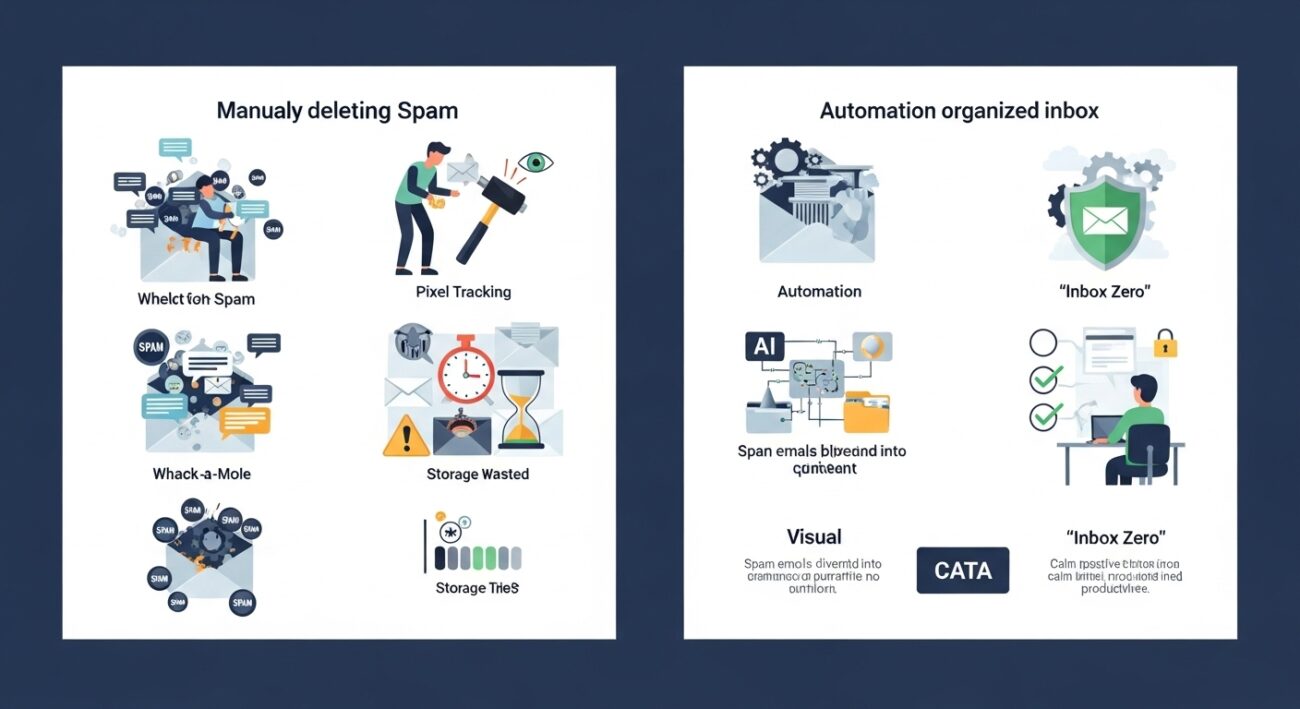
We have all been there. You sit down with your morning coffee, open your email, and spend the first twenty minutes just swiping left or hitting the trash icon. It feels productive, but it is actually a waste of valuable time. Manually deleting spam is like playing a game of Whack-a-Mole; for every one you knock down, three more pop up.
When you rely on manual deletion, you are reacting to the problem rather than solving it. You have to interact with the spam to get rid of it. This interaction is exactly what scammers want. Often, spam emails contain pixel trackers—tiny, invisible images that load when you open the email. Once that image loads, the spammer gets a notification that your email address is active and that you are a person who opens unknown mail. The result? They sell your address to other spammers, and you get even more junk.
A spam blocker breaks this cycle. It intercepts the message at the server level or filters it before you even see it. This means the tracking pixels never load, and the spammers never get the validation they are looking for.
Security: You Can’t Click What You Don’t See
The biggest risk with manual filtering isn’t annoyance; it’s security. Phishing emails are getting incredibly realistic. They mimic bank alerts, shipping notifications from Amazon, or password reset requests from Netflix. If you are skimming through fifty spam emails to find the one real email from your boss, your guard is down. You might accidentally click a malicious link just because it looked vaguely legitimate in the pile.
By using an automated blocker, you drastically reduce the surface area for attack. If the email never hits your inbox, you can’t accidentally click a bad link. This is especially important given Gmail email limits and storage concerns; a flooded inbox makes it harder to spot the dangerous needles in the haystack.
Preventing Mailbox Overflow
Storage is finite. While services like Google and Yahoo offer generous free tiers, high-volume spam can fill up your quota faster than you realize. Spam often comes with heavy attachments or HTML-rich content that eats up space. If your inbox hits its limit, legitimate emails start bouncing back to the sender. A spam blocker keeps your storage usage lean, ensuring you don’t miss important communications because your allotment was chewed up by junk.
If you struggle with this across different accounts, understanding how to stop spam emails in Yahoo or other providers is helpful, but a universal blocker that covers all your accounts is the ultimate fix.
What Types of Email Spam Blockers Are Available Today?
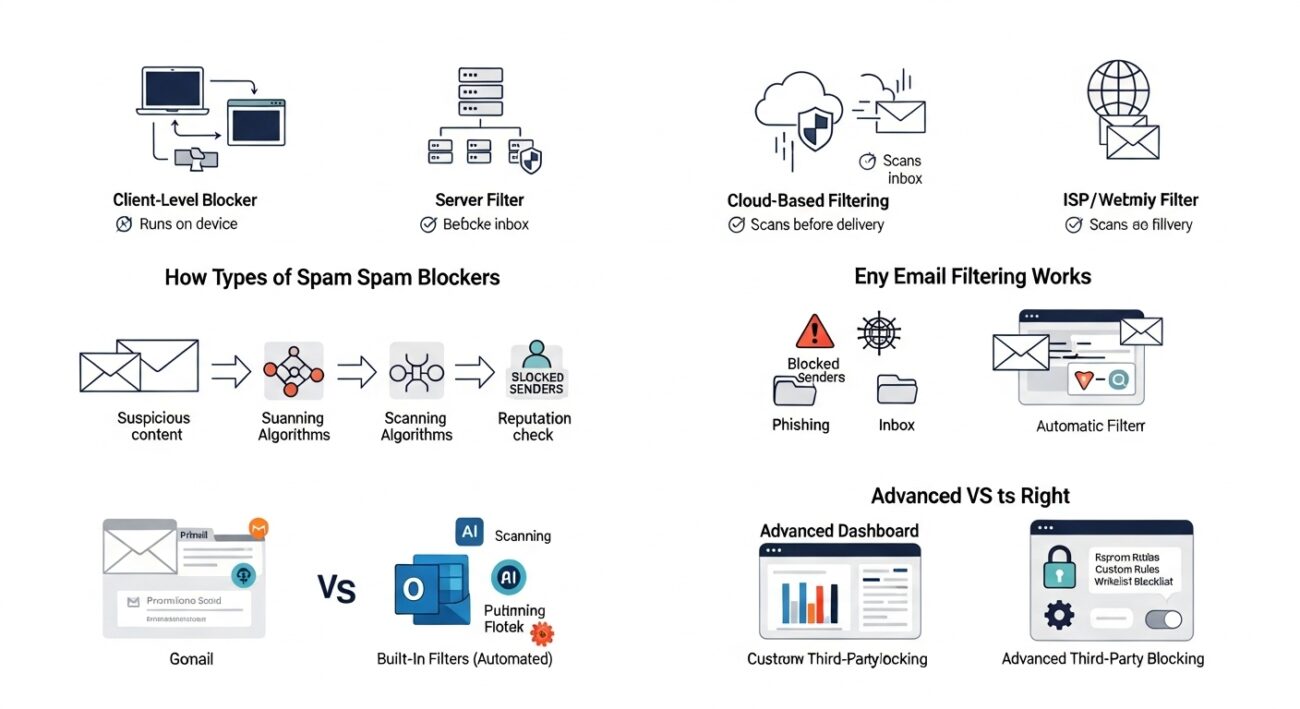
Today’s email spam blockers fall into several distinct categories based on where they operate: client-level blockers that run on your device, server-level filters that protect entire organizations, cloud-based services that scrub mail before delivery, and integrated ISP filters provided directly by your email host.
Client-Level Blockers
These are software programs you install directly on your computer or mobile device. They integrate with your email client (like Outlook or Thunderbird) and filter mail as it arrives.
- Pros: You have total control over the rules and whitelists.
- Cons: The email still has to reach your computer before it gets blocked, meaning it still uses your bandwidth.
Server-Level and Enterprise Filters
Businesses usually rely on these. The filtering happens on the corporate email server before the email is distributed to individual employee inboxes. If you use email forwarding services to route mail to different departments, server-level blocking is essential to ensure spam doesn’t get forwarded along with legitimate inquiries.
Cloud-Based Anti-Spam
This is becoming the standard. The mail is routed through a third-party cloud provider (like a security checkpoint) before it is delivered to your mail server. The cloud provider scans for viruses, phishing, and spam, absorbing the threat so it never touches your infrastructure.
ISP and Webmail Filters
These are the default filters provided by Comcast, AT&T, or Gmail. They operate in the background without you installing anything. While convenient, they often lack the granular control power users need.
How Do Built-In Spam Blockers in Gmail and Outlook Work?
Built-in blockers in Gmail and Outlook work by leveraging massive user data to identify trends; when thousands of users mark a specific message as spam, the platform’s algorithms learn to block similar messages for everyone else using sender reputation, IP analysis, and content scanning.
Gmail’s filter is particularly famous for its aggression. It uses Google’s vast view of the web to cross-reference links inside emails against known malware sites. It also categorizes emails into “Promotions,” “Social,” and “Primary,” effectively acting as a soft blocker for nuisance mail that isn’t quite spam but isn’t urgent either. However, these native tools are often “black box” systems—you can’t easily tweak their internal logic. You can learn how to sort emails in Gmail to manage what slips through, but you can’t force Google’s algorithm to change its mind about what it considers spam globally.
What Makes Third-Party Spam Blockers More Advanced?
Third-party spam blockers offer advanced capabilities like aggressive challenge-response systems, customizable filtering rules, detailed quarantine management, and dedicated AI engines that update faster than standard webmail filters to catch zero-day threats.
The main advantage here is control and specialization. A tool like Gmail has to work “pretty well” for billions of people. A third-party tool is designed to work perfectly for you. They often offer features like “greylisting” (temporarily rejecting a message to see if the sending server retries, which real servers do and spam bots often don’t) and detailed reporting on why a message was blocked. For businesses or individuals targeted by specific types of harassment or fraud, this level of detail is non-negotiable.
How Do Spam Blockers Protect Users From Phishing, Malware, and Email Fraud?
Spam blockers protect users by scanning incoming emails for malicious links, executable attachments, and domain spoofing attempts. They verify sender authentication protocols like DMARC to ensure the source is legitimate and quarantine messages that contain known malware signatures or suspicious requests for sensitive data.
The Hidden Security Layer
Most people think of spam as just annoying advertisements. In reality, a significant portion of “spam” is actually malicious code trying to break into your system. A modern spam blocker acts as a security shield, sitting between the internet and your device.
One of the primary threats it neutralizes is the “lookalike” link. Phishers often create websites that look exactly like the login page for PayPal or Microsoft 365. They hide these links behind buttons that say “Verify Your Account.” A human might miss the slight difference in the URL (like paypa1.com instead of paypal.com), but a spam blocker spots it instantly. It checks the destination of every link against a database of known phishing sites. If the link is bad, the email is blocked, or the link is disabled before you can click it.
File Scanning and Attachment Safety
Attachments are the classic delivery method for malware and ransomware. A seemingly harmless PDF or Zip file can contain scripts that lock your computer the moment you open them. Spam blockers pre-scan every attachment in a sandbox environment—a safe, isolated digital space—to see if the file tries to execute unauthorized code.
This protection is vital because once malware executes, it is often too late. If you are running a business or managing sensitive personal data, relying on your own ability to spot a fake invoice is risky. By filtering these out at the server level, the blocker reduces the chance of human error.
Stopping Domain Spoofing
Have you ever received an email that looked like it came from your own boss or a family member, asking for gift cards? This is called spoofing. Spammers manipulate the “From” field to display a name you trust.
Advanced blockers use protocols like DMARC (Domain-based Message Authentication, Reporting, and Conformance) to verify that the sender is actually authorized to use that domain. If the email claims to be from google.com but the cryptographic signature doesn’t match Google’s keys, the blocker knows it’s a fake. This technology is the backbone of email security, preventing identity theft and Business Email Compromise (BEC) scams.
What’s the Difference Between a Spam Blocker and a Spam Filter?
The main difference lies in the action taken: a spam blocker rejects the email at the server level so it never reaches your account, while a spam filter accepts the email but sorts it into a designated “Spam” or “Junk” folder based on specific criteria or rules.
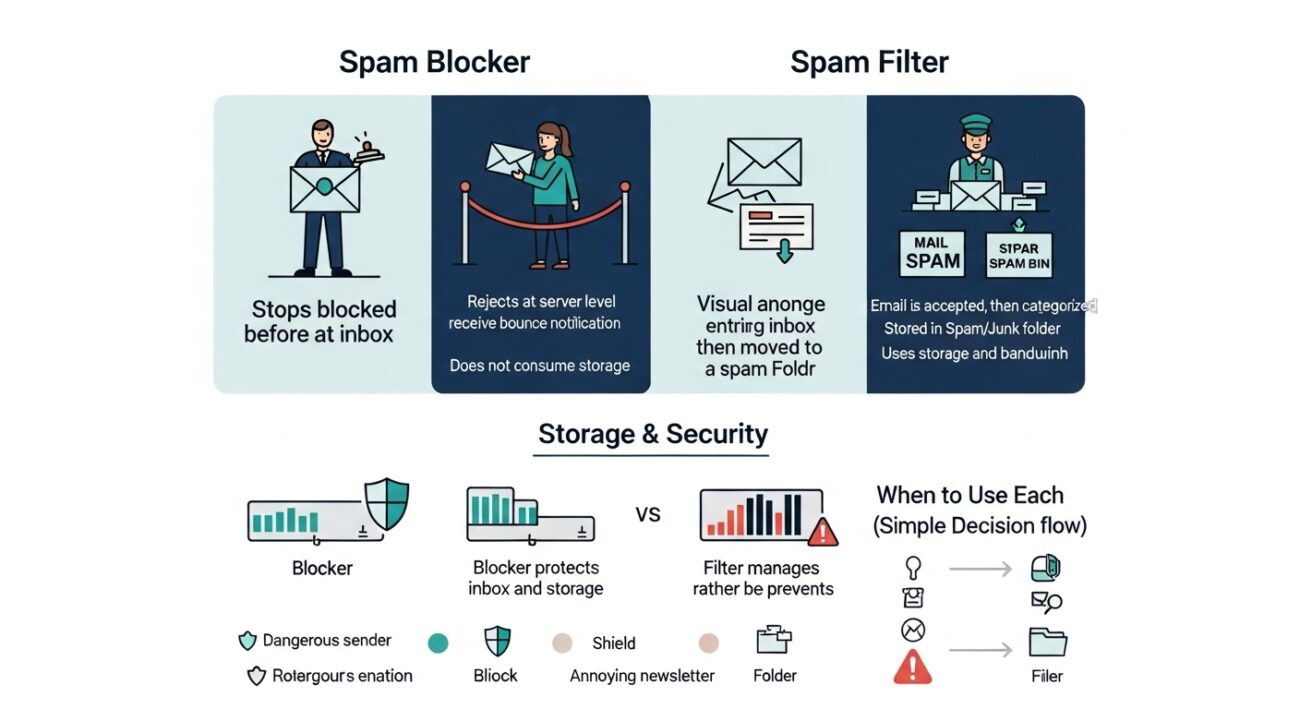
The Bouncer vs. The Sorter
It helps to visualize this with a real-world analogy.
- A Spam Blocker is like a bouncer at a nightclub. It stops people (emails) at the door. If you are on the banned list or don’t have an ID, you don’t get in. You never even see the inside of the club. The sender typically receives a “bounce back” message telling them their email was rejected.
- A Spam Filter is like a mailroom clerk. The mail (email) gets inside the building, but the clerk looks at it and says, “This looks like junk,” and tosses it into a specific bin. You can still go look in that bin if you want to, but it doesn’t land on your main desk.
Understanding this distinction is helpful when learning how to block an email address in Gmail. When you “block” a specific address in Gmail, you are often just creating a strict filter that sends those messages straight to the trash. True blocking happens before the data ever hits your account storage.
Storage and Bandwidth Implications
This difference matters for storage management. Filtered emails still take up space. If you get 5,000 spam emails a month and they all sit in your Spam folder for 30 days, that eats into your Gmail email limits. A blocker prevents the data from arriving, keeping your storage usage low. If you are trying to sort Gmail by size to clear up space, you will often find that the “Spam” and “Trash” folders are the biggest culprits.
When Should You Use Blocking Instead of Filtering?
Use blocking when dealing with persistent harassment, known malicious senders, or phishing attempts that pose a security risk. Use filtering for graymail, such as newsletters, promotional offers, or automated notifications that are annoying but not dangerous, allowing you to review them later if needed.
Making the right choice depends on the sender’s intent:
- Block Threats: If an email contains threats, hate speech, or obvious malware, block it. You never want to see communication from that source again.
- Filter Annoyances: If you subscribed to a newsletter three years ago and they just email too often, filter it (or unsubscribe). You don’t need to “block” a legitimate business just because they are annoying; you just need to organize them out of your face.
Creating a clear separation between “dangerous” and “annoying” helps you keep a healthy digital environment. You can set up filters to route newsletters to a specific folder—effectively managing email providers without cutting off communication entirely.
How Do You Configure Spam Blockers in Gmail, Outlook, and Yahoo Mail?
To configure spam blockers in major email clients, access the “Settings” or “Options” menu, locate the “Junk Email” or “Filters” section, and manually add specific email addresses or domains to the “Blocked Senders” list. You can also create rules that automatically route emails containing specific keywords directly to the trash.
While third-party tools offer robust protection, the built-in tools in your webmail are your first line of defense. Setting them up correctly can significantly reduce the noise in your inbox.
Configuring Gmail
Gmail relies heavily on its automatic AI, but you can intervene manually.
- Blocking specific senders: Open an email from the unwanted sender, click the three vertical dots in the top right corner, and select “Block [Sender Name].” This sends all future mail from them to the Spam folder. For a deep dive into this process, check our guide on how to block an email address in Gmail.
- Creating Filters: Click the “Show search options” icon in the search bar. Enter criteria (like a specific domain or keyword), click “Create filter,” and choose “Delete it” or “Never send it to Spam” if you want to whitelist someone.
Configuring Outlook
Outlook offers a bit more granular control with its “Junk Email Options.”
- Safe and Blocked Senders: Go to Settings > Mail > Junk email. Here, you can manually type in addresses to block or trust.
- Exclusive Mode: You can set your filter to “Exclusive,” meaning only mail from people in your Contacts or Safe Senders list will reach your inbox. Everything else goes to Junk. This is extreme but effective if you are overwhelmed.
Configuring Yahoo Mail
The Yahoo Mail interface is straightforward.
- Mark as Spam: Select the email and click the “Spam” icon. This trains the filter.
- Block Senders: Go to Settings > More Settings > Security and Privacy. Here you can add specific addresses to a block list. If you are struggling with persistent issues on this platform, seeing how to stop spam emails in Yahoo specifically can help you navigate their unique interface quirks.
What Are the Limitations of Email Spam Blockers?
The main limitations of email spam blockers include false positives (blocking legitimate emails), false negatives (letting sophisticated spam through), and the inability to stop spam that originates from “spoofed” addresses of people you already trust. Additionally, user behavior, such as signing up for questionable sites, can sometimes outpace a blocker’s ability to filter.
The False Positive Problem
The biggest frustration with spam blockers isn’t that they miss spam—it’s when they catch the wrong thing. A “false positive” happens when an important email from a client or a password reset link gets buried in your junk folder. This usually happens because the sender’s server had a hiccup, or they used a phrase that triggered the spam filter’s alarm. This is why checking your spam folder weekly is a necessary evil.
Sophisticated Spoofing and Human Error
Spam blockers are software; they follow rules. Scammers know these rules and constantly adapt. If a hacker gains access to your friend’s email account, they can send you a malicious link from a “trusted” address. Most blockers won’t flag this because the sender has a high reputation score. This is where the human element matters—if you have questions about Have I Been Pwned and data breaches, remember that a compromised account can bypass even the best filters.
Dependency on Updates
Blockers rely on databases of known threats. If a new spam botnet launches a campaign at 9:00 AM, and the database doesn’t update until 9:05 AM, you might get hit during that five-minute window. This “zero-day” gap is small, but it exists.
How Do Email Spam Blockers Integrate With Antivirus and Security Platforms?
Email spam blockers integrate with antivirus platforms via plugins or API connections, allowing the security suite to scan email attachments and links in real-time as they arrive. This creates a unified defense where the spam blocker handles the sorting and reputation checks, while the antivirus engine handles the deep file scanning and threat neutralization.
The Security Ecosystem
You shouldn’t view your spam blocker as a standalone tool. In a strong security setup, it works in tandem with your other defenses.
Most premium antivirus suites (like Norton, McAfee, or Bitdefender) install a plugin directly into Outlook or your browser. When an email arrives, the spam blocker checks the sender’s ID. If it passes, the antivirus steps in to scan any attachments for viruses. It’s a two-step verification process.
Firewall and Endpoint Protection
For businesses, integration goes even deeper. Enterprise spam blockers often talk to the company firewall. If the spam blocker detects a wave of phishing emails coming from a specific country or IP range, it can signal the firewall to block all traffic from that location entirely. This prevents the attackers from probing other parts of the network.
Even for home users, this integration is happening in the background. If you use a comprehensive internet security package, the “Web Protection” feature often shares data with the “Email Protection” feature. If a website is flagged as dangerous in your browser, your email filter will automatically block any emails containing links to that site.
Final Thoughts on Reclaiming Your Inbox
Email was designed to be a communication tool, not a source of stress. If you dread opening your inbox because of the clutter, the system is broken. Whether you choose to stick with native filters, learn how to block an email address in Gmail manually, or invest in a dedicated third-party suite, the goal is the same: control.
By implementing the strategies and tools discussed here, you can stop playing defense and start using your inbox for what it was meant for—getting things done. For more tips on organizing your digital life, explore the resources at email sorters. Don’t let the spammers win; shut the door, lock it, and get back to work.


