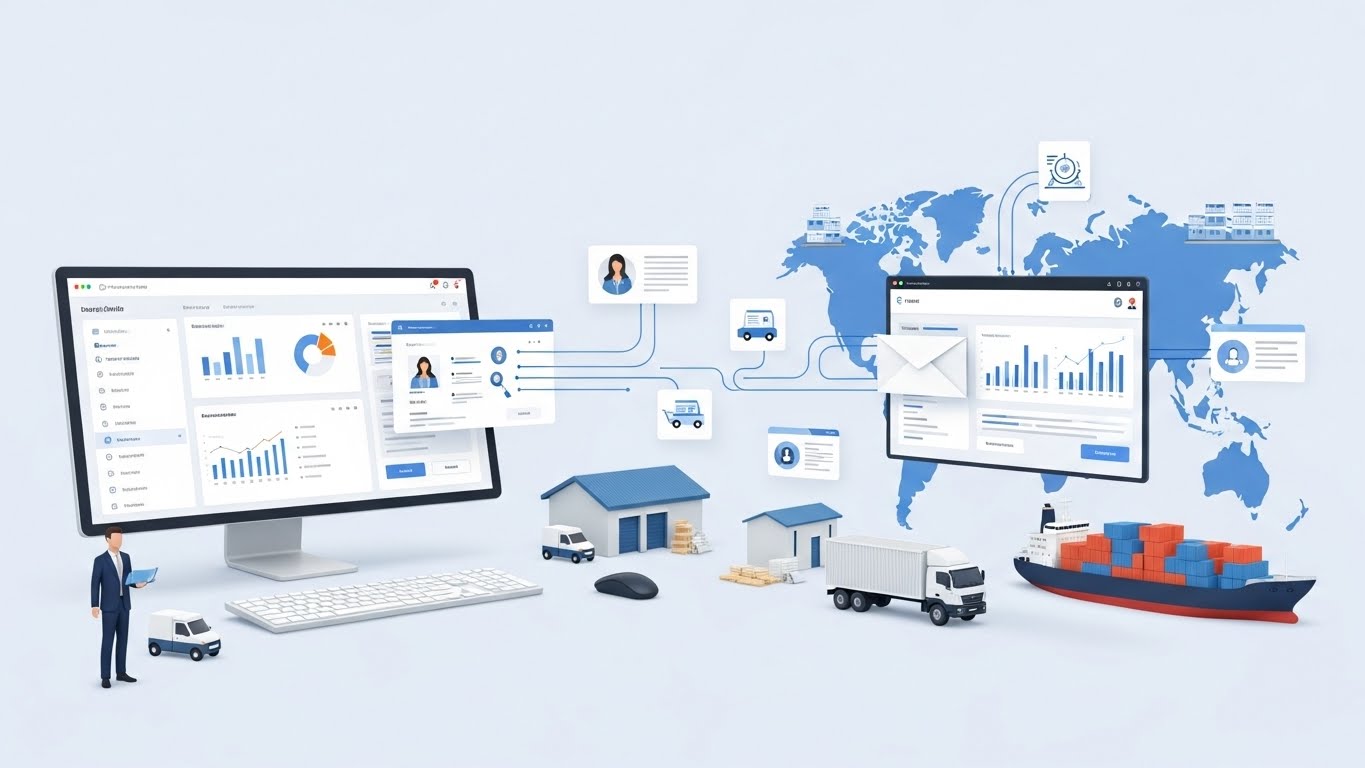
Email automation in supply chain leadership serves as the vital link between massive data sets and actionable executive strategy. By implementing intelligent filtering and automated workflows, leaders move from reactive firefighting to proactive management. This system ensures that critical supply chain signals are never lost in a cluttered inbox, allowing for faster response times and more consistent team performance.
Executive Summary: Why This Matters Now
Modern supply chain leaders operate in a world of constant volatility. Between fluctuating fuel costs, labor shortages, and geopolitical shifts, the volume of information hitting an executive’s desk is staggering. The traditional method of manually sorting through hundreds of daily emails is no longer sustainable. It leads to decision paralysis and missed opportunities.
This guide outlines a shift toward “Intent-Driven Communication.” We will explore how email automation functions as a decision-support layer that filters noise, highlights risks, and serves as a continuous educational engine for the workforce. By the end of this article, you will understand why automating your communication flow is the most significant competitive advantage in modern logistics.
What Is the Role of Email Automation in Supply Chain Leadership?
Email automation in a supply chain context is a strategic framework that uses software to route, prioritize, and summarize operational data before it reaches a human decider. Unlike simple “out of office” replies, leadership automation uses logic-based triggers to ensure that information is packaged for immediate action. It acts as a bridge between high-level ERP data and the daily habits of managers.
In most organizations, the inbox is where “work happens,” yet it is often the least organized part of the business. Leadership automation changes this by treating the inbox as a dashboard. Instead of seeing a raw thread about a late shipment, a leader receives an automated summary that includes the delay time, the cost impact, and the available alternative carriers. This transforms a notification into a decision point.
Key Components of Leadership Automation
- Intelligent Routing: Automatically sending quality-control failures to engineering while logistics delays go to the floor supervisor.
- Threshold Alerts: Emails triggered only when a KPI (Key Performance Indicator) falls outside a specific “green zone.”
- Aggregated Summaries: Daily “Executive Pulses” that combine data from multiple sources into one readable brief.
- Escalation Logic: A system that automatically alerts a superior if a critical email remains unread for more than two hours.
How Does Automation Resolve Decision Fatigue for Supply Chain Executives?
Automation resolves decision fatigue by removing the burden of manual information sorting and prioritization. When a leader has to decide which of 300 emails is the most important, they use up the mental energy needed for actual problem-solving. Automation performs this triage in the background, presenting only the issues that require high-level authority.
Consider the “Exception-First” philosophy. In a manual environment, a manager reads updates on everything—the things going well and the things going poorly. In an automated environment, the system silences the “noise” of successful operations and only surfaces the “exceptions.” This allows the leader to apply 100% of their focus to the 5% of the business that actually needs intervention.
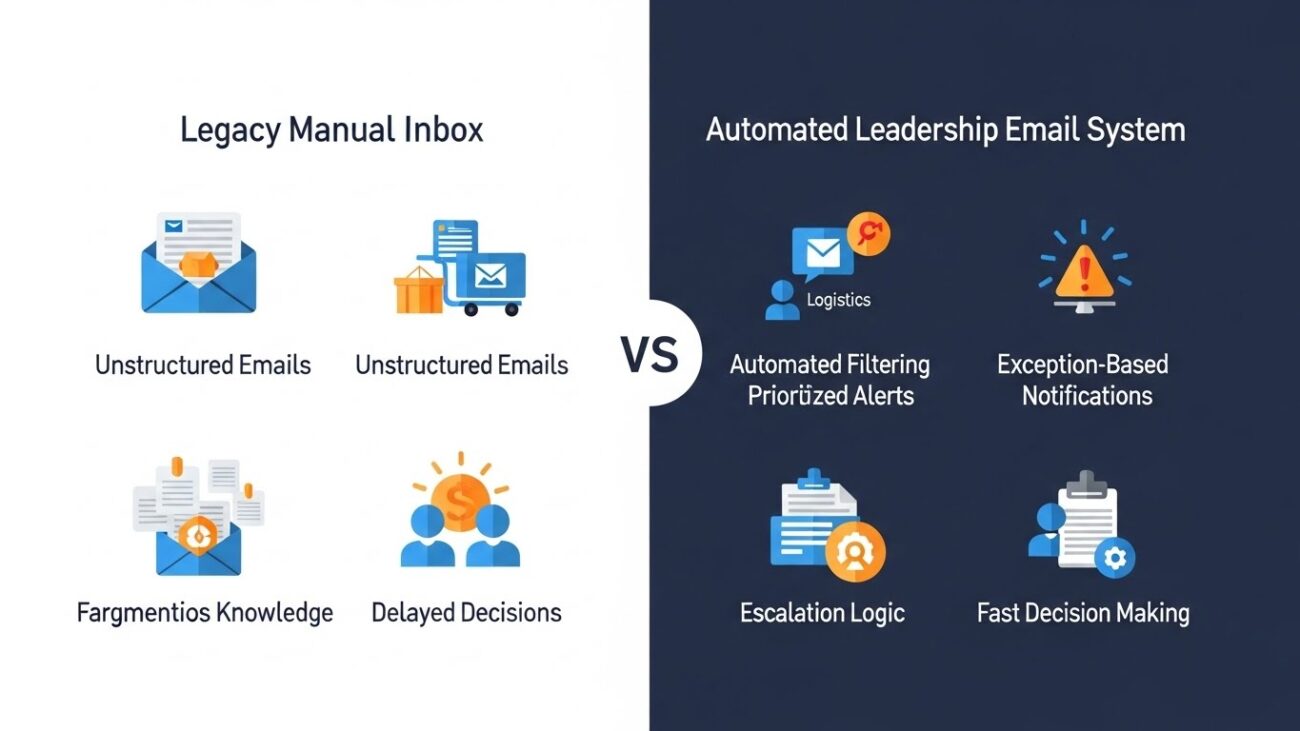
Comparison: The Decision Flow Evolution
| Feature | Legacy Manual Inbox | Automated Leadership Layer |
| Primary Activity | Searching and Sorting | Reviewing and Approving |
| Response Speed | Hours to Days | Minutes to Hours |
| Data Quality | Unstructured and Vague | Formatted and Actionable |
| Team Alignment | Fragmented Knowledge | Shared Truth |
Why Does Email Still Sit at the Center of Supply Chain Operations?
Email remains the center of supply chain operations because it is the only platform-agnostic communication tool that works across global borders and different software ecosystems. While a company might use a specific ERP or a project management tool internally, their third-party logistics providers (3PLs), vendors, and customers all communicate via email.
Efforts to move entirely to “chat apps” often fail in the supply chain because they lack the formal structure and legal weight of an email trail. Email provides a permanent record of approvals, contracts, and shipping instructions. By mastering inbox zero vs inbox infinity, leaders can maintain this formal record without becoming overwhelmed by its volume. Using professional email addresses for automated alerts also ensures that critical data is recognized as high-priority by all stakeholders.
How Does Email Automation Improve Real-Time Signal Detection?
Email automation improves signal detection by acting as a 24/7 monitor that scans data points and alerts leaders the moment a deviation occurs. In a traditional setup, a manager might find out about a warehouse shortage during a weekly meeting. With automation, an email is triggered the second the inventory level hits a “safety stock” threshold, allowing for a reorder before the shortage even affects production.
I once worked with a procurement team that struggled with “price creep” from their raw material suppliers. We set up an automation that scanned incoming invoices. If a price was even 2% higher than the contracted rate, the system sent an immediate alert to the lead buyer. This single automation saved the company over $150,000 in the first quarter because it allowed them to challenge the overcharge instantly rather than months later during an audit.
Critical Triggers for Automated Signals
- Geofence Misses: Alerts when a truck has not arrived at a waypoint by the expected time.
- Weather Deviations: Automated warnings when severe weather is projected to hit a key shipping lane.
- Financial Discrepancies: Immediate notification if a wire transfer or payment fails to clear.
- Compliance Expiration: Emails sent 30 days before a carrier’s insurance or safety certification expires.
How Can Email Automation Support Workforce Education and Upskilling?
Email automation supports upskilling by delivering “Just-in-Time” training content that is relevant to the specific tasks an employee is performing. Rather than forcing a team into a classroom for eight hours, automation sends “micro-learning” modules—small, two-minute lessons—that arrive precisely when they are needed. This keeps the workforce evolving without stopping the flow of work.
This is particularly effective for introducing new technology. When a company rolls out a new CRM or ERP module, the system can detect when a user is struggling or when they have completed their first task. It then triggers an automated email with a “Pro-Tip” for the next step. This turns the inbox into a mentor. Beyond just-in-time microlearning, leaders benefit from structured education that spans international logistics, trade compliance, and risk analytics. Professionals who pair automation mastery with an MBA supply chain program are better equipped to convert automated signals into global decisions; from tariff planning and customs documentation to supplier diversification; grounding exception-first workflows in the broader discipline of global trade and supply chain management.For those looking for practical ways to start, email automation tips often highlight how these sequences can be built with minimal technical overhead.
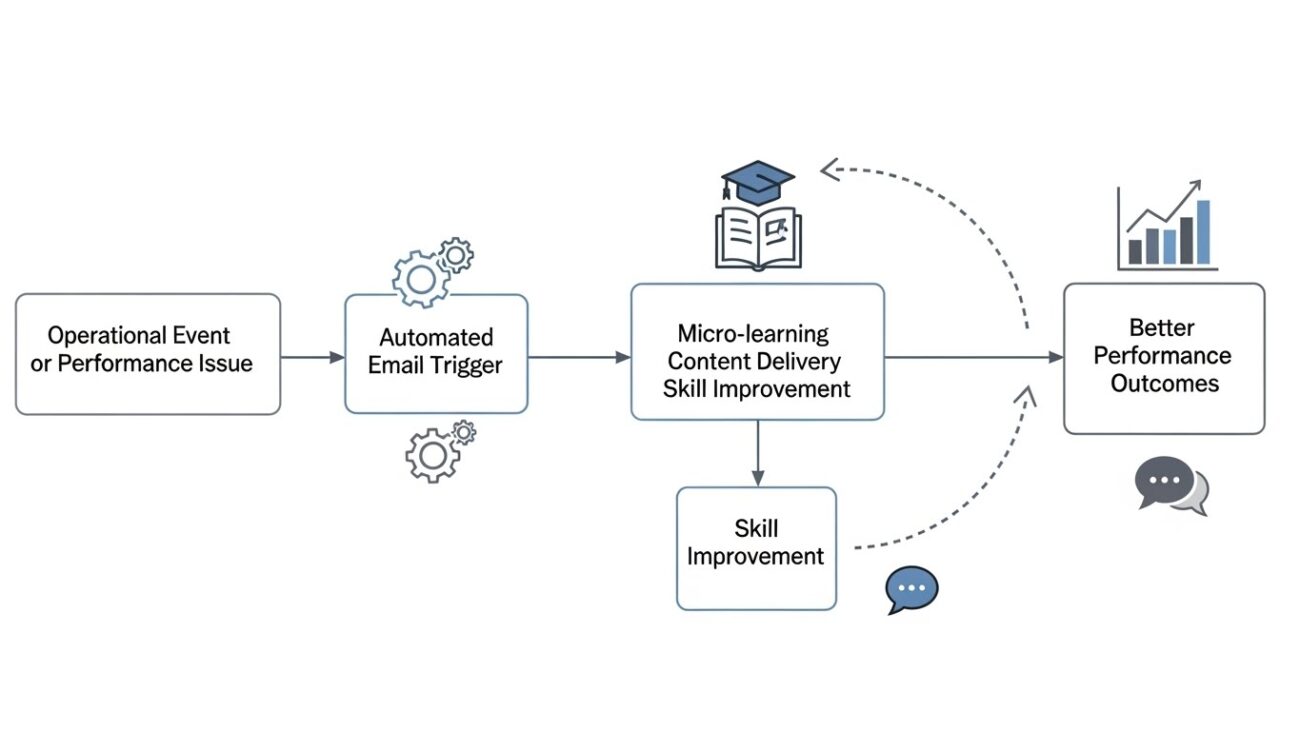
Four Pillars of Automated Supply Chain Learning
- Behavioral Triggers: Sending an educational link after a user encounters a specific error code in the system.
- Drip Feed Knowledge: A 12-week sequence for junior planners covering advanced forecasting techniques.
- Compliance Updates: Automated briefs on new trade regulations sent the moment they are signed into law.
- Soft Skill Development: Monthly leadership “nuggets” sent to mid-level managers to help them with team conflict resolution.
Does Automation Improve Cross-Functional Alignment in Leadership?
Yes, automation improves alignment by ensuring that every department head receives the same core information at the same time. Supply chain silos often occur because Procurement has one set of data while Finance has another. Automation can pull data from both and send a joint “Daily State of the Union” email to both VPs, ensuring they are looking at the same numbers before they even step into a meeting.
This creates a “Synchronized Decision Environment.” When the sales team sees a sudden spike in orders, an automated email can alert the warehouse lead and the shipping manager simultaneously. This allows them to adjust labor schedules and carrier bookings in unison, rather than reacting to a panicked phone call three days later.
How Does Automation Enable “Exception-First” Communication?
Automation enables exception-first communication by filtering out the “normal” operational noise and only surfacing data that requires human judgment. If 95% of your shipments are on time, you do not need 95% of your emails to tell you that. You only need the emails for the 5% that are late.
This approach requires a mindset shift from “I need to know everything” to “I need to know when things go wrong.” By setting up automated filters—perhaps using tools like email sorters for Salesforce, leaders can ensure their main inbox is a sanctuary for high-level strategy, while the operational “grind” is handled by automated folders and summaries.
What are the Long-Term Strategic Benefits for Organizations?
The long-term benefits of automated leadership communication extend far beyond time-savings. It builds a more resilient, agile, and knowledgeable organization that can withstand market shocks.
- Reduced Operational Risk: Issues are caught when they are small and cheap to fix.
- Scalable Leadership: One executive can manage a larger scope of work because the system handles the triage.
- Institutional Memory: Every decision, alert, and resolution is archived, creating a searchable history of “how we solve problems.”
- Reduced Turnover Impact: When a key employee leaves, the automated sequences and learning paths stay behind, making it easier to train their replacement.
How to Implement an Automated Leadership Flow
Starting this process does not require expensive custom coding. You can build a high-authority system using web-based email providers and basic integration tools.
- Audit Your Inbox: Spend one week tagging every email you receive. Identify which ones were “just for info” and which required a decision.
- Define Your Triggers: Choose three KPIs that, if they move 10% in the wrong direction, require your immediate attention.
- Create the Logic: Set up your system to send an automated alert the moment those KPIs move.
- Build the Education Loop: Identify one common mistake your team makes. Create a 3-step automated “Help” email that triggers when that mistake occurs.
- Refine Monthly: Every 30 days, review your alerts. If an alert isn’t helping you make a decision, kill it or change the threshold.
Conclusion
Supply chain leadership is moving toward a model of “Augmented Intelligence.” The leader provides the intuition and the final word, but the automated system provides the context and the timing. Organizations that embrace this will move faster, learn quicker, and maintain higher margins than those stuck in a manual, reactive mindset.
By turning the inbox from a chore into a strategic asset, you empower yourself and your team to focus on what humans do best: building relationships and solving complex, creative problems.


