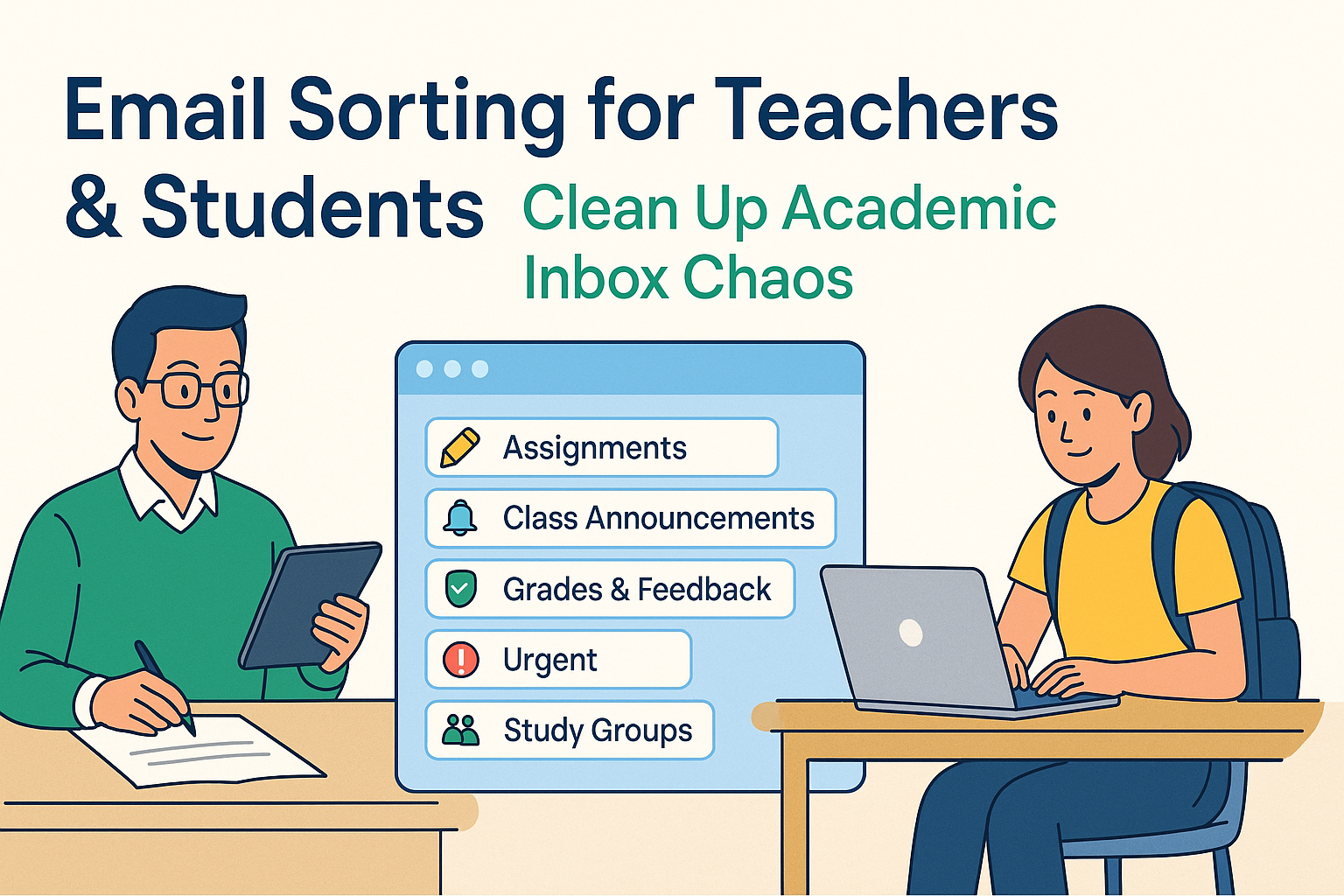
Email sorting for teachers & students is essential for staying organized in an academic world flooded with digital communication. From class updates and student questions to assignment notifications and administrative messages, inboxes quickly become chaotic, causing missed deadlines, rising stress, and reduced productivity.
Without a clear sorting system, important emails get buried under newsletters, event invites, and unread threads. Manually managing this clutter is time-consuming and unreliable.
With the right tools and strategies, you can automate inbox organization, tagging academic emails by course, flagging urgent messages, and filtering out distractions. Whether you’re managing coursework, lesson plans, or group projects, email sorting can simplify your workflow and free up mental space.
This guide will show both educators and students how to take control of their academic inbox using simple, effective sorting techniques that save time and reduce overwhelm.
The Challenges of Academic Email Overload
Academic email overload doesn’t hit everyone the same way, but almost every student or teacher can relate to that feeling of inbox fatigue. The average teacher can receive hundreds of emails a week, and during busy periods like exam seasons or parent-teacher conferences, that number can easily double. For students, the influx can come from professors, advisors, campus newsletters, club updates, and automated LMS notifications.
One of the most pressing issues with this kind of digital clutter is that it blurs the lines between what’s urgent and what’s optional. A subject line from a colleague might look similar to one from a campus mailing list. Without proper categorization, users are forced to scan every incoming email manually, a task that’s time-consuming and mentally draining.
Additionally, emails rarely arrive in a predictable order. That announcement from your principal might land between two marketing emails from the university bookstore. A professor’s late-night feedback might get lost beneath a pile of group project emails. Over time, important messages get archived by accident, missed entirely, or become difficult to find when needed most.
Another problem is how inbox overload can affect responsiveness. Teachers may take longer to reply to parent questions, and students might miss submission deadlines simply because the reminder email got buried. It becomes less about unwillingness to communicate and more about logistical failure. Sorting tools aren’t just convenience add-ons, they’re necessities that directly impact academic efficiency and emotional well-being.
Goals of Effective Email Sorting
The most successful email sorting systems aren’t just built for tidiness; they serve concrete goals that improve daily life for students and teachers. The first and most obvious goal is to save time. Instead of sifting through each message one at a time, a well-sorted inbox places important information right where you expect it, making triage, reading, and responding significantly faster.
Time savings naturally leads to another major goal: reducing anxiety. Studies have shown that cluttered digital environments can contribute to mental fatigue. Just like a messy desk can leave you feeling overwhelmed, a messy inbox can make every day feel like an uphill battle. This is especially true during crunch times, like midterms or report card weeks. A clean inbox creates a feeling of control that translates into real peace of mind.
The third goal is about accessibility. Students and teachers are rarely at their desks all day. From quick replies during commutes to checking updates between classes, mobile access to email sorting tools ensures that organization doesn’t break down when you’re on the move. That’s where mobile‑optimized apps and filters really shine, offering swipe-based actions and streamlined notifications.
Finally, effective sorting enables collaboration. When everyone in a classroom or faculty uses similar categorization systems, it becomes easier to locate shared resources, track responsibilities, and communicate consistently. A good sorting strategy doesn’t just serve the individual, it benefits the academic ecosystem as a whole.
Filtering by Role and Priority
One of the best ways to manage academic inbox chaos is by filtering emails based on your role, teacher, student, or administrator, and the priority level of the content. Not all messages carry the same weight, and not all users need to view the same messages in the same way. By customizing your email sorter to understand your identity and priorities, you can dramatically reduce inbox noise.
For teachers, high-priority messages might include parent inquiries, department memos, or grade submission reminders. Messages like promotional offers from publishers or university-wide event newsletters can usually be sorted into low-priority folders. Custom filters that tag anything from a school principal or academic coordinator as “Urgent” can help ensure those emails stand out immediately.
Students face a different kind of sorting challenge. Their inboxes are typically flooded with automated emails from the LMS, professors, and group chats. It helps to create folders like “Assignments,” “Class Notes,” or “Group Projects” and then train email filters to auto-route emails based on course codes or common professor email signatures. Over time, this level of categorization prevents clutter and keeps academic life manageable.
This kind of filtering isn’t about deleting or ignoring information, it’s about triaging. You’re letting the system determine which messages need your attention now and which can wait. With smart tagging and labeling in place, you no longer have to scan every subject line. You simply check your high-priority folder first and go from there.
Learning from Patterns: Smart Email Tagging
The more emails you receive, the better your sorting system can become, if it’s designed to learn from patterns. Smart email tagging is a method that uses machine learning and user behavior to improve how messages are classified. Think of it like training a helpful assistant: every time you categorize a message or mark it as important, you’re giving your system more information about your preferences and routines.
For educators, this could mean setting up rules so that every email with “Lesson Plan” or “Meeting Agenda” gets labeled accordingly. Over time, a smart email sorter will start identifying similar messages, even if the subject line or sender changes slightly, and place them in the same category. This is particularly useful during semester transitions when communication styles shift slightly but the overall themes remain consistent.
For students, tagging emails from specific courses or professors helps ensure that related threads stay together. Say you’re taking a biology course with multiple assignments each week. You could configure your inbox so that any message containing “BIO101,” your professor’s name, or even common phrases like “lab report” gets routed to a dedicated folder. By continuously reinforcing these actions, the system refines its tagging accuracy and becomes increasingly intuitive.
This tagging strategy also helps users manage volume. Instead of trying to read everything at once, you can schedule time to check your “To Do,” “Reference,” or “Grades” folders independently. It’s like organizing your locker by subject instead of tossing everything in a single bin. Eventually, you’re not just keeping things tidy, you’re working smarter by allowing your inbox to mirror your academic workflow.
Time‑Saving Strategies for Inbox Triage
The faster you can identify and act on important messages, the more efficient your day becomes. Time-saving strategies for email triage revolve around reducing how long you spend sorting and responding to emails. Rather than opening each message individually or letting unread counts spiral into the thousands, you can use targeted sorting techniques to breeze through your inbox without sacrificing thoroughness.
One highly effective strategy is to batch similar tasks. For example, set aside a specific time each morning and afternoon to process all student inquiries or check for administrative updates. Instead of jumping back and forth between grading and reading emails, you complete one block of tasks at a time, improving focus and minimizing interruptions.
Smart folders and filters are also powerful tools for triage. By automatically categorizing emails into buckets like “Urgent,” “Today,” “Later,” or “Reference,” you don’t have to scan the full inbox. You simply go to the relevant folder based on your current priority. Labels such as “Grading,” “Faculty,” or “Deadlines” help you take quick action on what matters most right now.
Another overlooked time-saving method is using the “snooze” feature. If an email doesn’t require immediate action, but you don’t want to forget about it, snooze it until a more appropriate time. It’ll reappear at the top of your inbox when you’re actually ready to deal with it—turning your inbox into a dynamic to-do list.
Want to explore some tools that can help with this? Don’t miss our breakdown of the most reliable time-saving email tools that educators and students can start using today. These apps are specifically designed to reduce wasted time and improve daily productivity.
Efficiency through Automation
Automating parts of your email sorting process doesn’t mean giving up control—it means setting up systems that support your decision-making with less manual effort. When used correctly, automation can dramatically streamline your inbox, allowing you to focus on teaching, studying, or simply catching a breath.
At its simplest, automation starts with rules. You create a condition (like “If an email comes from this sender”) and an action (like “Move it to this folder”). But today’s email platforms go far beyond this basic logic. For example, in Gmail, filters can now be triggered by content type, attachments, and keywords that appear in the body, not just the subject line.
Teachers often use these filters to archive or sort student submissions, reminders from department heads, or messages from specific parent groups. Similarly, students can filter everything from assignment submissions to course registration updates. Setting up these filters early in the semester saves countless hours down the road.
Another time-saver is auto-archiving low-priority emails. Newsletters, automated notifications from learning management systems, and non-essential club updates can be archived automatically. You still have access to them later if needed, but they don’t clutter your inbox.
These kinds of setups don’t require coding skills or tech wizardry. Most modern platforms like Gmail, Outlook, and Apple Mail have simple interfaces for managing rules. For educators using Google Workspace, you can find a comprehensive guide at Google Workspace for Education to set up customized filters that match your classroom and communication style.
Reducing Cognitive Load
When you open your inbox and see hundreds of unread emails, your brain reacts. The stress builds up before you’ve even read the first message. That’s where reducing cognitive load comes in, it’s about designing your email experience so that it’s visually and mentally manageable.
One way to reduce this load is by using visual cues. Labels, colors, and icons help you instantly recognize the type and priority of each message. Maybe red labels indicate “Urgent,” green ones signal “Assignments,” and blue marks “Calendar Events.” These visuals save your brain from having to read and analyze each subject line.
Simplifying your folder hierarchy is another important step. Too many subfolders can make navigation feel like a maze. Instead, stick to 5–7 core folders or labels that reflect the main areas of your academic life, think “Admin,” “Classes,” “Student Work,” “Meetings,” and “Archive.” This makes it easier to move emails quickly and find them later.
And don’t underestimate the power of default behaviors. If your inbox always opens to a custom view that shows only unread or starred messages, you’re already giving your brain a head start. You can’t process what’s urgent without wading through old or irrelevant messages.
A cleaner inbox isn’t just easier to manage, it actually makes you more responsive. By organizing your email environment around your mental needs, you reduce friction and make decision-making faster and more confident.
Mobile‑Friendly Sorting: On‑the‑Go Access
Today’s academic environment isn’t confined to desktops. Students check deadlines while commuting. Teachers respond to parents from their phones. That’s why mobile-friendly sorting is more than a convenience, it’s a necessity. The ability to organize your inbox from a smartphone or tablet ensures that productivity doesn’t drop just because you’re away from your desk.
Modern email apps have embraced mobile-first design. Swipe gestures allow you to delete, archive, or label messages with a single movement. You can tap to apply filters, open attachments, or reply using templates even in a crowded hallway or a noisy lunchroom. These features help maintain email hygiene in small bursts, which adds up over time.
Some platforms even let you manage smart folders and automation rules from within their mobile app. That means you don’t have to wait until you’re back at your computer to fix sorting issues or train your filters.
To take your mobile inbox organization to the next level, check out the mobile email sorter apps that are best for Android and iPhone users. These options are optimized for performance, compatibility, and educational workflows, ensuring you stay on top of your email no matter where you are.
Budget‑Friendly Tools & Free App Options
Not every school or student has the budget for premium software, but that doesn’t mean they have to settle for inbox chaos. There are plenty of reliable, cost-effective tools that offer powerful sorting capabilities without breaking the bank. In fact, some of the best tools available today are completely free, and many of them are more than capable of handling the needs of busy teachers and students.
Free tools often provide basic versions of what their premium counterparts offer: rule-based sorting, custom folders, priority tagging, and integrations with popular email services like Gmail and Outlook. The key is choosing one that fits naturally into your workflow. For instance, some free sorters are optimized for academic use, offering templates and filters tailored for assignments, student communication, and administrative notices.
Teachers working in underfunded districts or students on tight budgets should explore our curated list of free email sorting apps. These tools stand out for their user-friendliness, mobile compatibility, and ability to reduce email clutter without requiring advanced tech skills.
Moreover, many educational institutions already provide access to tools like Microsoft Outlook or Google Workspace through their academic licensing, giving users access to built-in sorting features at no additional cost. You may already have access to these tools, it’s just a matter of learning how to unlock their full potential.
Top Paid & Premium Tools
While free tools are incredibly useful, some users need a little more firepower. Premium email sorting apps offer advanced functionality that can be a game-changer, especially for educators managing large volumes of communication or students juggling multiple academic responsibilities and side projects.
Paid tools often include AI-driven sorting, advanced analytics, real-time collaboration features, and tighter integrations with platforms like Slack, Trello, and academic LMS systems. They’re built for speed and flexibility, designed to keep even the busiest academic inbox under control.
Gmail users have a significant advantage when it comes to premium sorting solutions. There are dozens of Gmail-compatible apps designed specifically for sorting in high-traffic inboxes. Some tools let you filter by tone, content type, and historical response behavior. If your school uses Gmail, you’ll want to explore our recommendations for the best email sorters for Gmail, a 2025-ready guide to apps that do more with less effort.
We’ve also compared top premium tools in one place to help you choose what works best based on features, pricing, and academic use cases. Check out the top email sorting software for an up-to-date look at the strongest contenders.
Remember, investing in the right tool isn’t just about keeping your inbox clean. It’s about saving time, reducing stress, and creating more space for teaching, learning, and living.
Spotlight: Spike Email for Students
Among commercial tools, Spike Email stands out for its user-friendly design and unique student-focused features. While not free, Spike is especially popular in academic settings due to its clean interface and built-in conversational threads, which help streamline back-and-forth messages between students and professors.
Spike turns emails into chat-like threads, making it feel less like formal communication and more like a collaborative space. That’s ideal for students who work on group projects or need fast replies from instructors. The built-in calendar and task manager add even more convenience by allowing users to manage assignments and deadlines without jumping between apps.
While it is a commercial solution, Spike’s educational plans are competitively priced and tailored for learning environments. It’s worth exploring if you’re looking for an app that combines messaging, organization, and scheduling into one mobile-friendly interface.
Psychological Benefits: Stress Reduction through Inbox Control
Email overload isn’t just a productivity issue, it’s an emotional one. For both teachers and students, facing a packed inbox can cause real anxiety. That nagging sense of “I might be forgetting something” or “I’ll never catch up” can drag down motivation and focus, even outside of school hours.
Organizing your inbox has been shown to reduce stress levels significantly. When everything has a place and you know what needs your attention, your mind is free to concentrate on tasks that matter. You’re not constantly scanning for missed messages or worrying that something important got buried. You’re in control, and that control brings calm.
For teachers, this peace of mind can mean fewer late nights catching up on parent messages or last-minute administrative notices. For students, it translates to better focus on coursework, fewer missed assignments, and less academic burnout. In both cases, the psychological boost is real and lasting.
Applying to Academic Workflows
Email sorting isn’t a one-size-fits-all solution, it’s most effective when it reflects how you work. Teachers and students can significantly boost their productivity by aligning sorting methods with their academic workflows. This means labeling, filtering, and categorizing emails in a way that corresponds with assignments, classes, and schedules.
For instance, a teacher handling multiple grade levels might create folders labeled by class period or subject. All parent communication regarding “5th Grade Math” goes into one folder, while administrative emails land in another. If grading deadlines are approaching, they can filter messages with keywords like “rubric,” “submission,” or “review” into a priority inbox, helping them focus on what’s due.
Students can adopt similar tactics. Imagine organizing emails by course code: BIO101, ENG202, HIST330. Any message mentioning that course code, or sent from a corresponding instructor, automatically files itself into the appropriate folder. If you have weekly assignments, emails with phrases like “due date” or “attached document” can be flagged for daily review.
For both groups, using labels like “Action Required,” “Awaiting Reply,” or “Important Update” helps create an intuitive system that doesn’t require rereading every message. Your inbox becomes a living checklist, syncing with your academic responsibilities in real time.
These adjustments don’t need to be complicated. Start small, with just a few rules and folders, and expand as your needs become clearer. You’ll be surprised how quickly your email starts working with you rather than against you.
Extending Benefits to Small Organizations
Email chaos isn’t limited to schools, it also affects small organizations, many of which operate with similar constraints: limited staff, tight schedules, and constant communication demands. Fortunately, the same email sorting principles that help teachers and students can be applied to small teams.
By setting up role-based sorting rules,much like teachers and students do, small businesses can keep customer support, vendor messages, billing, and internal updates organized in separate channels. This minimizes errors, speeds up response times, and ensures no message falls through the cracks.
One particularly relevant crossover is small business lead routing. Just like teachers assign student questions to the right resource (a tutor, the syllabus, or themselves), small business owners can route customer inquiries to the appropriate team member. Email sorting tools make this easy with automatic tagging and redirection based on content.
So if you’re managing a tutoring service, nonprofit, or school club with a business side, consider applying these tools to every inbox, not just your academic one. The clarity it brings can transform how efficiently your organization operates.
Implementation Roadmap
Ready to overhaul your inbox? Start with an audit. Go through your current inbox and take stock of recurring senders, message types, and email subjects. Identify patterns: what kinds of emails take up the most space? Which ones require quick action? Which ones just create noise?
Once you know what you’re dealing with, begin setting up a few key folders and rules. Start simple, maybe just “Urgent,” “Classes,” and “Archive.” Train your email sorter by moving recent messages into these categories, and create rules based on what you observe. Many platforms offer suggestions as you go.
Don’t forget about mobile access. Set up your preferred views, swipe gestures, and notification rules on your phone so that the system stays consistent no matter where you access it. This keeps sorting intuitive whether you’re in a classroom or on the go.
Check in weekly. Evaluate what’s working, which emails still slip through, and where automation can be added. Like any good habit, consistent review and slight tweaks make a big difference over time.
Workflow Examples
Let’s look at what email sorting looks like in action.
Teacher example: Ms. Rodriguez teaches four different classes and receives dozens of emails daily. She sets up folders for each class—“English 9,” “English 10,” “Advisory,” and “Faculty Admin.” She uses filters so that emails with the subject line “Lesson Plan,” “Curriculum Update,” or “Student Concern” get sent to the appropriate folder. On Fridays, she batch processes emails labeled “Grading Required,” reducing her email time by over 50%.
Student example: Jason is a sophomore balancing five courses, a part-time job, and a debate team role. He uses Gmail filters to direct course emails into folders labeled by subject code. He snoozes reminders about future assignments and uses stars to mark anything requiring a response within 24 hours. With mobile sorting tools installed, he can clean up his inbox on the bus ride home, keeping stress levels low even during exam season.
These aren’t fantasy workflows—they’re simple, practical, and repeatable.
Measuring Success
How do you know if your sorting system is actually working? Start by tracking your response time. Are you replying to emails faster? Are you missing fewer deadlines? A well-organized inbox should naturally improve both metrics.
Another sign of success is reduced inbox anxiety. If you’re no longer dreading opening your email, or if you’re spending less time staring at unread counts, you’ve made real progress. Tools like read-receipt plugins or email stats dashboards can show your engagement and open rates too.
You can also keep tabs on folder usage. If your “Urgent” folder is always empty or overfilled, your filters may need tweaking. Over time, your inbox should become a predictable and helpful extension of your daily academic routine.
Common Pitfalls & How to Avoid Them
It’s easy to get excited and set up 25 folders and 50 filters right out of the gate. But overcomplication is one of the biggest reasons sorting systems fail. Keep it lean, only create folders you’ll actually check, and avoid filter rules that are too specific or rigid.
Another mistake is relying too heavily on automation. Filters are powerful, but they’re not perfect. Always double-check your “Other” folders once a day to catch anything misfiled. Build in manual reviews to keep your system human-aware.
And don’t forget to adapt. If you change classes, switch roles, or enter a new semester, revisit your rules. Your inbox habits need to evolve with your academic life.
Future of Email Sorting in Education
Looking ahead, email sorting is going to get even smarter. AI is already playing a key role in predicting what emails you’ll want to read next, and tools are being developed that can even summarize long messages or draft replies.
Educational platforms are beginning to integrate email sorting directly with LMS systems, calendars, and gradebooks. You might soon see inboxes that prioritize messages based on your class schedule or alert you to unread parent notes before conferences begin.
Google and Microsoft are both exploring predictive email management features in their education suites. Check out the latest from Edutopia’s Email Tools resource to stay updated on these innovations.
As tools get smarter, your inbox could become one of your most helpful academic assistants, not just a place for digital clutter.
Conclusion
Cleaning up your academic inbox doesn’t require a tech degree or hours of setup. With a clear strategy, the right tools, and a willingness to try new habits, anyone, teacher or student, can transform email chaos into calm.
So take the first step today. Audit your inbox, set a few rules, try a new app, and watch the impact unfold. Because a clear inbox means a clearer mind, and in school, that’s one of the most valuable things you can have.
FAQs
1. What’s the easiest way to start sorting my inbox?
Start by creating just three folders: “Urgent,” “Courses,” and “Reference.” Then set up one rule per day based on the most common senders or topics. Simple setups can yield major improvements quickly.
2. Can mobile sorting really make a difference?
Absolutely. With mobile-optimized apps, you can triage your inbox in short bursts—between classes or on your commute—saving you from a massive pile-up later.
3. Are free sorters good enough for schools?
Yes. Many free email sorting apps offer robust features like smart filters, rule-based sorting, and mobile syncing that meet the daily needs of most educators and students.
4. How do I handle emails that get misfiled?
Review your sorted folders once a day to catch any errors. Most systems let you “teach” the sorter by moving messages manually, improving its accuracy over time.
5. Will AI filters eventually replace manual sorting?
AI will handle most basic filtering and tagging, but manual oversight will always be needed for nuanced or sensitive communication. Think of it as a partnership, not a replacement.


