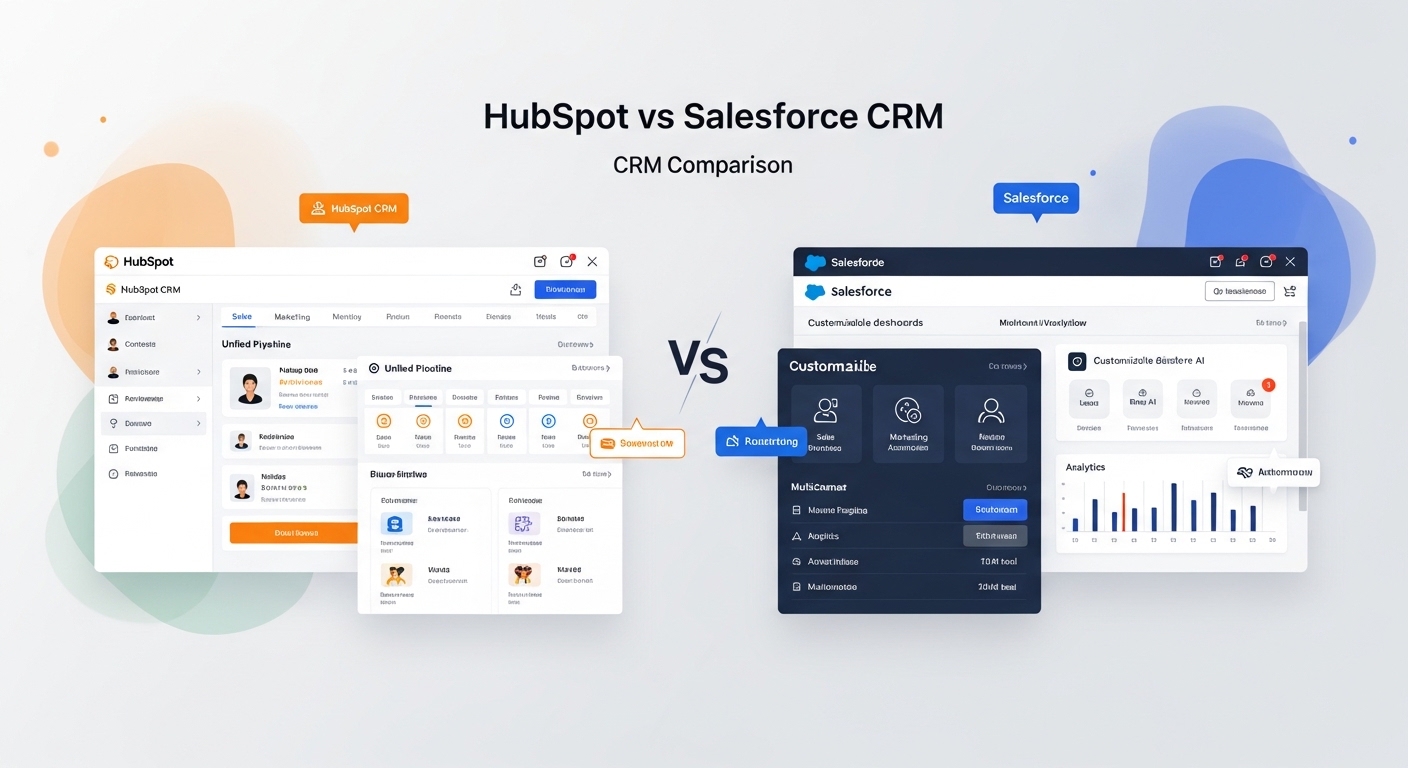
Choosing the right CRM changes how your business runs for years. It affects sales speed, clean data, and team teamwork. A bad pick slows deals and raises costs fast. HubSpot helps new teams grow with inbound marketing. It links sales and marketing in one easy system using simple tools—no coding needed. Leads turn into sales quickly. Salesforce fits big companies. It handles tough sales jobs like custom team setups and strict rules.
Each CRM fits different growth steps. HubSpot speeds up small to medium businesses (under 1,000 users). Setup takes 4-8 weeks, and teams use it a lot (97%). Salesforce needs 3-6 months for big, tricky rollouts in large firms.
Costs go beyond monthly fees. HubSpot saves 30-40% over 3 years for mid-size teams. It needs little admin help ($45k a year part-time). Salesforce needs full-time coders and fixes that double spending.
Switching CRMs is hard. Moving from Salesforce to HubSpot takes 6-12 weeks. It cleans data and cuts wait times 20-30%. Going the other way gets stuck on custom parts and costs more. Check your team size, custom needs, and sales-marketing focus. Test both to see real use and predictions. HubSpot wins for quick teamwork; Salesforce for deep power.
HubSpot vs Salesforce: Which One Wins for Your Business Type
HubSpot and Salesforce meet different business needs—HubSpot shines for fast setup and low costs in growing small and medium businesses (SMBs), while Salesforce leads in big, complex company setups. This quick table shows the winner for common cases. It focuses on real-life use, not just bells and whistles.
Decision Table
| Scenario | Winner | Why |
| SMB (<200 users), marketing-led growth | HubSpot | 4-week setup, $0 starter tier, 97% adoption |
| Mid-market (200-1,000 users), RevOps focus | HubSpot | Unified hubs, low admin ($45k/yr), 30% lower TCO |
| Enterprise (1,000+ users), custom sales ops | Salesforce | Deep APIs, hierarchies, Einstein AI scale |
| High customization, global compliance | Salesforce | Unlimited objects, but 3-6 month rollout |
| Tight budget, quick ROI | HubSpot | No dev needed, migration-easy |
| Legacy integrations, massive data | Salesforce | Robust but high “admin debt” |
Pick based on your user count and complexity—pilot both for proof.
What is HubSpot CRM
HubSpot CRM is a simple online tool that helps businesses manage customer info. It’s built as an easy inbound CRM platform. This means it focuses on pulling in customers with helpful content, not pushy ads. It works great as SMB CRM software for small and medium businesses.
HubSpot starts with marketing. Its marketing automation CRM grabs leads from website forms, pages, and ads. It tracks what people do, like opening emails or visiting pages. This builds a full picture of each customer. Tools like Breeze AI and no-code workflows send smart emails and sort leads automatically. Marketing and sales teams stay on the same page with no messy data splits.
It’s perfect for small teams under 1,000 people. The free version holds unlimited contacts. You can set it up in days with fun training videos and simple screens. Drag-and-drop builders make sales pipelines easy—no tech experts needed.
Onboarding is a breeze. High use rates come from quick wins like email tracking and calendar links. AI spots next steps fast. It’s for growing teams that want speed, not big-company extras.
What is Salesforce CRM
Salesforce CRM is a powerful online tool for big businesses. It acts as an enterprise CRM platform. This means it handles huge teams and complex customer data in one place. It connects sales, service, marketing, and more for smooth work.
Salesforce shines with deep customization. Its customizable CRM architecture lets you build custom fields, workflows, and apps. You can tweak it for special needs like sales teams or global rules. Tools like Flow make changes without heavy coding. AI like Einstein spots trends and automates tasks.
It’s made for enterprise sales infrastructure. Big companies use it for thousands of users, forecasts, and reports. Setup takes time but scales forever. Security keeps data safe, and mobile apps work anywhere.
The partner and app ecosystem is huge. Over 7,000 apps in AppExchange link to other tools. Partners help build custom fixes. This makes Salesforce fit any big-business puzzle, from factories to banks.
HubSpot vs Salesforce: Which Has Better Core Features
HubSpot and Salesforce both offer strong CRM tools, but they differ in sales, marketing, analytics, integrations, and AI. HubSpot focuses on easy, all-in-one use for small teams. Salesforce gives deep power for big companies. Here’s a simple breakdown.
- Sales: HubSpot has simple pipelines, tasks, quotes, and email tracking—free and quick to set up. Salesforce offers advanced forecasting, territories, CPQ, and team rules for complex sales.
- Marketing: HubSpot wins with built-in emails, forms, ads, and workflows for inbound leads. Salesforce needs add-ons like Marketing Cloud for similar power, but it’s more modular.
- Analytics: HubSpot shows custom reports and dashboards with AI insights. Salesforce’s Einstein excels in predictions, benchmarks, and big data crunching.
- Integrations: HubSpot connects to 1,700+ apps easily. Salesforce’s AppExchange has 7,000+ with pro APIs for custom links.
- AI: HubSpot’s Breeze helps with content, emails, and scores. Salesforce’s Einstein does deal insights, chatbots, and forecasts at enterprise scale.
HubSpot suits quick growth; Salesforce fits custom depth.
HubSpot vs Salesforce: Which Actually Costs Less Overall
HubSpot and Salesforce have different CRM licensing structure models, but CRM total cost of ownership includes setup, staff, and extras beyond monthly bills.
| Cost Area | HubSpot | Salesforce |
| Free Tier Limits | Basic tracking for unlimited contacts; no automation or reports | No free tier; starts at $25/user/month |
| Scaling Plans | Pro ~$50–$1,800/month; Enterprise ~$5,000/month (10 users) + contact fees ($40–$250/batch) | $25–$500/user/month + add-ons like AI or Marketing Cloud |
| CRM Implementation Cost | $1,500–$7,000 upfront; 4-8 weeks | $50k+ with partners; 3-6 months |
| CRM Admin Cost | Low (~$45k/year fractional, user-friendly) | High ($110k–$140k/year full-time for custom upkeep) |
| 3-Year TCO (Mid-Market) | 30-40% lower; easy growth | 2x higher from “admin debt” and extras |
HubSpot fits small teams with a simple CRM licensing structure. Salesforce demands big budgets for enterprise power. Tally your users and needs for true CRM total cost of ownership.
HubSpot vs Salesforce: Which Is Easier to Learn and Manage
HubSpot beats Salesforce in CRM usability comparison for most teams. It has a clean dashboard and drag-and-drop tools that feel like everyday apps. New users grasp it fast—no coding needed. Salesforce packs power but looks busy with menus and options that confuse beginners.
User onboarding speed shines in HubSpot. Small teams go live in 4-8 weeks with free videos and guides. Most hit 97% daily use right away. Salesforce takes 3-6 months. It needs training classes and tech help for its steep CRM learning curve. Big companies plan for this, but small ones struggle.
UI complexity differences are clear. HubSpot keeps sales pipelines, emails, and reports simple on one screen. Salesforce splits features into tabs and add-ons. Power users love it; others get lost.
CRM admin management flips the script. HubSpot runs on part-time help (~$45k/year). Simple fixes take minutes. Salesforce demands full-time admins ($110k+) to tweak code, rules, and updates. This “admin debt” grows over time.
Pick HubSpot for quick wins and low fuss. Choose Salesforce if your team can handle the extra work for big rewards
HubSpot or Salesforce: Which Is Better for Fast Growing Companies
HubSpot and Salesforce handle growth differently through CRM scalability architecture. HubSpot offers solid CRM workflow configuration for small to mid-sized teams. It uses no-code tools like drag-and-drop workflows and custom properties to tweak sales paths and lead flows without hassle. Data stays flexible with custom objects that link contacts, deals, and tasks simply.
Salesforce leads in enterprise CRM customization. Its deep CRM workflow configuration lets you build complex rules, formulas, and automations (like Flow Builder) for tricky setups such as sales territories or approval chains. Data structure flexibility shines with unlimited custom objects, fields, and relationships—perfect for big data models in global firms.
For multi-team scaling capability, HubSpot grows smoothly to 1,000 users with unified views and light admin needs. It avoids overload for marketing-sales teams but hits limits on super-custom logic. Salesforce scales to thousands effortlessly, supporting hierarchies and role-based access across departments. Yet, it demands coders and builds upkeep over time.
Growing companies pick HubSpot for easy expansion up to mid-market. Go Salesforce when deep tweaks and massive teams demand power. Test workflows first to match your path.
HubSpot or Salesforce: Which Is Right for Your Business Stage
Picking the right CRM depends on your company’s stage and daily operations. HubSpot fits fast-growing small and medium businesses focused on teamwork. Salesforce powers big companies with complex needs. Use this simple guide to decide fast.
Choose HubSpot if:
- You’re a startup or SMB (under 200 users) chasing quick sales from marketing leads.
- Mid-market (200-1,000 users) wanting one easy system for sales, marketing, and service.
- Tight budget—free start, low setup costs, part-time admin only.
- Speed matters: live in weeks, high team use, no coders needed.
- Inbound growth: emails, forms, and workflows align teams without fuss.
Choose Salesforce if:
- Enterprise (1,000+ users) with global teams, custom sales rules, or big data.
- Heavy sales ops like forecasting, territories, or compliance demands.
- Deep tweaks: unlimited fields, apps, and AI for unique workflows.
- You have IT staff and budget for long setups and full-time admins.
- Legacy systems need strong links and massive scale.
Quick Decision Steps: Count users. Check if marketing or sales leads. Test free trials. HubSpot wins 70% of growing firms under 1,000; Salesforce owns enterprises. Match your stage—don’t overbuy power you won’t use.
What are the pros and cons of HubSpot and Salesforce?
HubSpot and Salesforce each bring strengths and weaknesses to real business operations. HubSpot excels in speed and unity for growing teams, while Salesforce delivers power at a complexity cost. Here’s a balanced pros/cons breakdown.
HubSpot Pros:
- Fast setup (weeks) and high adoption for sales-marketing alignment.
- Free starter tier, low ongoing costs, no-code ease.
- Unified RevOps reduces silos and admin work.
HubSpot Cons:
- Limits on deep custom fields or complex hierarchies.
- Strains at 1,000+ users with intricate global ops.
- Contact tiers add fees as lists grow.
Salesforce Pros:
- Unlimited customization for enterprise sales ops and AI depth.
- Scales to thousands with robust reporting and integrations.
- Handles compliance, territories, and big data seamlessly.
Salesforce Cons:
- Steep learning curve, 3-6 month rollouts.
- High CRM admin cost ($110k+/year) and “admin debt” buildup.
- Per-user pricing plus add-ons inflate TCO quickly.
Match pros to your stage: HubSpot for SMB agility, Salesforce for enterprise muscle.
HubSpot vs Salesforce: How Hard Is It to Switch Between Them
Switching CRMs like HubSpot and Salesforce involves CRM migration complexity that can disrupt operations if not planned well. Moving from Salesforce to HubSpot is often easier, taking 6-12 weeks with data cleanup that cuts lead times 20-30%—ideal for simplifying workflows. The reverse, HubSpot to Salesforce, gets tricky due to custom objects and field mappings, often needing tools or partners and stretching 3-6 months.
CRM data migration planning starts with backups, data audits, and field maps. Clean duplicates first to avoid mess. Test runs in sandboxes catch errors like broken links or lost activities (emails, tasks). Downtime risks hit sales pipelines—phase it over weekends or use live syncs to keep teams working.
CRM switching cost adds up fast. Salesforce-to-HubSpot runs $10k–$50k for mid-sized firms (tools + light consulting). HubSpot-to-Salesforce hits $50k–$150k+ from partner fees and retraining. Factor time and operational downtime risk: small teams lose days; enterprises weeks if automations break.
Plan ahead: Audit data volume, budget for experts, train users early, and run pilots. Salesforce users switch to HubSpot for speed; few go back due to lock-in. Match your ops stage to minimize regrets.
Which CRM comparison helps businesses choose between inbound marketing CRM platforms and enterprise sales CRM ecosystems
Businesses use marketing CRM platform comparison to pick between inbound tools like HubSpot and enterprise CRM ecosystem comparison leaders like Salesforce. Inbound platforms focus on easy lead capture, emails, and sales alignment for quick growth. Enterprise systems handle complex data, teams, and custom rules for big operations.
CRM platform maturity selection guides the choice: Start with HubSpot if your team is small and marketing-driven. It unifies everything without hassle. Switch to Salesforce as you scale to thousands of users needing deep tweaks and global compliance.
This comparison saves time—match your company stage to the right ecosystem. Small firms gain speed with inbound CRM; enterprises build power with sales-focused depth. Test both to confirm fit.
How Does Total CRM Cost Change Between Marketing First and Enterprise Systems
CRM total cost evaluation shows clear differences between marketing-first CRM platforms like HubSpot and enterprise CRM systems like Salesforce. Marketing platforms keep costs low with simple subscriptions and quick setups. CRM lifecycle cost planning favors HubSpot’s free tier and light add-ons, often 30-40% cheaper over three years for mid-sized teams.
Enterprise systems shift focus to CRM subscription vs implementation cost. Salesforce starts higher per user ($25–$500/month) with extras like AI or marketing tools. Implementation runs $50k+, plus full-time admins at $110k/year. Hidden upkeep, called “admin debt,” doubles long-term spend.
Plan for your scale: Small businesses save with marketing CRM’s low barriers. Enterprises budget for power despite steeper paths. Tally users, growth, and staff needs to nail true ownership costs.
Why CRM Setup Difficulty Matters When Comparing SMB and Enterprise CRM
CRM implementation planning is key before picking SMB CRM like HubSpot or enterprise CRM software like Salesforce. SMB tools roll out fast with simple steps—think weeks of guided setups and no IT crew needed. This cuts CRM onboarding complexity for small teams chasing quick wins.
Enterprise software ramps up CRM deployment timeline to months. It demands data maps, custom code, and partner help, risking delays if your ops aren’t ready. CRM onboarding complexity hits hard without trained admins—new users face steep menus and tests.
Evaluate upfront: Match team size to setup fit. Small firms avoid enterprise headaches; big ones plan budgets and staff for depth. Skip this, and pipelines stall from poor rollout. Test demos to gauge real effort—speed trumps power if time’s tight.
Final Verdict: HubSpot vs Salesforce
Startup: Go with HubSpot. Its free CRM, one-week setup, and marketing tools spark fast growth—no big budgets or coders required. See more CRM comparisons. Salesforce feels too heavy for small teams.
SMB (under 1,000 users): HubSpot leads with seamless sales-marketing links, 97% team use, and 30-40% lower costs over time. Check Freshsales vs HubSpot for similar picks.Enterprise (1,000+ users): Salesforce rules with custom setups, global teams, and strong AI that HubSpot can’t match at scale.
Marketing-driven companies: HubSpot shines for inbound leads, emails, and scoring. Related reads: Zoho CRM vs Pipedrive or Pipedrive vs Infusionsoft Sales-driven companies: Salesforce handles forecasting, territories, and rules best. HubSpot falls short here.
Quick Rule: Under 200 users or low budget? HubSpot. Need complex power? Salesforce. Test trials to fit your stage. For tools like Notion vs ClickUp or Ahrefs vs Semrush, see our full guides.


