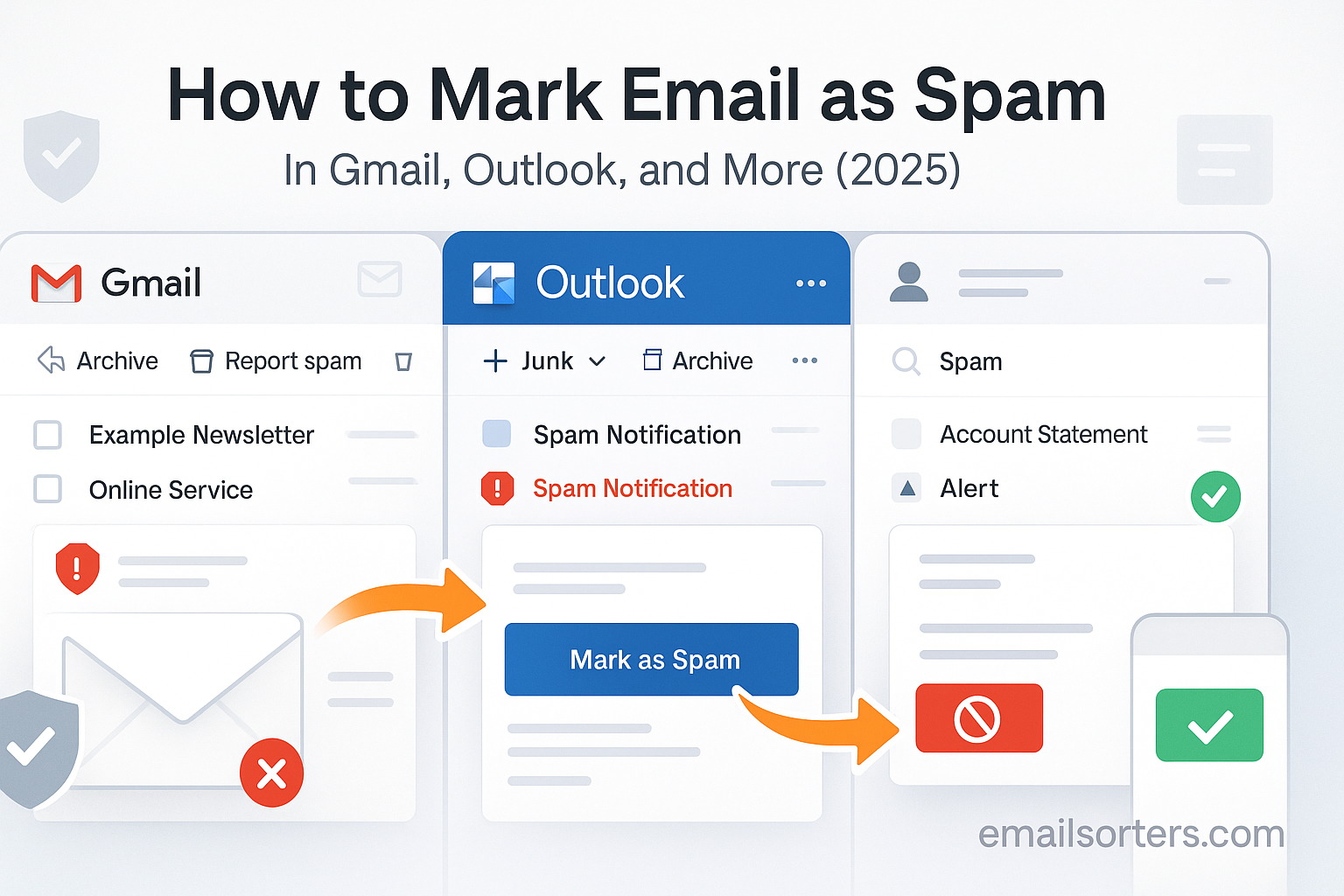
Mark Email as Spam does more than just disappear from your inbox. It helps train spam filters and protects others. When you flag a message, your email provider takes note of its sender address, domains, and content patterns. This feedback feeds into machine learning systems that reduce the delivery of similar messages in the future. Most major providers like Gmail and Outlook use this method alongside global threat databases to keep inboxes cleaner and safer.
Failing to report spam when you see it can make filters less effective. If many users ignore deceptive messages instead of flagging them, the same spam may repeatedly hit multiple inboxes. Conversely, marking spam helps not just you it helps millions of users by reinforcing detection signals.
If a spam message hides phishing or malware links, reporting it could block those contents from being delivered to others. In corporations or shared environments, timely reporting prevents potential data breaches or productivity loss. Checking the spam folder regularly is equally vital misclassified legitimate mail should be rescued, while hidden threats should be reported. Learn how the spam folder works in detail via our guide: [Spam Folder What It Is and How It Works].
Understanding Spam Flags and Filter Behavior
Spam classification uses a combination of signals: sender reputation, email content, links, and user actions. When you mark an email as spam, you contribute a “spam flag” a feedback signal that helps refine the spam scoring algorithm. Multiple spam flags on similar emails increase their likelihood of automatic filtering in the future.
Spam filters learn from global and individual behavior. If a message coming from a particular domain is repeatedly flagged across multiple users, the system may throttle or block other messages from that domain entirely. Similarly, if you personally flag emails from one sender, your inbox may start routing all future mail from that sender directly to spam.
On the technical side, filters analyze keywords, formatting cues, and metadata embedded in headers. Complaints about phishing, impersonation, or malicious links add weight to filter decisions. For more on how spam flags influence filtering, see [Spam Flags Meaning, Causes, and Fix Solutions].
How to Mark Spam in Gmail: Step-by-Step
In Gmail web or mobile app, the process is straightforward and efficient. In the inbox, select the email you find suspicious. Click the “Report spam” button (the stop-sign icon with an exclamation). This action moves the email to your Spam folder and sends the spam report to Google for processing.
If you suspect phishing, Gmail also offers “Report phishing” under the three-dot menu. That option treats the message with heightened urgency and helps improve Google’s phishing detection models. If the email lands in the spam folder by mistake, open it and click “Not spam” to move it back to the inbox and refine future filtering.
In Gmail’s settings, you can view and manage all messages marked as spam. These messages are cleared automatically after 30 days unless restored. If suspicious emails keep slipping into the inbox, creating filters for sender addresses or domains can preemptively send them to Spam a custom whitelist-style approach inside Gmail.
Marking Spam in Outlook: Web, Desktop, and Mobile
In Outlook (both web and desktop versions), marking spam is handled through “Junk” or “Junk Email.” You can right-click an email and select “Mark as Junk,” or use the “Junk” button on the toolbar. Outlook will move the message into your Junk folder and may present options to block the sender or report phishing.
The web interface offers additional choices like “Phishing,” “Not Junk,” or “Block.” When you use “Phishing,” it applies stronger scrutiny and tells Microsoft Defender to scan the message for malicious intent. Later, you can review your Junk folder to rescue safe emails or permanently delete threats.
Spam Reporting in Other Popular Email Providers
Marking spam in Yahoo Mail, Apple Mail, ProtonMail, and others follows a similar logic but with provider-specific steps. Yahoo displays a “Spam” button clicking it moves the message and signals to its filter system that similar mail should be filtered. Apple Mail users rely on server-side filtering flagging phishing or spam on an IMAP account syncs back to the provider and improves classification across clients.
ProtonMail uses its own “Report spam” or “Mark phishing” options while maintaining privacy-friendly design. When reported, the provider may update its encrypted filter rules without accessing your message contents. Some smaller email services also provide community-driven spam feedback loops, improving filter algorithms over time.
Even when using lesser-known clients, the concept remains consistent: reporting spam helps train filters and reduce future threats. If unsure how to flag spam in your provider, look for “Report spam”, “Junk”, or “Phishing” tools in the interface menus.
How Reporting Phishing Emails Differs from Marking Spam
While marking spam helps sort out unwanted messages, reporting phishing takes it a step further. Phishing emails are a category of spam with dangerous intent they’re crafted to trick users into revealing private information, downloading malware, or taking actions that compromise security. Recognizing this difference is essential because reporting phishing sends a stronger signal to your provider’s threat analysis team.
When you report phishing instead of just marking an email as spam, the email gets routed through enhanced security channels. These channels perform deeper analysis, often scanning for impersonation tactics, spoofed domains, or malicious attachments. Email providers then use this information to update their global threat models.
In Gmail, selecting “Report phishing” alerts Google’s abuse detection system, which may then take action against the sender. In Outlook, using the “Report phishing” option not only flags the message but also strengthens Microsoft Defender’s protective net across all enterprise and personal users.
Beyond personal inboxes, many organizations rely on user-submitted phishing reports to launch investigations. One employee report can prompt IT to scan the network for similar emails, isolate malicious attachments, or even revoke compromised access.
What Happens Behind the Scenes After Marking an Email as Spam
When you click “Mark as spam,” the process may seem instant, but there’s much more happening in the background. Your email provider logs the action and updates your personal spam filter settings. At the same time, it may send anonymized data about the message to a central system that analyzes patterns across millions of inboxes.
The flagged message undergoes several checks sender reputation scoring, URL inspection, attachment scanning, and cross-referencing with previously flagged messages. If multiple users mark the same email or domain as spam, the provider may adjust global filters to block future messages from that source entirely.
In Gmail, for example, marking spam also adjusts the Bayesian filter Google’s statistical model that predicts which emails you’re likely to find unwanted. This model adapts over time, becoming more accurate as you take action on emails. The same applies in Outlook, where the Junk Email Reporting program feeds user reports into Microsoft’s SmartScreen filter.
If your account is part of a larger domain or enterprise environment, reports might trigger actions on a wider scale. IT administrators can use analytics to monitor trends and adjust filtering policies accordingly. That means a single spam mark from you could influence protections across hundreds of users.
This background activity keeps spam under control. But it also relies on user input. Without consistent reporting, filters stagnate and threats evolve unchecked. Every spam mark strengthens the barrier between you and a cluttered, risky inbox.
The Role of Spam Filters and Adaptive Learning
Spam filters are the invisible gatekeepers of your inbox. They analyze every incoming email, scanning for signals that suggest the message is unwanted, dangerous, or deceptive. These filters use algorithms based on machine learning, natural language processing, and user behavior data to assess each message’s spam score.
Key elements include sender history, message formatting, embedded links, IP reputation, and keyword analysis. A message with a high spam score gets sent to your Spam or Junk folder. If it scores low, it lands in your inbox. Your actions whether you read it, ignore it, or mark it as spam feed back into the system to fine-tune future predictions.
Modern spam filters are far more advanced than a decade ago. They can detect patterns across billions of emails in real time, block known scams automatically, and even flag sophisticated threats like spear-phishing or zero-day attacks. Some filters also use contextual clues to separate personal newsletters from actual spam, reducing false positives.
However, even the best spam filters are not infallible. That’s why your input matters. By consistently marking spam and rescuing legitimate messages from the spam folder, you help improve your personal filter and contribute to the system’s collective intelligence.
Using Block Features Alongside Spam Marking
Blocking and spam marking serve related but distinct purposes. When you block a sender, you’re telling your email service to never deliver messages from that specific address to your inbox again. When you mark a message as spam, you’re labeling that individual email for review and filter training, not necessarily banning the sender outright.
Blocking is more definitive. It’s best used when a specific sender repeatedly sends you unwanted messages, even if those messages don’t technically qualify as spam. For example, if a contact keeps sending you content you don’t want to see but the system doesn’t filter it you can block them and stop their emails entirely.
In Gmail, you can block by clicking the three-dot menu on a message and selecting “Block [Sender Name].” In Outlook, use the “Block” feature found under the Junk menu or settings. Once blocked, all emails from that sender are automatically routed to spam or trash, depending on your settings.
Using both tools in tandem can keep your inbox far more efficient. Spam marking helps the global system learn; blocking gives you individual control. If a message feels like a one-time spam issue, mark it as spam. If it’s a recurring problem, take the extra step and block the sender.
Common Mistakes When Marking Emails as Spam
Marking emails as spam can be powerful but only when used correctly. Many users unintentionally misuse the spam button, which can cause important messages to get filtered or train their email system in unhelpful ways.
One of the most common mistakes is marking marketing emails from companies you subscribed to as spam, instead of using the unsubscribe link. These emails might be annoying, but they’re not fraudulent. Reporting them as spam trains your filter to distrust that sender, and it can affect deliverability for future emails that you may actually need.
Another mistake is ignoring phishing emails in the inbox instead of marking them correctly. Simply deleting a phishing message without reporting it misses an opportunity to stop that scam for others. Always use “Report phishing” when appropriate.
Some users also fail to check their spam folder regularly. As a result, important emails like job offers, appointment reminders, or client communications may sit unnoticed and eventually get deleted. Taking a minute to review the folder weekly can help rescue misfiled messages and improve the filter’s accuracy.
Lastly, avoid overusing spam marking out of frustration. Not every unwanted message is spam. Distinguishing between annoying and dangerous ensures your actions support the system rather than confuse it.
When Marking Spam Isn’t Enough: Taking Additional Action
Sometimes, simply marking an email as spam doesn’t fully solve the problem. Persistent spam messages, sophisticated phishing attempts, or coordinated spam campaigns may need more than just a single click. If the same sender keeps bypassing your filters or you suspect a larger issue, it’s important to escalate your actions beyond spam reporting.
One option is to create custom filters or rules in your email settings. These filters can automatically move messages from certain domains, keywords, or IP ranges to your spam folder. This is especially helpful if you notice a trend say, a specific keyword or format that spam messages consistently use. Most platforms, including Gmail and Outlook, offer user-friendly interfaces to create these rules without needing technical knowledge.
In more severe cases, especially involving phishing or fraud, you should report the message to your email provider’s abuse team or a cybersecurity authority. For example, Google and Microsoft both offer forms where you can submit samples of persistent spam or phishing attacks. These reports go directly to abuse analysts and can lead to broader investigations or domain suspensions.
If you’re part of a business or organization, you can also notify your IT department or security operations center. They may be able to blacklist the sender domain, trace any malicious links internally, or notify other users before the spam spreads further.
For targeted or dangerous emails, another option is forwarding the email to official anti-phishing resources like [email protected], which helps identify patterns across the web. In some cases, especially when financial fraud is involved, local law enforcement or consumer protection agencies may also need to be contacted.
Taking these steps doesn’t require technical expertise just awareness and action. When spam crosses the line into danger, your vigilance could make the difference between a minor annoyance and a full-blown threat.
Misclassified Messages: Rescuing Legitimate Emails from Spam
Spam filters aren’t perfect. Every now and then, legitimate messages get sent to your spam folder by mistake. Maybe it’s a client using a personal email address, a friend’s message that looks too much like a marketing email, or an important confirmation from a new service you just signed up for.
That’s why it’s essential to review your spam folder regularly. A quick glance every few days can help you spot anything that doesn’t belong there. When you find a misclassified message, open it and click “Not spam” (or “Mark as safe” in some email platforms). This action returns the message to your inbox and teaches your filter to handle similar messages better in the future.
Some services, like Gmail, even let you mark entire conversations as “not spam,” which helps prevent future replies from the same sender from being misrouted. If you use custom labels or folders, you can also manually move messages out of spam and apply tags to keep them organized.
For organizations, misclassified emails can become a workflow bottleneck. That’s why IT teams often use “whitelisting” to ensure important contacts always land in inboxes. If you’re receiving business-critical messages in spam, talk to your administrator about domain whitelisting.
The lesson here is clear: don’t ignore your spam folder. Rescuing good emails is just as important as removing bad ones. It’s part of keeping your filter accurate, your inbox reliable, and your communications uninterrupted.
Best Practices for Staying in Control of Your Inbox
Managing spam effectively isn’t just about the tools it’s about the habits you build around your email use. Developing a few smart routines can help you avoid spam altogether and improve your filter’s precision.
Start by using a primary email address only for trusted contacts and important accounts. For sign-ups, newsletters, and online purchases, create a separate email or alias. This strategy prevents your main inbox from being flooded with marketing or promotional messages.
Be selective about what you sign up for. Uncheck boxes during registrations that add you to mailing lists. Avoid sharing your email address on public websites, forums, or comment sections where it might be scraped by bots.
Always unsubscribe properly. If you no longer want newsletters or promotional messages, use the “Unsubscribe” link rather than marking the message as spam unless the sender is clearly untrustworthy. This helps keep legitimate businesses off spam blocklists and maintains better sender-receiver relationships.
Finally, review your spam and inbox filters every few months. Email usage changes over time new senders, shifting priorities, different threats. Adjusting your rules and retraining your filters ensures that your email experience stays productive, safe, and free of clutter.
The Future of Spam Control: What’s Coming Next
Email providers are constantly evolving their spam detection systems. In 2025, advancements in artificial intelligence and machine learning are making it harder for spammers to slip through unnoticed. These systems can now detect subtle patterns in email content, analyze sender history in real time, and cross-reference global spam activity within seconds.
According to Wikipedia, companies are also collaborating on real-time spam intelligence exchanges networks that allow providers to share live data on new spam campaigns. This collective intelligence helps filter threats faster and more accurately.
One emerging trend is adaptive email interfaces. These systems personalize your inbox based on your habits promoting important contacts, hiding low-priority messages, and giving you finer control over filtering. Expect more automation, smarter sorting, and real-time protection as these technologies mature.
But as spam techniques evolve, so must user awareness. Deepfake emails, AI-generated phishing, and identity-based targeting are already making inboxes riskier. Staying informed, reporting quickly, and training your filter regularly will be just as important as the tools themselves.
Conclusion
Marking emails as spam might seem like a simple task but it’s a foundational part of email protection. Whether you’re using Gmail, Outlook, Yahoo, or another platform, your actions shape how filters behave. They influence what lands in your inbox, what gets blocked, and how future spam is handled.
By understanding the mechanics of spam reporting, recognizing phishing threats, using block tools wisely, and reviewing your spam folder regularly, you become more than a user you become part of the solution. Email providers build smarter systems when people interact with them clearly and consistently.
Keep practicing good habits. Separate your email identities. Review your folders. Report spam and phishing without hesitation. Every small step helps make the digital world a little cleaner, a little safer, and a lot more manageable.


