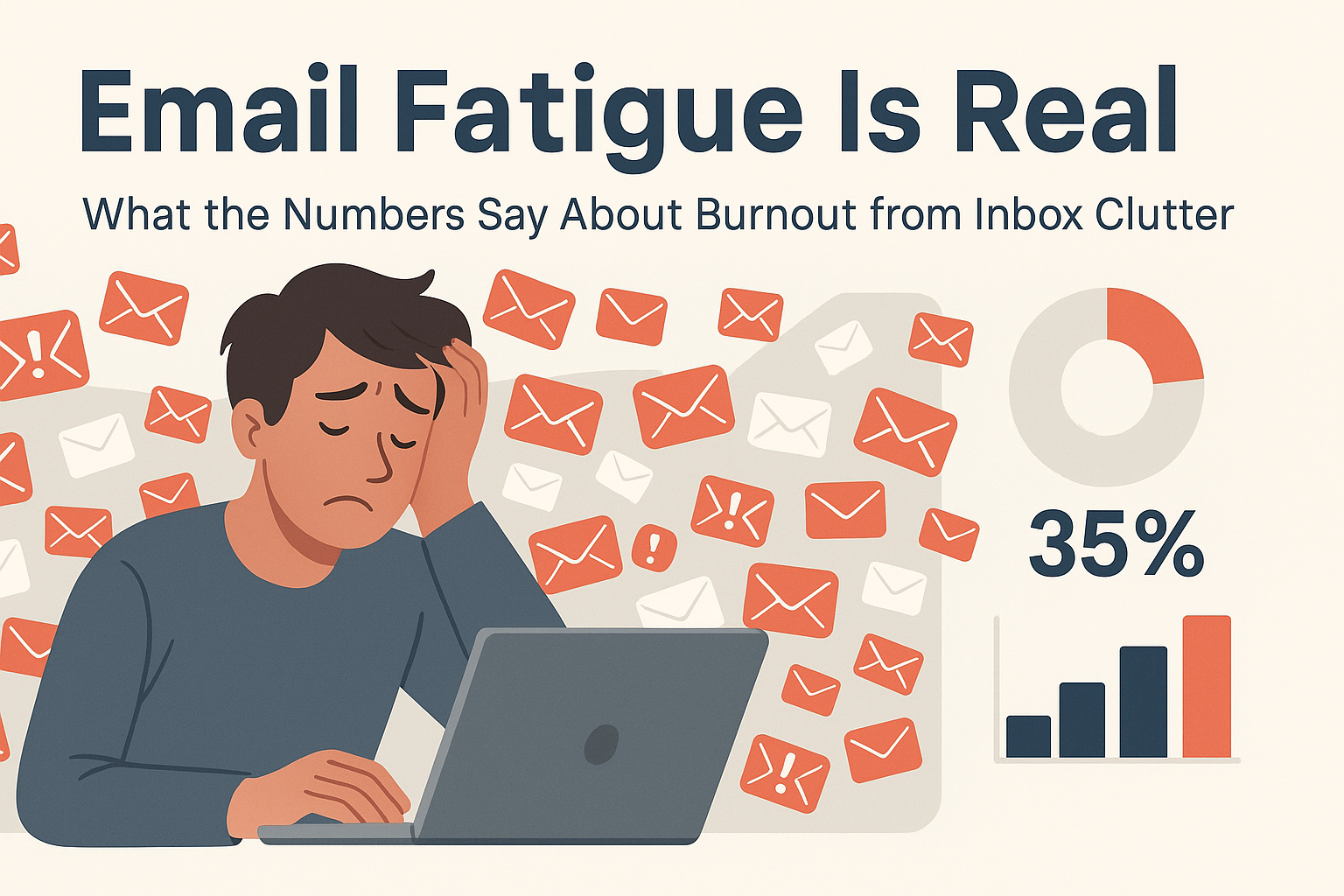
Email fatigue is real, and it’s hitting professionals harder than ever. Instead of helping us work smarter, too many emails are draining focus, increasing stress, and leading to widespread inbox burnout.
Every ping, buzz, and unread message chips away at your attention. If you’ve ever opened your inbox and felt overwhelmed, you’re not alone. Research shows that constant email overload is quietly hurting productivity and well-being across industries.
The good news? You don’t have to live with inbox fatigue. By understanding the cause of inbox stress and applying simple strategies, you can take back control, and finally make email work for you, not against you.
In this guide, we’ll uncover the truth behind inbox burnout, highlight the latest data, and share practical steps to reduce overload and restore clarity to your daily workflow.
What Is Email Fatigue?
Email fatigue is exactly what it sounds like: mental and emotional exhaustion caused by the constant stream of emails. It’s not just about having a lot of messages; it’s about the psychological toll that comes with feeling like you’re never truly “caught up.” That never-ending red notification bubble is more than an annoyance; it’s a source of stress.
This condition affects employees across all industries, from entry-level assistants to senior executives. In fact, according to a 2023 Gallup survey, 57% of workers reported that managing email was one of the most draining aspects of their workday. The issue isn’t only about volume, it’s about the demand for quick responses, fear of missing something important, and the lack of boundaries between work and personal life.
People experience:
- A sense of dread when opening their inbox
- Constant distraction from tasks due to email pings
- Increased anxiety and frustration when emails pile up
It’s no surprise that these symptoms mirror those of burnout.
The Rise of Email Overload in the Workplace
Let’s face it, we’re getting more emails than ever before. According to a report from Radicati Group, the average professional receives around 121 emails per day. That’s roughly 15 emails every waking hour. And it’s getting worse.
Since the shift to hybrid and remote work, digital communication has replaced many in-person interactions. Rather than walking over to a coworker’s desk, people shoot off a quick email, even for things that could have been a 30-second conversation. Multiply that by every team member, every day, and you’ve got a deluge.
Email has become a catch-all platform for everything: project updates, meeting notes, status check-ins, and even casual “just saying hi” messages. While the intention may be good, the result is a cluttered communication system where important messages get buried and mental energy gets drained trying to keep up.
How Email Fatigue Affects Productivity
Email fatigue is more than just feeling tired of your inbox, it’s a real drain on focus and performance.
Imagine this: you’re deep into a task, fully engaged, when a new email alert pops up. You glance at it, maybe respond quickly. Just like that, your concentration breaks. It can take 15–20 minutes to get back into the same mental flow. Multiply that by a dozen interruptions a day, and the productivity cost adds up fast.
This is the heart of the email distraction dilemma. A study from the University of California, Irvine found that it takes an average of 23 minutes and 15 seconds to refocus after an interruption. When emails come in constantly, deep work becomes nearly impossible.
Organizations often expect rapid responses, but this can lead to fragmented attention. Instead of meaningful progress, workers bounce between messages and tasks, leading to shallow work and mental fatigue.
Some of the biggest productivity drains caused by excessive email include:
- Task switching costs
- Information overload
- Loss of focus and flow state
- Increased cognitive fatigue
- Poor attention management
The Myth of Multitasking
Many believe they can multitask effectively, but research proves otherwise. A Stanford study shows multitasking can reduce productivity by up to 40%. The brain isn’t built to process multiple demanding tasks at once.
Email encourages this constant context switching. You may be reviewing a report one minute and replying to a calendar invite the next. These small shifts increase mental strain, reduce quality, and lead to reactive behavior patterns.
Over time, this undermines strategic thinking, weakens decision-making, and fuels even more email fatigue.
The Mental Health Toll of Inbox Clutter
That little red bubble isn’t just distracting—it’s quietly raising stress levels. Unread emails create a sense of pressure. Each one feels like a task you haven’t handled, a decision left pending, or a loose end waiting to be tied. Over time, this builds up into email-related stress.
A 2022 study by the American Psychological Association found that 67% of workers said constant email checking was a major source of workplace stress. Many said they felt they could never fully disconnect, afraid to miss something important or appear unresponsive.
Common signs of inbox-driven anxiety include:
- Trouble sleeping or staying asleep
- Irritability and rising frustration during the day
- Mental fatigue and reduced focus by mid-afternoon
Left unaddressed, these effects add up, slowly chipping away at mental clarity and emotional resilience.
Scientific Studies Linking Emails to Burnout
Research strongly supports the link between email overload and burnout. A study from the University of British Columbia found that individuals who checked their email less frequently experienced significantly lower stress levels.
Another study, published in Computers in Human Behavior, followed over 1,000 office workers. It found a clear connection between email volume and emotional exhaustion. Those handling high message loads reported:
- Lower job satisfaction
- Higher risk of burnout
- A stronger urge to leave their job
The takeaway? Our minds aren’t built for nonstop digital input. Without better inbox management strategies, email overload can lead to disengagement, chronic stress, and eventually, full-blown burnout.
The Data Speaks: Workplace Surveys and Email Statistics
Still unsure whether email fatigue is real? The numbers say it all. Research from Microsoft, Adobe, Slack, and other industry leaders clearly shows that email overload is a widespread problem—and it’s hurting productivity and well-being.
Let’s start with Microsoft. Their 2023 Work Trend Index found that employees spend 28% of their workweek on email alone. That’s nearly 11 hours per week spent reading, replying, organizing, or simply scanning through messages.
Adobe’s 2022 Email Usage Survey revealed a similar story. On average, people spent 209 minutes per day on work email and 143 minutes on personal email, adding up to nearly 6 hours daily just managing messages.
Other key stats include:
- 74% check email outside of work hours (Adobe)
- 68% feel overwhelmed by email volume (McKinsey)
- 53% say email interferes with personal time and sleep (Gallup)
These numbers are more than just eye-opening—they’re a clear warning. What many see as “normal” work behavior is quietly fueling stress, dissatisfaction, and lost productivity.
How Different Generations Cope with Email Overload
Email habits vary widely by age, and so does how people handle email stress. Millennials and Gen Z prefer faster, chat-style tools like Slack, Microsoft Teams, or WhatsApp. In contrast, Gen X and Baby Boomers still lean on email as their main communication method.
A recent HubSpot study found:
- 65% of Millennials said email feels “exhausting”
- Gen Z preferred messaging apps for quicker collaboration
- Baby Boomers were most likely to treat email as their main work tool
This generational gap causes friction in hybrid teams. While younger workers may delay or ignore email entirely, older colleagues expect fast replies. That disconnect leads to more follow-ups, more messages, and ultimately—more burnout.
Interestingly, younger employees also report setting stronger digital boundaries. They’re more likely to mute notifications or stop checking email after hours. Older generations often feel guilty doing the same—even when it’s affecting their mental health.
The Cost of Lost Time and Efficiency
One of the most significant consequences of email overload is the substantial amount of time it wastes. Let’s break it down. If you spend just 2 to 3 hours per day on email, that’s 10 to 15 hours a week—or 500 to 750 hours a year. That’s nearly a full month of work lost to the inbox.
Now ask yourself: what could you do with that time instead? You could finish projects, innovate, collaborate better, or invest in professional growth. Email fatigue doesn’t just waste minutes—it steals meaningful work time.
Here’s how email cuts into daily productivity:
| Task | Time per Day | Time per Year |
|---|---|---|
| Checking emails | 1.5 hours | 375 hours |
| Responding to emails | 1 hour | 250 hours |
| Searching old emails | 30 minutes | 125 hours |
| Sorting/deleting | 15 minutes | 62.5 hours |
What’s worse? Much of this time is spent on low-value tasks—like irrelevant CCs, automated alerts, or repetitive back-and-forth threads that could be solved faster with real-time communication.
How Email Management Drains Cognitive Resources
Email isn’t just a time issue—it’s a mental one too. Every message requires a micro-decision: reply, forward, archive, delete, or snooze. Over time, this constant email triage leads to decision fatigue, reducing your ability to think clearly and act efficiently.
Even small actions—like tagging or sorting—consume mental energy. In high-volume inboxes, that energy runs out fast. You start making errors, forgetting replies, or responding without full attention.
Common signs of cognitive overload from email include:
- Slower response times
- Poor task prioritization
- Increased error rates
- Trouble focusing on deep work
This is why many high-performers set inbox boundaries and limit daily email checks. They protect their mental energy by cutting down non-essential decision-making—and focusing on high-impact work instead.
Case Studies of Email Burnout
Real stories make the impact of email fatigue personal. Take Sandra, a senior marketing manager at a Fortune 500 company. She receives over 200 emails daily. Her mornings start with inbox triage, and her evenings end in stress over unread threads. “It’s like I’m always behind,” she says, “no matter how fast I reply.”
Now meet Jake, a freelance web developer. He works with multiple clients who rely heavily on email. He spends hours sorting through unclear feedback instead of building code. “I left meetings behind,” Jake says, “but now my inbox is the new meeting room.”
These are not rare stories. Across industries—from finance to education—professionals report the same pattern: too many emails, weak boundaries, and rising burnout. The emotional toll is real, and it’s growing.
Insights from HR and Organizational Psychologists
Experts agree: email burnout isn’t just a personal problem—it’s an organizational risk. Dr. Laura Hamill, Chief People Officer at Limeade, explains, “Email stress contributes to emotional exhaustion. It’s the silent killer of engagement.”
HR professionals are responding. Some companies now offer wellness programs that include digital detoxes, scheduled inbox breaks, and even no-email Fridays. These policies signal a shift: constant availability is no longer sustainable.
When leaders take inbox fatigue seriously, teams see real benefits—less stress, better morale, and higher performance. But when it’s ignored? Burnout spreads, turnover rises, and productivity drops.
Email Fatigue in the Remote Work Era
Remote and hybrid work gave us more freedom—but also flooded our inboxes. Without quick hallway chats or in-person meetings, email became the default for every update, question, and conversation. A report from Slack found that email volume spiked by 40% during the pandemic and has remained high.
Now, workers juggle messages across email, Slack, Teams, and more—leading to blurred boundaries, longer hours, and constant context switching. Many feel pressure to respond quickly to “prove” they’re working, even outside of work hours. This always-on culture fuels stress, anxiety, and eventual burnout.
To reduce overload, teams need clear communication guidelines. Give each tool a defined role:
- Use email for formal and external communication
- Use Slack or Teams for quick updates and casual chats
- Use project tools like Asana or Trello for task tracking
Also, consider asynchronous methods—shared docs, recorded updates, or scheduled replies. These reduce interruptions and give employees room to focus.
With better communication habits and tool clarity, remote work can support productivity—without pushing people to the edge.
Smart Email Management Strategies
Managing your inbox doesn’t have to be stressful. With the right habits and tools, you can cut down clutter, stay focused, and respond faster.
Smart email management starts with setting boundaries. Check your inbox at specific times instead of all day. This helps reduce distractions and saves mental energy.
Next, organize your inbox. Use folders, labels, or filters to sort messages automatically. Move non-urgent emails out of your main inbox so you can focus on what matters.
Don’t forget to unsubscribe from emails you no longer read. This one step can remove dozens of messages from your inbox every week.
Set rules for yourself: reply to quick emails right away, and flag or schedule time for the rest. This keeps your inbox under control without feeling overwhelmed.
You can also use helpful tools like filters, smart folders, and auto-sorting features. These save time and help you focus on important emails first.
Smart email management isn’t about checking your inbox more—it’s about checking it better.
Tools and Technology That Can Help
You don’t have to manage email overload alone. Today, many tools are designed to help you sort, organize, and manage emails with less effort.
1. Email Sorter (Coming Soon)
Our tool is built to save your time. It will automatically group similar emails, highlight important ones, and move low-priority messages out of the way. No more digging through a messy inbox.
2. Clean Email
This tool helps you unsubscribe in bulk, archive old messages, and keep only what matters. It’s great for fast cleanup.
3. SaneBox
SaneBox learns your habits. It moves unimportant emails to a separate folder so your main inbox stays clear and focused.
4. Gmail & Outlook Filters
Both Gmail and Outlook offer built-in filters and labels. You can create rules to sort incoming mail based on sender, subject, or keywords.
5. Project and Chat Tools
Apps like Slack, Microsoft Teams, and Asana can reduce email use. They help teams communicate and track tasks without crowding the inbox.
With the right tools, you can spend less time sorting emails and more time doing meaningful work. These options make inbox control simple and stress-free.
Company Culture and Email Expectations
Culture eats strategy for breakfast—and that includes email culture. One of the most damaging aspects of workplace email is the unspoken expectation to be “always on.” Even if a company doesn’t require 24/7 availability, employees often feel the pressure to respond outside of work hours.
Healthy companies combat this by setting clear guidelines:
- No emails after 6 p.m.
- No expectation for weekend responses
- Use “schedule send” features to delay late-night emails
France even passed a law giving employees the “right to disconnect”, encouraging work-life balance by limiting off-hours communication. More companies in the U.S. and UK are adopting similar philosophies.
When leadership models healthy email behavior, it gives everyone permission to unplug.
Leadership’s Role in Reducing Email Burnout
Leaders set the tone. If managers are sending emails at midnight or expecting replies over the weekend, burnout is inevitable. On the flip side, when leaders set boundaries, employees feel empowered to do the same.
Best practices for leaders include:
- Holding “email-free” meetings
- Encouraging deep work blocks on calendars
- Providing training on email efficiency
- Using team collaboration tools instead of long email chains
When companies treat email culture as part of employee wellness, everyone wins. Productivity goes up, stress goes down, and teams feel more energized and focused.
The Role of Mindfulness and Digital Wellness
Do you check your inbox without thinking—first thing in the morning or during every break? You’re not alone. For many, email has become a reflex, not a choice. Mindfulness, the practice of being present and intentional, can help you take back control. When you become more aware of how often and why you check email, you can break unhealthy habits and protect your focus.
Start by checking your email at set times during the day. Avoid checking your inbox in bed or during meals. Take a deep breath before replying to avoid rushed decisions. And when you’re not actively using your inbox, keep it closed. Even small steps like turning off push notifications can help reduce stress and increase concentration.
Too much screen time can wear down your mind. Emails never stop—but you can. Taking breaks from digital tools gives your brain space to reset. Try tech-free evenings, email-free lunches, or using vacation mode to disconnect fully. Some companies even delete emails sent during vacations to protect employee well-being.
Unplugging isn’t a luxury—it’s a habit that helps you think clearly, feel better, and stay productive in the long run.
Future of Work and Email Communication
Workplace communication is changing fast. Traditional email is no longer the only tool we rely on. Teams are now using platforms like Slack, Microsoft Teams, Notion, and Basecamp to talk, share updates, and manage tasks in more organized and less stressful ways.
These tools reduce long email threads and let teams chat in real time. Tasks and updates stay in one place, so there’s less confusion. People can respond when it works for them, not just when a message lands. This kind of asynchronous communication helps everyone stay focused and avoid constant interruptions.
Looking ahead, email won’t disappear—but it will play a smaller role. Smarter tools will take over more tasks. Assistants that sort and prioritize your inbox will become common. Some teams may stop using email entirely for internal communication.
We’ll also see more companies support digital wellness, encouraging boundaries like email-free hours or shorter response expectations. As tools get smarter and work becomes more flexible, email will no longer control your day. Instead, you’ll choose when and how to engage—with fewer distractions and more clarity.
Predictions for the Next Decade
The way we use email at work will change a lot over the next 10 years. More teams will move away from relying on email for everything. Instead, they’ll use faster, smarter tools to share updates and get work done.
We’ll likely see inboxes that organize themselves, showing you the most important messages first. Some companies might stop using email completely for internal communication and switch to chat or project tools. This shift will help people stay focused and reduce stress.
Workplaces will also care more about digital health. Just like breaks and vacation days, having quiet time without email may become a normal part of company policy. These changes will support better balance and mental wellness.
Email will still be around, but it won’t control your day. You’ll have more control over how and when you use it—making work feel more focused and less overwhelming.
Conclusion
Email fatigue is no longer just an annoyance—it’s a serious workplace issue with real consequences. From cognitive overload and reduced productivity to stress, anxiety, and burnout, the evidence is overwhelming: our inboxes are out of control.
But the solution isn’t to ditch email entirely. It’s about reclaiming control through smarter habits, better tools, and healthier workplace culture. Whether it’s batching your emails, turning off notifications, or switching to collaborative platforms, every small shift adds up to big relief.
You don’t have to be a prisoner to your inbox. Start today by making one small change—your brain (and your future self) will thank you.
FAQs
What is email fatigue and how can I recognize it?
Email fatigue refers to the mental exhaustion and stress caused by managing an overwhelming amount of emails. Symptoms include anxiety when checking your inbox, difficulty focusing, feeling constantly behind, and burnout.
How many emails a day is considered too much?
While it varies by role, receiving over 100 work-related emails daily is typically considered excessive and a risk factor for email burnout. The key is how much time it consumes and whether it’s affecting your well-being or productivity.
What are the best tools to reduce email burnout?
Some of the top tools include SaneBox, Clean Email, Gmail’s Smart Filters, Microsoft’s Focused Inbox, and integrations with task managers like Todoist or Asana. These help sort, prioritize, and minimize distractions.
Can switching to Slack or Teams reduce email fatigue?
Yes, real-time messaging platforms like Slack and Teams can reduce the volume of internal emails. However, they must be used thoughtfully—otherwise, they can contribute to message overload themselves.
How can employers help reduce email-related stress?
Employers can set clear expectations about response times, limit after-hours email, encourage alternative communication methods, and provide tools and training for better digital communication habits.


