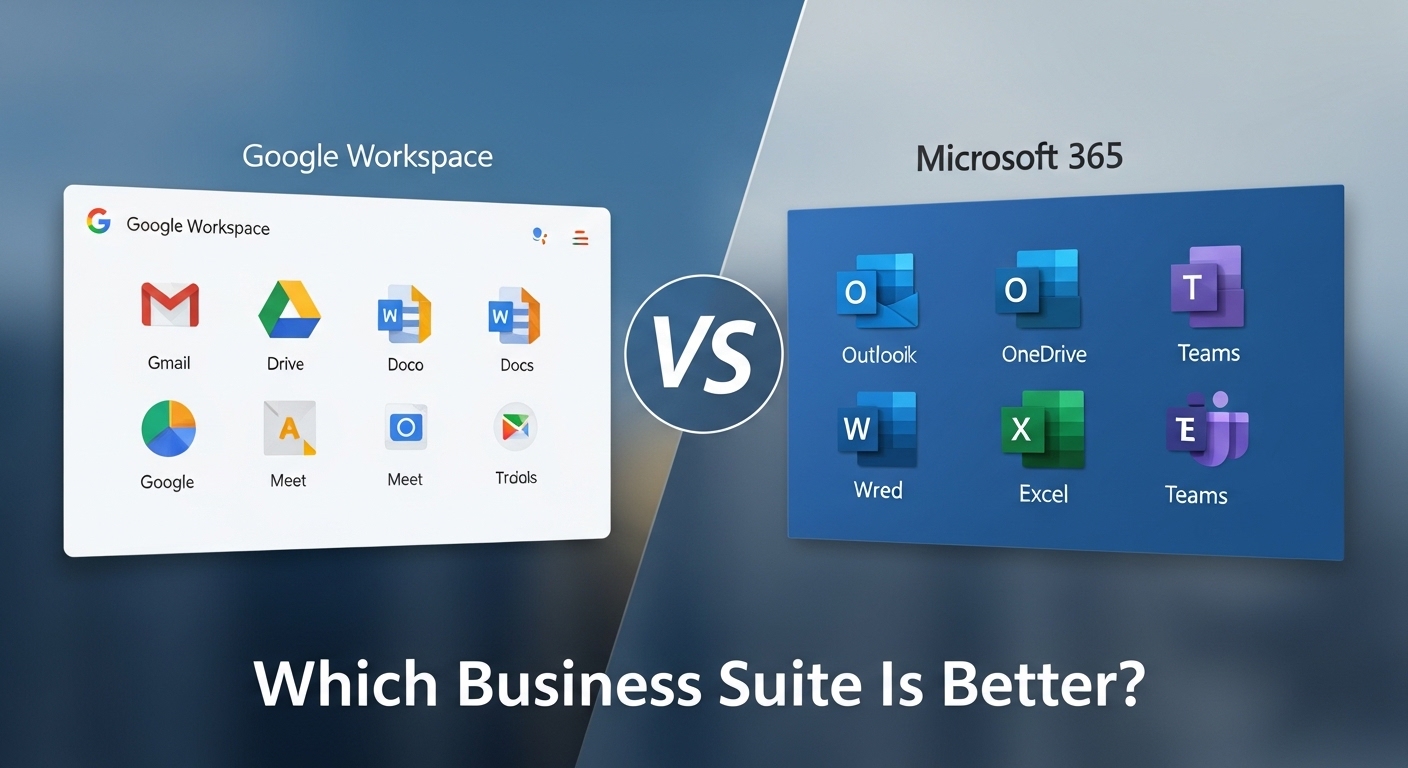
Choosing between google workspace vs microsoft 365 is one of the most significant infrastructure decisions a company can make. This choice defines your internal collaboration speed, your IT management workload, and how your team interacts with data every day. It is not merely a choice between “Docs” and “Word”—it is a decision between a browser-first, cloud-native ecosystem and a robust, hybrid enterprise infrastructure.
A company’s choice between microsoft 365 vs google workspace often signals its broader operational philosophy. Organizations that prioritize agility, rapid real-time collaboration, and low IT overhead typically lean toward Google’s ecosystem. Conversely, firms with complex compliance requirements, a need for advanced data processing power, or a legacy of desktop-reliant workflows find their home in Microsoft’s ecosystem. This decision carries long-term implications for software lock-in; once your company’s data, email history, and employee habits are rooted in one platform, migrating to the other becomes a massive operational undertaking involving significant training and data transition costs.
The right enterprise productivity ecosystem should align with your team’s technical literacy and your industry’s regulatory standards. In a world where remote and hybrid work are standard, the way your suite handles video conferencing, file sharing, and security governance will either be a friction point or a competitive advantage. You are choosing the digital “office” where your employees will spend the majority of their working hours.
Google Workspace vs Microsoft 365: comparing
The decision between google suite vs microsoft office depends on whether your team values browser-based agility or desktop-based power. Google Workspace is the ideal cloud office platform for startups and creative teams who need seamless, real-time collaboration. Microsoft 365 is the superior enterprise productivity suite for established corporations requiring advanced formatting, deep data analysis, and granular IT security controls.
| Feature | Google Workspace | Microsoft 365 |
| Primary Environment | Browser-native (Cloud) | Hybrid (Desktop + Cloud) |
| Collaboration Style | High-speed real-time editing | Structured co-authoring |
| Email Platform | Gmail (Simplicity) | Outlook (Advanced Features) |
| Technical Support | Streamlined / Web-based | Deep / Enterprise Support |
| IT Management | Low overhead (Simple admin) | High control (Complex admin) |
| Compliance | Standard Cloud Compliance | Advanced Enterprise Governance |
| Offline Access | Limited (Browser-dependent) | Full Desktop App Functionality |
What Is Google Workspace?
Google Workspace is a cloud-first productivity suite designed to live entirely within the web browser. It was built from the ground up for the internet age, prioritizing accessibility and immediate collaboration over complex feature sets. This browser-based office platform eliminates the “version control” nightmare; there is only one version of a document, and it lives in the cloud, accessible to anyone with the right link.
For IT managers, Google Workspace represents a real-time collaboration software ecosystem with significantly lower maintenance requirements. There are no desktop applications to patch or update, and the administrative console is designed for simplicity. It allows teams to move fast, share files instantly via Google Drive, and jump into meetings through Google Meet with a single click. It is the definitive cloud document collaboration ecosystem for organizations that want to minimize technical friction and maximize the speed of information exchange.
Best Google Workspace Alternatives
If Google Workspace feels a bit too expensive or overloaded for your needs, there are other business email platforms that offer a simpler and more focused experience. Some are better for small businesses, while others lean more toward privacy or ease of use.
1. Neo Mail
It works well for startups, freelancers, and small teams that want a professional email setup without dealing with technical headaches. A standout feature is that you can create a business email address even if you do not already own a domain, which is helpful for newer businesses getting started online. It also comes with extras like AI email writing, calendar support, and a basic website builder, so everything feels more connected in one place.
2. Fastmail
It is built for people who mainly care about having a clean, reliable inbox. The platform feels quick and easy to navigate, and it does not overwhelm users with too many additional tools. Many professionals prefer it because it keeps the email experience simple while still offering useful features like custom domains and spam protection.
3. Tuta Mail
It is a good fit for users who care about privacy and secure communication. The platform focuses heavily on encrypted email and data protection while still keeping the interface fairly straightforward. It is often chosen by businesses and individuals who want more privacy without moving to a complicated enterprise email system.
What Is Microsoft 365?
Microsoft 365 is a comprehensive enterprise productivity suite that blends the power of traditional desktop software with modern cloud capabilities. While Google lives in the browser, Microsoft provides a desktop and cloud office software experience that remains the gold standard for high-performance tasks. Whether it is a 500-page legal document or a complex financial model, Microsoft’s apps offer a level of depth and formatting precision that cloud-only tools cannot yet match.
Beyond individual apps, Microsoft 365 serves as a massive enterprise collaboration infrastructure. It is built for the “Power User” and the IT professional who requires granular control over data. Through Microsoft Teams and SharePoint, it provides a structured environment for file management and corporate communication. This corporate office software ecosystem is particularly strong in regulated industries—such as finance, healthcare, and law—where advanced security policies, data residency requirements, and sophisticated IT governance are non-negotiable.
Google Workspace vs Microsoft 365: Feature Comparison
When you compare google vs microsoft business tools, you see two different approaches to solving the same workplace problems.
Email & Calendar
Gmail is the heart of Google Workspace, offering a fast, search-centric experience that most users already know from their personal lives. Outlook, the counterpart in Microsoft 365, is a more robust tool designed for managing high volumes of email with folders, rules, and complex calendar integrations. While Gmail wins on simplicity, Outlook wins on enterprise-grade organization and offline management.
Document Editing
Google Workspace vs office 365 is a classic battle of collaboration vs. power. Google Docs is unmatched for real-time co-editing; seeing multiple cursors moving at once feels natural. Microsoft Word, however, is the superior choice for professional publishing, offering advanced “Track Changes,” intricate citations, and superior layout controls that Google simply doesn’t have.
Spreadsheets
Google Sheets is excellent for sharing data and basic tracking, especially with its ability to pull data from other web services easily. However, Microsoft Excel remains the undisputed king of advanced analytics depth. For heavy data sets, pivot tables, and complex macros, Excel is a requirement for any finance or data-heavy department.
Storage & File Sharing
Google Drive offers a “flat” and searchable file structure that is very easy for users to navigate. Microsoft 365 uses a combination of OneDrive for personal files and SharePoint for company-wide data. SharePoint is much more complex to set up but offers the enterprise file control that large organizations need to manage permissions across thousands of employees.
Video Meetings
Google Meet is a “join-from-browser” tool with zero friction. Microsoft Teams is a full enterprise meeting infrastructure that combines video, persistent chat, and project management. Teams is more powerful for “all-day” collaboration, while Meet is better for quick, ad-hoc discussions.
Security & Compliance
Google provides a strong cloud baseline of security that is sufficient for most businesses. Microsoft 365, however, offers a much deeper enterprise policy depth. Features like Advanced Threat Protection (ATP) and detailed eDiscovery tools make Microsoft the safer bet for companies facing strict legal or regulatory audits.
Admin Controls
The Google Admin console is intuitive and can be managed by a tech-savvy business owner. Microsoft 365’s admin center is much more complex, often requiring a dedicated IT professional or an MSP (Managed Service Provider) to configure correctly. It offers a level of enterprise IT governance that Google cannot match, but at the cost of higher management complexity.
Pricing Comparison
Understanding per user software pricing requires looking beyond the monthly sticker price to the “Total Cost of Ownership.”
Google Workspace offers a straightforward tier system: Business Starter ($6/user), Business Standard ($12/user), and Business Plus ($18/user). The Standard plan is the “sweet spot” for most, offering 2TB of storage and recorded meetings. The pricing is predictable, and there are very few hidden “add-ons” needed to make the system work.
Microsoft 365 licensing is significantly more complex. Plans range from Business Basic ($6/user) to Business Premium ($22/user), and then into the Enterprise “E” tiers (E3, E5) which can cost significantly more. However, Microsoft often bundles more value into their higher tiers, such as advanced security and desktop app rights.
When you consider productivity suite cost scaling, Microsoft might actually save an enterprise money by including security tools that would otherwise require a third-party subscription (like Okta or CrowdStrike). For a smaller team, Google’s simplicity usually results in lower IT overhead costs, as you don’t need a specialist to manage the licenses.
Which Platform Is Better for Different Business Types?
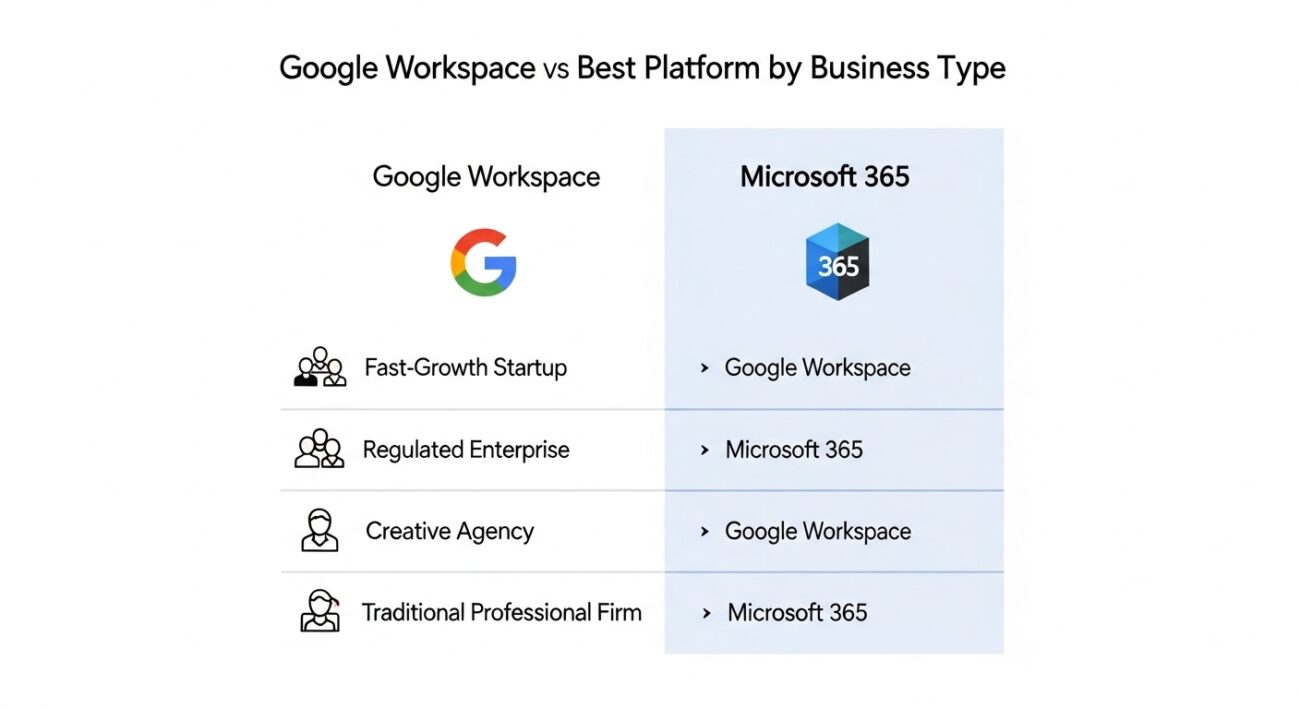
Mapping google workspace vs microsoft 365 to your specific company profile is essential for a successful business software selection framework.
- The Fast-Growth Startup: Choose Google Workspace. When you are hiring quickly and need people to collaborate across time zones without training, Google’s “zero-learning-curve” interface is a major advantage.
- The Regulated Enterprise: Choose Microsoft 365. If you are in banking, insurance, or healthcare, the compliance and data residency controls in Microsoft’s ecosystem are non-negotiable requirements.
- The Creative Agency: Choose Google Workspace. Agencies that share a lot of work with external clients find Google’s sharing permissions much more flexible and less “fussy” than Microsoft’s.
- The Traditional Professional Firm: Choose Microsoft 365. Law firms and accounting practices depend on the precision of Word and Excel. Sending a “Google Doc” to a client who expects a perfectly formatted .docx file can look unprofessional in these industries.
Migrating Between Google Workspace and Microsoft 365
Do not underestimate email platform migration complexity. Moving your data is the easy part; changing your company’s “muscle memory” is the hard part. A migration between google vs microsoft business tools usually takes 3 to 6 months of planning.
You must factor in the workplace software migration cost, which includes:
- The Technical Migration: Using tools like BitTitan to move emails and files.
- Workflow Disruption: Expect a 10-20% drop in productivity during the first two weeks as users find where “the buttons moved.”
- Training Costs: Microsoft users moving to Google will feel “lost” without desktop apps; Google users moving to Microsoft will feel “overwhelmed” by the complexity of Teams and SharePoint.
Which Is Easier to Use?
In any business software usability comparison, Google Workspace wins on “onboarding speed.” Almost everyone has a personal Gmail account, so they already know how to use the business version. The office software learning curve for Google is almost flat.
Microsoft 365 has a much steeper workplace software onboarding complexity. Because the tools are so deep, many employees only use about 10% of the available features. However, for a power user, Microsoft’s tools are actually “easier” because they are more efficient for complex tasks. If your team is “tech-lite,” choose Google. If your team is “tech-heavy,” they will appreciate the power of Microsoft.
When NOT to Choose Google Workspace
Do not choose Google Workspace if your business depends on advanced data modeling or high-end document design. You will hit a “feature ceiling” that will frustrate your most productive employees. It is also a poor choice if you work in an environment with unreliable internet, as the offline mode for Google’s browser tools is still significantly less reliable than a native desktop app.
When NOT to Choose Microsoft 365
Do not choose Microsoft 365 if you are a small team with no IT support. The complexity of the “back end” can lead to security holes if not configured correctly. Avoid Microsoft if your team is highly resistant to “bloatware.” If your people just want to write a simple note and share it instantly, the multi-step process of saving to OneDrive and managing SharePoint permissions will feel like a bureaucratic hurdle.
Final Verdict
The business suite final decision comes down to your core work style.
- Choose Google Workspace if you want to prioritize speed, simple collaboration, and a “cloud-only” lifestyle. It is the best choice for modern, agile teams that value simplicity over power.
- Choose Microsoft 365 if you require the absolute best-in-class tools for data, formatting, and enterprise-grade security. It is the definitive choice for established businesses that need a robust, scalable infrastructure.
If you are looking to round out your software stack, you might also be comparing marketing tools like Ahrefs vs Semrush or looking at ecommerce platforms like WooCommerce vs Shopify. Explore our Software Comparisons Hub for more guidance.


