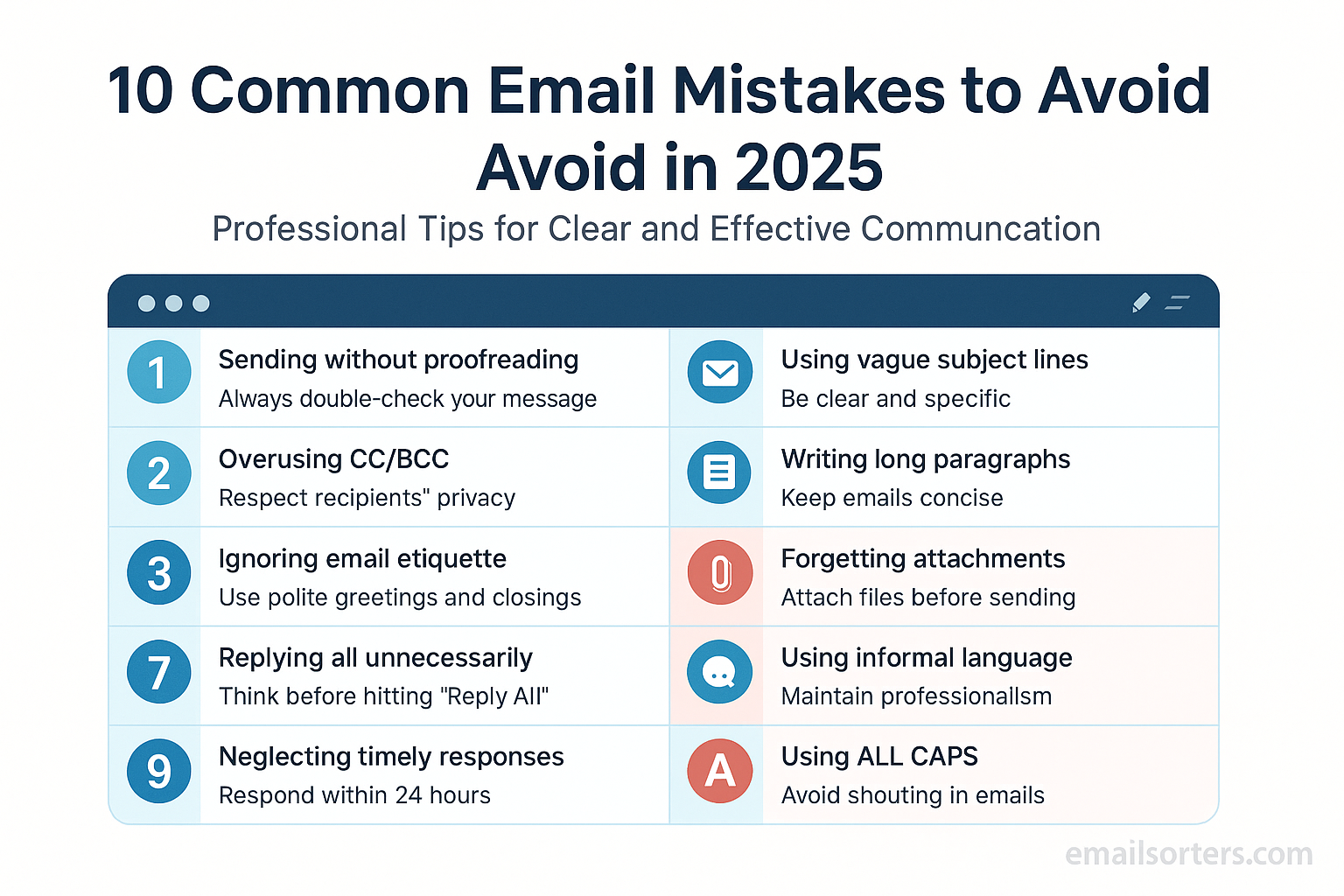
Email remains one of the most important communication tools for professionals in 2025. Even with instant messaging apps and collaborative platforms, email is still the standard for business communication. But many people continue to make mistakes that reduce their effectiveness, harm their reputation, and waste valuable time. This guide explores the top ten email mistakes to avoid in 2025, along with practical tips to ensure your messages remain clear, professional, and impactful.
Why Email Mistakes Still Matter in 2025
Despite advances in communication tools, email continues to play a central role in both business and personal interactions. Recruiters, clients, managers, and partners all rely on email for formal communication. A poorly written or careless email can make you appear unprofessional, disorganized, or inattentive. In 2025, with AI-driven hiring systems and stricter digital etiquette, email mistakes are even less forgiving.
How Small Errors Impact Professional Reputation
Even small mistakes like a misspelled name, a missing attachment, or a confusing subject line can harm your credibility. When people receive dozens or even hundreds of emails a day, they don’t have the patience to decode unclear messages. A single careless email can cost you an opportunity, delay a project, or damage a client relationship.
Mistake #1 – Using Vague or Misleading Subject Lines
Why Subject Lines Are Critical
The subject line is the first thing a recipient sees, and it determines whether your email gets opened right away, saved for later, or ignored. A vague subject line like “Quick Question” or “Update” doesn’t give the reader any clue about the content. Misleading subject lines are even worse because they damage trust once the reader realizes the content doesn’t match.
Examples of Good vs. Bad Subject Lines
Bad: “Important Information”
Better: “Project Alpha: Updated Timeline and Next Steps”
Bad: “Meeting”
Better: “Confirming Thursday’s 2 PM Client Meeting”
The difference is clarity. A strong subject line communicates the purpose of the email at a glance. In 2025, when inboxes are more crowded than ever, clarity is not optional—it’s essential.
Mistake #2 – Forgetting to Proofread Before Sending
The Risk of Typos and Grammar Errors
A single typo can change the meaning of your message or make you appear careless. In professional contexts, grammar mistakes and spelling errors reduce your credibility. With AI tools readily available to catch these mistakes, there’s little excuse for sending an unpolished email.
Simple Steps to Catch Mistakes
Read your email out loud before sending it. This helps you catch awkward phrasing. Use built-in spell checkers or AI tools that highlight errors in real time. If the email is especially important—such as a message to a client or manager—consider writing the draft, taking a short break, and reviewing it again with fresh eyes. In 2025, quick proofreading tools are integrated into most email clients, so making use of them should be part of your routine.
Mistake #3 – Sending Emails Without a Clear Purpose
Why Clarity Matters
An email without a clear purpose wastes time. If the recipient has to guess why you’re writing, they may ignore the message altogether. A clear purpose keeps the communication focused and ensures a faster response.
Structuring Emails for Easy Reading
Begin with a direct opening sentence that states why you’re writing. For example: “I’m reaching out to confirm tomorrow’s meeting time.” Then provide supporting details in a logical order. End with a short summary or call to action. This simple structure ensures your message is easy to scan and understand, especially for busy professionals.
Mistake #4 – Overusing Reply-All
When to Use Reply-All
Reply-All should be used sparingly. It’s helpful when everyone copied on the email truly needs the update—for example, when coordinating a group project.
How Overuse Hurts Productivity
Using Reply-All unnecessarily clutters inboxes and frustrates recipients who didn’t need the information. In a workplace setting, it can waste hours of productivity. In 2025, where workplace efficiency is more important than ever, using Reply-All carelessly is seen as unprofessional. The rule is simple: if the message is not directly relevant to everyone, reply only to the sender.
Mistake #5 – Writing Overly Long Emails
Why Short Emails Work Better
Long, wordy emails are harder to read and often go unread. Most professionals scan emails quickly, especially on mobile devices. A message that takes too long to get to the point risks being skipped entirely.
How to Keep Emails Concise
Focus on one main topic per email. Use short paragraphs and avoid adding unnecessary background information. If you need to share detailed documents, attach them instead of pasting long content into the email body. A well-structured email should allow the reader to understand the purpose within the first few lines.
Mistake #6 – Ignoring Mobile Users
Why Mobile-Friendly Emails Matter
In 2025, more than half of all emails are read on mobile devices. If your message isn’t easy to read on a phone, it risks being ignored. Long subject lines get cut off, large attachments take too long to load, and cluttered formatting becomes difficult to scan on smaller screens.
Formatting Tips for Mobile Readability
Keep subject lines under 40 characters so they display fully. Use short paragraphs and plenty of white space to make the content easy to skim. Avoid large images or heavy files that slow down loading. Instead of pasting complex charts or tables, attach them as separate files. A mobile-friendly email ensures your message is read quickly and understood without effort.
Mistake #7 – Using Unprofessional Language or Tone
The Balance Between Formal and Casual
The tone of your email should match the context and your relationship with the recipient. Too casual, and you risk sounding unprofessional; too formal, and you may come across as distant. In professional settings, a polite and clear tone works best. For example, writing “Hi Mark, I wanted to confirm our meeting for tomorrow” strikes the right balance. Writing “Yo Mark, see ya tomorrow” feels too casual for most workplaces.
Words and Phrases to Avoid
Avoid slang, excessive emojis, and filler words. Overly emotional or dramatic expressions, like “ASAP!!!” or “This is urgent!!!” make you look unorganized. Also, skip vague phrases such as “touch base” or “circle back,” which can confuse readers. Plain, direct language communicates more effectively and builds trust.
Mistake #8 – Forgetting to Include a Call to Action
Why CTAs Are Important in Professional Emails
Every professional email should have a purpose, and that purpose usually requires action from the recipient. A call to action (CTA) tells the reader exactly what you expect. Without one, the recipient may not know how to respond or what to do next, leading to delays and confusion.
Examples of Strong vs. Weak CTAs
Weak CTA: “Let me know what you think.”
Strong CTA: “Please confirm by Thursday if you’re available for the 2 PM meeting.”
The strong CTA is specific, time-bound, and leaves no room for confusion. In 2025, where digital communication is faster and more competitive, a clear CTA ensures your email gets the response you need.
Mistake #9 – Neglecting Email Security Practices
Risks of Careless Email Habits
Email remains a top target for cyberattacks. In 2025, phishing scams are more sophisticated than ever, often disguised as legitimate messages. Careless habits, like clicking unknown links or sharing sensitive data through email, put you and your organization at risk.
How to Protect Yourself in 2025
Always double-check sender addresses before clicking links. Use strong, unique passwords and enable two-factor authentication for your email account. Avoid sending sensitive information such as financial data or login credentials via email unless absolutely necessary. Staying alert protects both your reputation and your data.
Mistake #10 – Not Managing Email Frequency Properly
The Problem of Sending Too Many Emails
Bombarding colleagues, clients, or partners with emails can overwhelm them and reduce the chances of your messages being read. If you send too many updates, recipients may start ignoring your emails altogether.
Finding the Right Balance
Instead of sending multiple emails each day, consolidate updates into one well-organized message when possible. For recurring communication, such as weekly project reports, stick to a consistent schedule so recipients know when to expect them. The goal is to keep people informed without overwhelming their inboxes. In 2025, with everyone juggling hundreds of messages, striking this balance is key to maintaining effective communication.
Conclusion
In 2025, email remains a vital part of professional communication, but mistakes can cost time, credibility, and even opportunities. From vague subject lines to neglecting mobile readers, many errors are avoidable with a little attention and preparation. The most successful professionals keep their emails short, clear, and purposeful, while also balancing security and personalization. By avoiding the ten mistakes outlined in this guide, you can ensure your messages get read, understood, and acted upon quickly. Whether you’re reaching out to a potential client, collaborating with a team, or applying for a job, the quality of your emails reflects the quality of your professionalism.
FAQs
What is the biggest email mistake professionals make today?
The most common mistake is sending emails without a clear subject line or purpose. Recipients are often flooded with messages, so an unclear email may be ignored or deleted. Always start with a descriptive subject line and a clear first sentence that explains why you’re writing.
How can I make my emails more engaging?
Use personalization and keep your content concise. Address the recipient by name, reference specific details when possible, and focus on one main idea per email. Breaking long text into short paragraphs also makes your message easier to read.
What tools help with proofreading emails?
Most email clients in 2025 include built-in grammar and spell-check features. In addition, tools like Grammarly, ProWritingAid, and Google Docs AI editing can catch subtle errors and suggest improvements for clarity and tone.
How do I make emails mobile-friendly?
Use short subject lines, avoid large attachments, and write in short paragraphs. Test your emails by sending one to yourself and opening it on your phone. Make sure the formatting looks clean and that links are easy to tap.
Is it better to send fewer emails or more frequent updates?
It’s better to send fewer but more meaningful emails. Overloading recipients with messages can cause them to ignore your communication. A consistent schedule, such as weekly updates, helps build trust without overwhelming their inbox.


