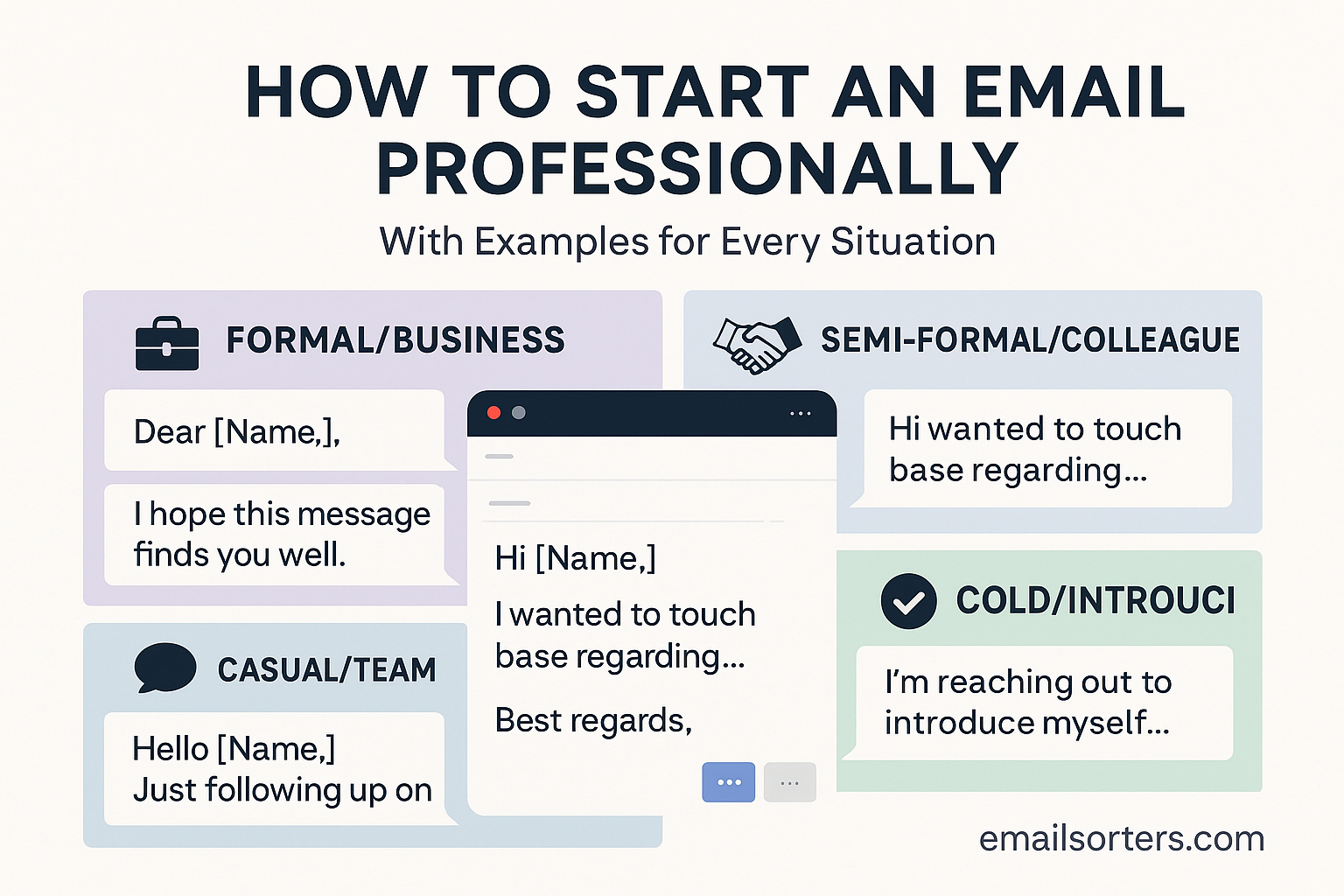
Your first sentence in Start an email does more than just say “hello.” It sets the tone, shows respect, and gives the reader a reason to keep reading. Whether you’re writing to a potential employer, your manager, a client, or someone you’ve never met, how you begin your message matters.
Professional email openings are not about being overly formal, they’re about being clear, polite, and appropriate for the situation. A well-chosen greeting and a direct start help show that you’re serious and organized.
This guide breaks down how to start your email the right way. You’ll find rules, examples, and useful tips for a variety of scenarios.
Why Your Email Opening Matters
Sets the Tone for the Entire Message
The way you begin an email tells the reader what kind of tone to expect. A message that starts with “Yo” versus one that begins with “Hi Michael,” will be received very differently—even if the rest of the email says the same thing. Your greeting and first sentence shape how seriously the message will be taken.
If the reader gets a sense of respect, clarity, and confidence right away, they’re more likely to respond positively. Even before they get to your main point, they’ve already formed an impression of you based on those first few lines.
Helps You Get Taken Seriously
Imagine emailing a hiring manager with “Hey there!” or opening with no greeting at all. That can make your message seem rushed or careless. On the other hand, if you begin with “Hello Ms. Williams,” you immediately come across as thoughtful and respectful.
In work settings, first impressions count—even in writing. A clean, professional opening says you know how to communicate well, which is a big part of nearly every job.
Builds Immediate Credibility
You don’t need to be fancy to sound professional. A simple greeting like “Hi David,” followed by a direct sentence like “I’m reaching out to confirm Thursday’s meeting,” builds instant trust. The reader sees that you value their time and understand how to communicate effectively.
This applies whether you’re introducing yourself, asking a question, or following up. The start of your email is your chance to show that you’re organized, respectful, and worth listening to.
When to Use Formal vs. Informal Openings
Consider the Recipient
The formality of your greeting depends on who you’re writing to. If it’s a hiring manager, a client, or someone you’ve never met, stay formal. Use “Dear Mr. Smith” or “Hello Ms. Patel.” This shows respect and sets a polite tone.
If it’s a colleague you work with every day, you can be more relaxed: “Hi Tom” or even “Hey Lisa” if your workplace is casual. The key is to match the tone of your relationship with the person.
For senior leaders or external contacts, always start more formally. It’s easier to relax your tone later than to recover from sounding too casual upfront.
Understand the Context
The subject of the email also matters. If you’re sending a project update, confirming a meeting, or addressing a concern, it’s better to start with a clean, direct opener. If you’re just checking in or making a casual request to a coworker, a less formal tone can work.
But don’t assume informality just because someone else writes casually. It’s safest to follow their lead. If they reply with “Hi John,” then you can mirror that tone in your next email.
Match the Tone of the Conversation
If you’re responding to an email that uses formal language, keep that style. If the previous message was casual, you can adjust slightly—but don’t overdo it.
You don’t need to be robotic. A message can be friendly and still professional. A tone that’s too stiff can feel cold. The goal is to sound respectful and human at the same time.
Best Professional Greetings to Use
“Hello [Name]”
This is a safe and flexible greeting. It works for almost any situation, whether you’re writing to someone for the first time or replying to a known contact. “Hello” strikes a good balance between formal and friendly.
Examples:
- Hello James,
- Hello Ms. Clark,
It’s polite, clear, and easy to read.
“Hi [Name]”
A little more casual than “Hello,” but still professional in most settings. It’s especially good for emails with coworkers, clients you’ve spoken to before, or people in creative or casual industries.
Examples:
- Hi Emma,
- Hi Dr. Gomez,
Stick with “Hi” over “Hey,” unless you know the person well and are sure the tone fits.
“Dear [Name]”
This is the most formal greeting. It’s ideal for job applications, formal requests, or messages to someone in a senior position. It shows extra respect, especially in your first contact.
Examples:
- Dear Mr. Lewis,
- Dear Hiring Committee,
Be sure to include a comma after the name, and don’t forget to spell the name correctly.
Group Greetings (e.g., “Hello Team”)
If you’re writing to more than one person, group greetings are useful. They’re still professional and respectful.
Examples:
- Hello Team,
- Hi All,
- Dear Colleagues,
Avoid “Hey everyone” or “Hi guys,” which can feel too casual or exclude some readers.
What to Say After the Greeting
Brief Introduction or Context
Once you’ve greeted the reader, move directly into a clear and brief opening. If it’s your first time writing to the person, introduce yourself in one sentence. Let them know who you are and why you’re reaching out. If you’re continuing a previous conversation, refer to it right away.
Examples:
- “I’m a sales associate at MetroTech, and I’m reaching out regarding your recent product inquiry.”
- “Following up on our meeting last Friday, I wanted to share a quick update.”
Clarity in the first sentence helps the reader understand why you’re emailing without having to scroll or guess.
State Your Purpose Clearly
After your opening sentence, get straight to the point. If you’re making a request, explain what you need in plain terms. If you’re providing information, make it clear what the reader should take away.
Examples:
- “I’d like to schedule a follow-up meeting to review the Q3 projections.”
- “Attached is the document you requested during our call.”
Being direct avoids confusion. Don’t bury your main point under small talk or filler lines.
Keep It Short and Relevant
Limit the intro to 2–3 short sentences. Avoid writing full paragraphs before getting to the purpose. The reader should be able to understand your reason for writing in under 10 seconds.
Avoid:
- Long-winded introductions
- Unnecessary compliments
- Repeating what the subject line already says
Good writing is focused writing. Deliver value upfront, and the reader will stay engaged.
Common Mistakes to Avoid
Using Slang or Text Talk
Professional emails are not the place for slang, abbreviations, or casual expressions like “BTW,” “LOL,” or “FYI” (unless it fits the tone). This kind of language might make you seem unprofessional or careless. Stick to full words and proper punctuation.
Instead of “Hey! Just wanted to say thx 4 ur time!” write, “Hi Sarah, thank you for taking the time to meet with me.”
Professional doesn’t mean cold—it just means respectful.
Being Too Vague or Wordy
Some people try to sound professional by using long or complicated words. That usually has the opposite effect. Overly long sentences or abstract phrases confuse the reader.
Avoid this:
“I’m writing to you in reference to a matter that pertains to our previous discussion regarding a potential opportunity in your organization.”
Try this instead:
“I’m following up on our conversation about the open sales role.”
Get to the point quickly. Readers will appreciate it.
Forgetting the Recipient’s Name
Nothing ruins a first impression faster than misspelling someone’s name—or forgetting it altogether. Always double-check the spelling. If you’re unsure, check their email signature or company site. If you don’t know the name, use a respectful general title (e.g., “Hello Hiring Manager”).
Avoid:
“Hi there” or “To whom it may concern”
These feel impersonal. Whenever possible, address your emails to a specific person.
How to Start a Job Application Email
Mention the Role
State the position you’re applying for right away. Don’t make the reader dig to figure it out. Hiring teams get dozens (sometimes hundreds) of emails. Be specific.
Example:
“Dear Hiring Manager,
I’m writing to express my interest in the Social Media Coordinator position listed on your careers page.”
This helps the person reviewing applications sort and track your message more easily.
State Why You’re Writing
Avoid generic phrases like “I wanted to touch base” or “I’m reaching out.” Instead, connect your email to your goal.
Example:
“I’m excited to apply for the Customer Support Lead role. I believe my five years of experience with service teams aligns with your job posting.”
You’re not just saying hello—you’re making a case for yourself right away.
Set a Professional Tone
This is not the time for jokes, emojis, or casual intros. Stay formal and clear. Focus on your qualifications and what you can offer.
Bad: “Hey! Hope you’re doing great 😊 Just thought I’d shoot over my resume!”
Good: “Dear Ms. Khan,
I’m submitting my application for the Marketing Analyst role you posted on LinkedIn.”
Always keep your tone aligned with the seriousness of the opportunity.
How to Start a Business Email to a Client
Use a Respectful Greeting
When reaching out to a client—whether it’s your first time or your fiftieth—start on a respectful and professional note. Use the client’s name and a clean greeting.
Example:
“Hello Mr. Rivera,
I hope your week is going well.”
From there, move into the reason for your message. Keep the tone formal unless the relationship allows for informality.
Get Straight to the Point
Clients are busy. After your greeting and a short intro sentence, explain what you need, what you’re delivering, or what’s changing.
Examples:
- “Attached is the final draft of the service agreement for your review.”
- “We’re preparing your monthly report and would like to confirm the current figures.”
This clarity helps move business forward and builds trust.
Reinforce Your Professionalism
Clients judge based on how you communicate. Emails full of errors, vague sentences, or sloppy greetings reduce credibility. Keep the message clean and well-formatted. Proofread every word.
Professional tone + respectful opener = stronger client relationships.
How to Start an Email to Your Boss or Manager
Respectful But Direct
When emailing your boss, a polite but straightforward tone is ideal. Avoid unnecessary buildup or small talk unless it’s common in your workplace. Start with a greeting like:
- “Hi Maria,”
- “Hello Mr. Jones,”
Then get straight to the topic. Managers appreciate clarity and brevity.
Reference Ongoing Work or Updates
Start by briefly referencing the project, report, or topic at hand. This keeps the conversation focused and helps your manager place the message.
Example:
“I wanted to share a quick update on the client onboarding process for the Johnson account.”
Mention the purpose of your message early. Avoid vague introductions or general check-ins unless requested.
Ask Questions Clearly
If you’re reaching out for clarification or to request something, write it clearly within the first two sentences.
Example:
“I’m confirming whether we’ll be moving ahead with the Q3 content campaign next week.”
Managers are often short on time. Clear questions with brief context show you’re prepared and respectful of their schedule.
How to Start an Email When You Don’t Know the Recipient’s Name
Use “Dear Hiring Manager” or “Hello” + Department
If you’re applying for a job or reaching out to a company without knowing the specific person, avoid “To Whom It May Concern.” It sounds outdated and impersonal.
Better options:
- “Dear Hiring Manager,”
- “Hello Marketing Team,”
- “Hi Customer Support,”
This shows you’ve made an effort to address the right group or role.
Avoid “To Whom It May Concern”
This phrase feels cold and generic. It gives the impression you haven’t taken time to research who you’re contacting. If you truly can’t find a name, use the department or title instead.
Still better: Try calling the company to ask for the name of the right contact. Personalizing your greeting improves your chances of a response.
Keep It General, Not Generic
Even if you don’t have a name, your message should still sound specific. Mention the role or topic clearly in your first sentence.
Example:
“I’m writing to apply for the Project Manager position listed on your careers page.”
That’s far better than vague phrases like “I’m writing to inquire about opportunities.”
How to Start a Follow-Up Email
Mention Previous Conversation
Begin by referencing the last time you interacted with the person. This could be an interview, a meeting, or a past email.
Example:
“I hope you’re doing well. I wanted to follow up on our conversation from last Wednesday regarding the website redesign proposal.”
That simple reminder helps the reader remember you and the context.
Restate Your Purpose Briefly
After recalling the prior interaction, state why you’re following up. Keep it short and friendly.
Examples:
- “Just checking in to see if there’s been any update.”
- “I wanted to follow up on my previous message regarding next week’s meeting.”
Avoid demanding tone or repeating everything from the first email. Keep it fresh and relevant.
Use a Friendly but Professional Tone
Even when following up, remain polite and positive. Don’t let frustration sneak into your message.
Example:
“Looking forward to your feedback when convenient. Please let me know if you need anything else from me.”
This keeps the conversation open while maintaining respect.
Sample Openings for Different Situations
Interview Follow-Up
- “Hi Jenna,
Thank you again for speaking with me on Tuesday. I enjoyed learning more about the role and your team.”
Client Introduction
- “Dear Mr. Lopez,
I’m reaching out to introduce myself as your new point of contact at Harris & Co.”
Team Update
- “Hi Team,
Just a quick update on this week’s milestones for the product rollout.”
Inquiry Email
- “Hello,
I’m writing to ask about the availability of your services for a September project.”
Thank You Email
- “Dear Ms. Alvarez,
Thank you for your guidance on the quarterly report. I truly appreciated your feedback.”
These templates show how professional doesn’t have to mean stiff. Keep your tone polite and your message focused.
Final Tips for Writing Professional Openings
Keep It Simple
Don’t try to impress with fancy words or long introductions. The best email openings are clear, direct, and respectful.
Start with the person’s name, use a standard greeting, and lead with purpose.
Avoid Fluff
Skip vague lines like “Hope this finds you well in these trying times.” They take up space without adding value.
Stick to what matters and what the recipient needs to know right away.
Personalize When Possible
Use the recipient’s name, refer to past conversations, or mention a shared topic. A personalized opening always feels better than a generic one.
Even in short messages, personalization makes your email more engaging and more likely to get a response.
FAQs on Email Openings
Q1: Should I Always Use “Dear”?
Not always. Use “Dear” in formal settings or first contacts. For ongoing conversations or casual professional relationships, “Hi” or “Hello” is fine.
Q2: What If I Spell the Name Wrong?
Double-check names before sending. Misspelling someone’s name shows a lack of attention. If you do mess it up, apologize briefly in your next message and fix it.
Q3: How Do I Start a Cold Email?
Use a respectful greeting, briefly explain who you are, and get to the point quickly. Make your value clear from the start.
Q4: Can I Be Friendly and Still Professional?
Yes. Use a polite tone, show respect, and stay clear. You can be warm without being casual.
Q5: How Do I Adjust My Opening for Global Audiences?
Keep it formal when writing to international contacts unless you know the cultural norm allows otherwise. “Dear” and “Hello” are safe across most cultures.


