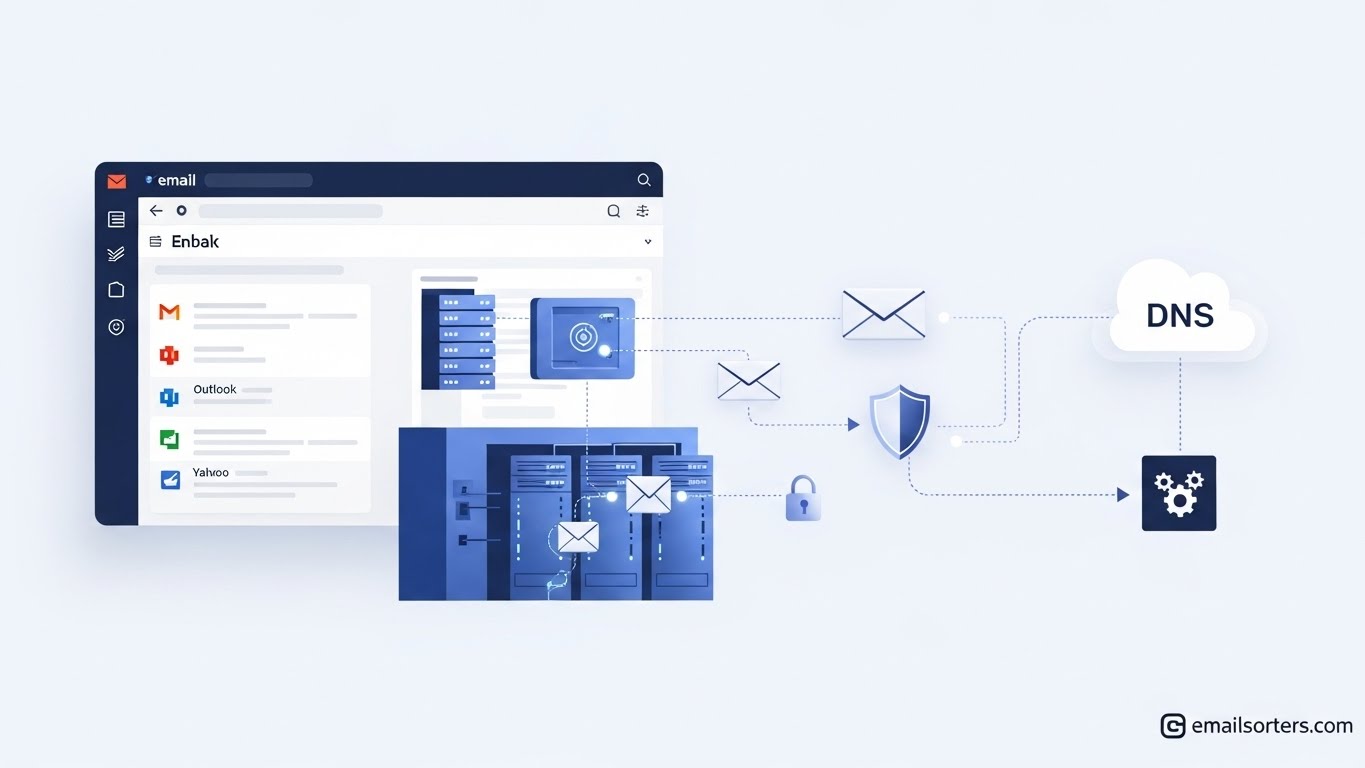
Email hosting operates through servers that store, send, and receive electronic messages. When you send an email from your business account, the message travels through multiple server protocols before reaching its destination. This process happens thousands of times per second across global networks, supporting approximately 4.5 billion email users worldwide according to OptinMonster’s 2025 data. The infrastructure behind this seemingly simple action involves complex systems that businesses rely on for daily operations.
What Is Email Hosting?
Email hosting is a service that stores, manages, and delivers your email messages across the internet. Instead of emails sitting on a personal device, they are stored on remote servers managed by an email hosting provider.
You’ve already interacted with email hosting through platforms like:
- Gmail Workspace
- Microsoft 365 Outlook
- Zoho Mail
- ProtonMail
- Webmail from hosting providers like Hostinger or Namecheap
With hosting, your email address becomes connected to a domain name (example: [email protected]), not a free inbox like @gmail.com.
The Mechanics of Message Transmission
Email hosting providers maintain servers that process incoming and outgoing messages through specific protocols. Simple Mail Transfer Protocol handles outgoing mail, while Internet Message Access Protocol and Post Office Protocol manage incoming messages. These protocols work together to move messages from sender to recipient. Google Workspace and Microsoft 365 guarantee 99.9% uptime through their service-level agreements, ensuring messages reach their destinations reliably.
Authentication mechanisms like SPF, DKIM, and DMARC verify sender identity and prevent spoofing. Hostinger’s technical documentation confirms that providers implement these protocols as standard security measures. These systems check if emails come from authorized servers and match cryptographic signatures to confirm authenticity.
Server Infrastructure Behind Email Delivery Systems
Email hosting requires computational resources that vary based on organizational size and message volume. Small businesses operating with 10-50 mailboxes might function adequately on shared hosting environments, while enterprises processing millions of messages daily need dedicated server clusters. Companies like Rackspace and IBM deploy load-balanced configurations across multiple data centers, and some organizations opt for fast VPS hosting when they need more control than shared hosting provides but find dedicated servers excessive for their needs. This middle-ground solution suits growing businesses that handle moderate email traffic volumes, typically between 5,000 to 50,000 messages daily.
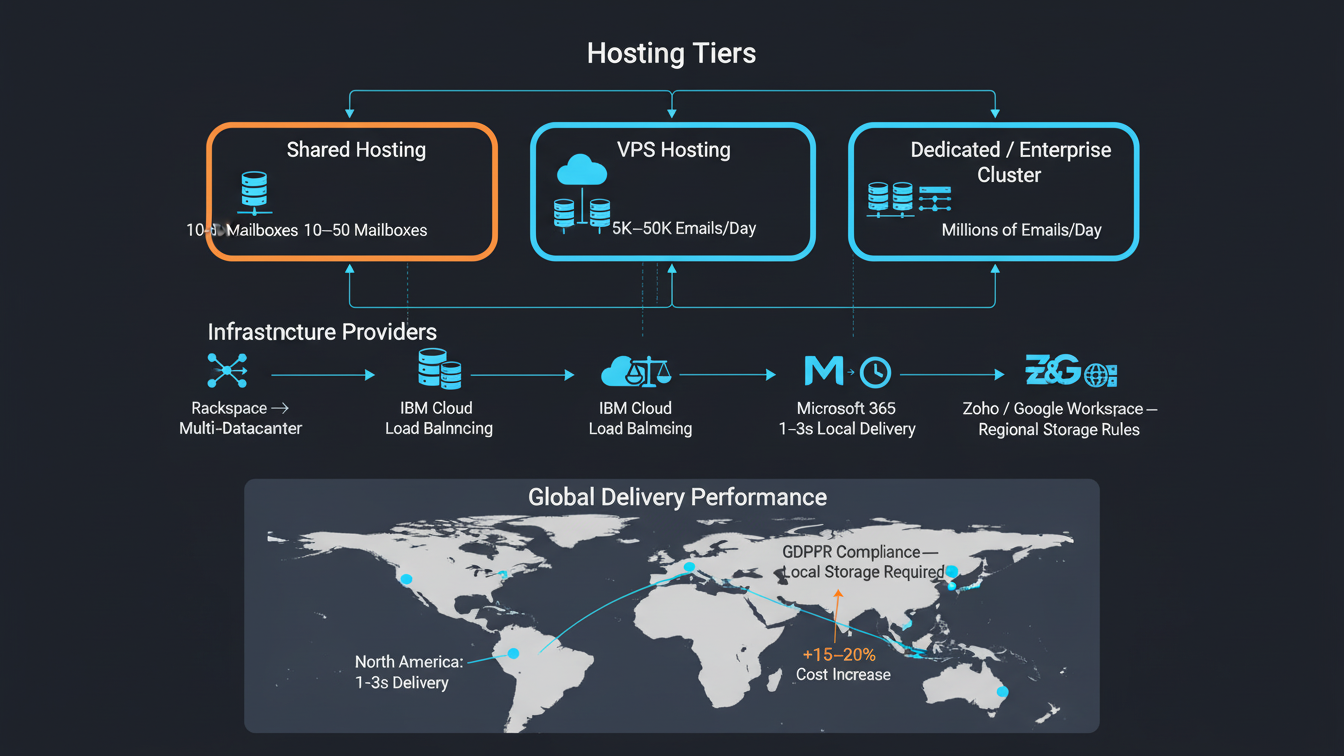
The physical location of email servers affects message delivery speed and regulatory compliance. North American businesses using Microsoft 365 see average email transmission times of 1-3 seconds for domestic messages, while cross-continental delivery to Asia-Pacific regions takes 5-10 seconds according to Microsoft’s performance documentation. European companies face stricter requirements under GDPR, forcing providers like Zoho and Google Workspace to maintain regional data centers that process and store email data within EU borders. These infrastructure decisions directly impact operational costs, with regional hosting typically adding 15-20% to monthly fees compared to standard global hosting packages.
Market Economics and Growth Patterns
The email hosting services market reached $27.04 billion in 2024, according to Databridge Market Research, with projections indicating $108.73 billion by 2032 at a 19% compound annual growth rate. North America holds 41.75% of the market share, driven by enterprise adoption and regulatory requirements. Asia-Pacific and Latin America show rapid expansion due to increasing internet access and business digitization.
Pricing varies considerably across service tiers. Hostinger’s pricing analysis from November 2025 shows basic business email hosting starting at $0.99 monthly per mailbox, while Microsoft 365 and Google Workspace business plans begin at $6 per user monthly. These price points include different storage capacities, security features, and integration capabilities.
Security Architecture and Compliance Frameworks
Email hosting providers implement multi-factor authentication as a standard security measure. FastMail and Zoho’s technical literature details how dynamic IP reputation management and continuous monitoring protect against spam and phishing attempts. Providers maintain threat intelligence systems that analyze billions of messages daily to identify malicious patterns.
Compliance requirements shape hosting architecture decisions. Healthcare organizations must meet HIPAA standards, financial institutions follow SEC regulations, and government agencies adhere to FedRAMP requirements. Databridge Market Research notes that providers offer data residency options, encryption at rest and in transit, granular permissions, retention policies, and audit trails to meet these regulatory demands.
Technical Evolution and Feature Development
Artificial intelligence now powers inbox management functions, sorting messages based on content analysis and user behavior patterns. Hostinger’s 2025 marketing tutorial describes automated incident response systems that detect phishing attempts in real-time and quarantine suspicious messages before users access them. These systems learn from global threat patterns and adapt protection mechanisms accordingly.
Integration capabilities extend beyond basic email functions. Customer relationship management platforms connect directly with email hosting services, tracking communication history and automating follow-up sequences. Marketing automation tools use email hosting infrastructure to send targeted campaigns while maintaining sender reputation through proper authentication and delivery optimization.
Performance Metrics and Service Delivery
Deliverability rates depend on multiple factors, including sender reputation, authentication configuration, and content quality. Major providers track these metrics continuously, with Google Workspace reporting 30% faster internal communication for businesses after migration from legacy systems, according to their October 2025 blog. Microsoft’s customer testimonials from November 2025 cite measurable productivity gains through centralized security controls and reduced IT overhead.
Uptime guarantees form the foundation of service agreements. Providers maintain redundant systems across geographic locations to ensure continuity during hardware failures or network disruptions. Load balancing distributes message processing across server clusters, preventing bottlenecks during peak usage periods.
Future Infrastructure Development
Technavio expects the email hosting services market to expand by $56.3 billion between 2025 and 2029, growing at 23.1% annually. This growth reflects increased cloud adoption and security requirements across industries. FutureMarket Insights projects the email application market specifically will reach $4.7 billion by 2035, growing from $1.6 billion in 2025.
Email hosting continues adapting to business needs through enhanced analytics for deliverability, open rates, and engagement optimization. Providers develop region-specific solutions for compliance while maintaining global interoperability. The infrastructure supporting email communication becomes more sophisticated as organizations depend on reliable, secure message delivery for operations, customer engagement, and regulatory compliance.
Frequently Asked Questions
1. What is the difference between “bundled” cPanel email and dedicated email hosting like Microsoft 365?
Bundled email is a basic service included for free with most web hosting plans. It typically shares a server IP address with thousands of other websites, meaning if one user sends spam, your emails might also be blocked (the “noisy neighbor” effect). Dedicated email hosting (like Microsoft 365 or Google Workspace) uses isolated, high-reputation servers, offers larger storage, and includes advanced collaboration tools, ensuring higher deliverability and reliability.
2. Why should I use Exchange ActiveSync instead of IMAP or POP3?
While IMAP is great for syncing emails across devices, it only syncs messages. Exchange ActiveSync (and MAPI) goes a step further by syncing your Calendar, Contacts, and Tasks in real-time. This means if you add a meeting on your phone, it instantly appears on your desktop Outlook, keeping your entire schedule—not just your inbox—aligned across all devices.
3. How does email hosting affect whether my emails land in Spam?
Your hosting provider determines the reputation of the IP address sending your mail. If you use a cheap provider with poor abuse controls, your IP may be blacklisted by Gmail or Yahoo. Premium providers actively manage their IP reputation and enforce authentication protocols (SPF, DKIM, and DMARC) automatically, significantly increasing the chances your emails land in the primary inbox.
4. What are SPF, DKIM, and DMARC, and do I need to set them up?
These are three critical security records added to your domain’s DNS settings. SPF tells the world which servers are allowed to send email for you. DKIM adds a digital signature to verify the email hasn’t been tampered with. DMARC tells receivers what to do if an email fails those checks. Most professional email hosts will provide the exact records you need to copy-paste to ensure your email is secure and trusted.
5. Can I migrate my old emails to a new host without losing data?
Yes. Most modern email hosts offer migration tools that connect to your old server (usually via IMAP) and copy your email history to the new account. For larger enterprises moving from legacy systems, administrators often upload .pst files or use third-party migration services to ensure zero data loss during the switch.
6. Does email hosting include data backups?
Not always. While hosting providers ensure the server doesn’t fail (redundancy), they generally do not protect against user error (e.g., an employee permanently deleting their own inbox). For business continuity, it is recommended to choose a plan that includes “Archiving” or “Retention Policies,” or to use a third-party backup solution that takes snapshots of your mailboxes independent of the host.
7. Why is data center location important for email hosting?
Data center location impacts both speed and compliance. Hosting your email on a server geographically closer to you reduces latency (lag) when sending and receiving large attachments. Furthermore, regulations like GDPR in Europe require that user data be stored physically within the EU. Using a global provider that allows you to select your “Data Residency” ensures you remain compliant with local laws.


