An email sign-off is the short phrase you place right before your name at the end of a message. It could be “Best regards” or just “Thanks.” The right choice depends on who you are writing to and why you are writing. Formal sign-offs like “Sincerely” work best for new contacts and job applications. Casual ones like “Thanks” or “Cheers” work well with people you already know. Studies show that sign-offs with a thank you tend to get more replies than plain ones. Pick a sign-off that matches your tone, stay consistent, and follow it with a clean signature.
Introduction
More than 300 billion emails get sent and received every day, according to Statista. With that much mail landing in inboxes, small details start to matter. One study found that emails ending in “Thanks in advance” got a reply 65.7% of the time. Emails that ended with a plain “Best” only got a reply 51.2% of the time. That is a real gap, and it comes down to two or three words at the bottom of your message.
Learning how to sign off an email, or how to end an email the right way, is a small skill with a big payoff. This guide shows you how to choose the right sign-off, gives you real email sign off examples for different situations, and shares what the data says about which closings actually work. By the end, you will know exactly how to end an email so it sounds right every time.
Why Your Email Sign-Off Matters More Than You Think
Your email sign-off is the last thing a person reads before they see your name. That gives it real power. It sets the tone for how your whole message gets remembered.
A study from Boomerang looked at more than 350,000 email threads. It found that closing an email with a thank you raised the reply rate compared to closings without one. Around the same time, two researchers named Grant and Gino ran a study for the Journal of Personality and Social Psychology. They found that people were more than twice as likely to help with a request when the email ended with a thank you.
So your sign-off is not just good manners. It can change what happens next. Whether you are writing a follow-up email, a cold email, or a normal work message, the words right before your name carry weight.
What Is an Email Sign-Off?
An email sign-off is the short word or phrase you place right before your name at the end of a message. Common examples are “Sincerely,” “Best regards,” and “Thanks.” People sometimes call these short phrases email closing lines, since they close out your message right before your signature.
People often mix up three parts of an email closing. Here is the simple difference:
- Closing line: the last full sentence in the body of your email, such as “Thank you for your time.”
- Sign-off: the short word or phrase right before your name, such as “Best regards.”
- Signature block: your name, job title, and contact details listed below the sign-off.
A sign-off is sometimes called a valediction or a closing salutation. These are just longer names for the same short goodbye phrase. Even though it is only a word or two, a sign-off sets the tone of voice for your whole message. Knowing this difference helps you build a closing that flows well from your message to your name.
How Do You Choose the Right Email Sign-Off?
The best way to end an email is to think about three things: your relationship with the person, how formal the message needs to be, and the goal of the email. This is really a question of formal versus informal email etiquette, and once you know these three factors, picking a sign-off gets much easier.
Match It to Your Relationship With the Recipient
If you are writing to someone new, such as a client you have never met or someone senior at your company, stick with a formal, professional email sign off. Something like “Sincerely” or “Best regards” is a safe choice.
If you are writing to a coworker you talk to every day, a casual email sign off works fine. “Thanks” or “Best” are simple and friendly without being too relaxed.
Match It to the Purpose of the Email
Think about what you want the email to do. A follow-up email might end with “Looking forward to your reply.” A job application email should stay formal, so “Sincerely” or “Best regards” are good picks. An apology should sound sincere, so a line like “Thank you for understanding” fits better than a quick “Thanks.”
Business correspondence usually calls for more formal endings than everyday chats with your own team. When in doubt, match the tone of your sign-off to the tone of the rest of your email.
Formal Email Sign-Offs (and When to Use Them)
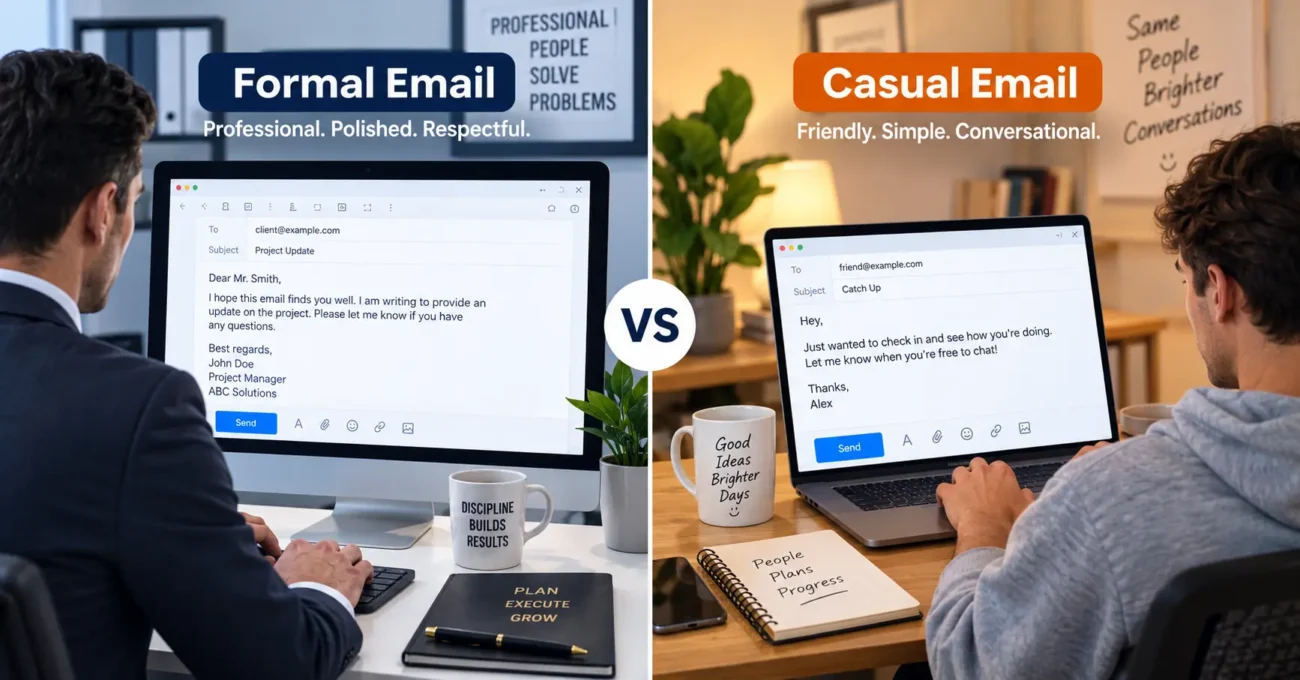
Formal email sign-offs work best in job applications, first messages to new clients, and any message to someone senior. These options are safe in almost any professional email:
- Sincerely for cover letters and formal letters.
- Best regards for most business emails.
- Kind regards for a tone that is a bit warmer than “Best regards,” but still formal.
- Respectfully for writing to someone with more experience or authority than you.
- Yours faithfully for formal letters, common in the UK when you do not know the reader’s name.
These formal email sign off choices rarely cause problems. If you are not sure which one to pick, “Best regards” is a solid default.
Casual and Warm Email Sign-Offs
Not every email needs to sound stiff. Once you know someone, or the topic is more relaxed, a casual email sign off keeps things friendly without sounding sloppy.
Casual Sign-Offs
Use these with coworkers you know well or for quick internal messages:
- Thanks
- Best
- Cheers
- Take care
Warm but Professional Sign-Offs
Use these for clients or contacts you have a good relationship with, but still want to sound professional:
- Warm regards
- All the best
- Looking forward to hearing from you
These closings still show respect. They just sound a little more human than a stiff, formal ending.
Which Email Sign-Off Gets the Most Replies?
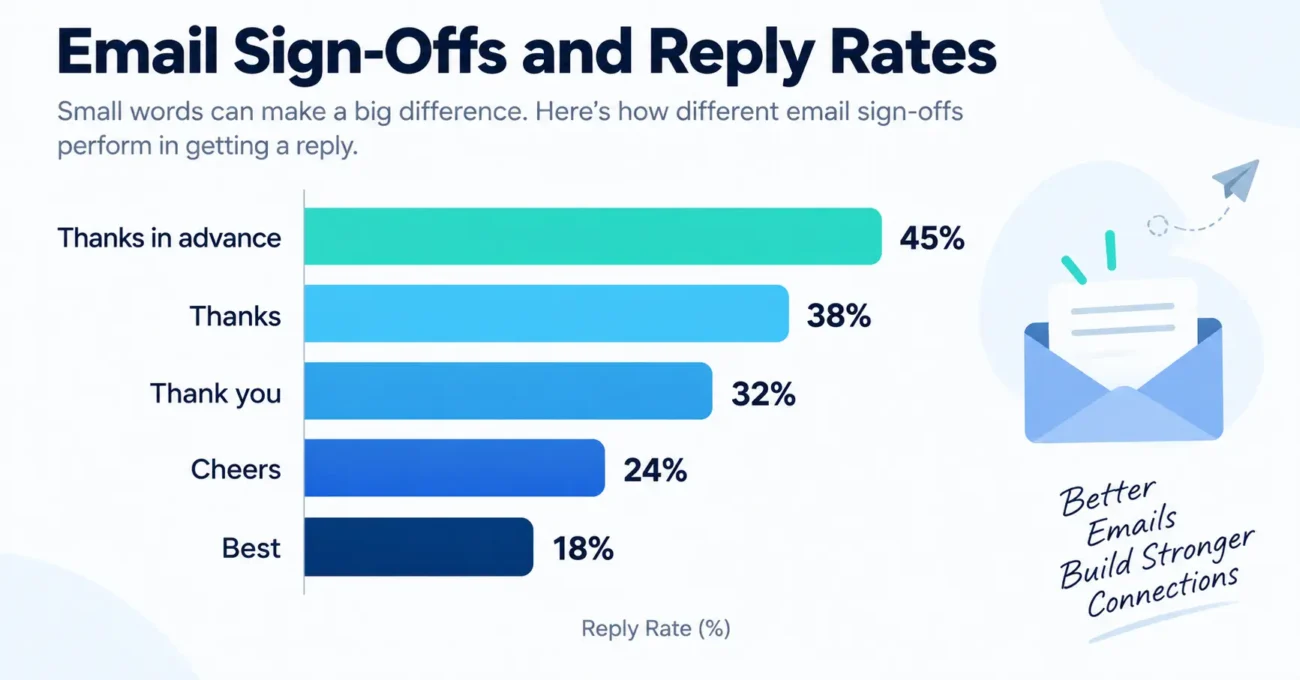
This is where real numbers matter. Boomerang studied over 350,000 email threads to see which sign-offs led to the most replies. This table shows how much your email response rate can shift based on nothing more than a word or two:
| Sign-Off | Reply Rate |
| Thanks in advance | 65.7% |
| Thanks | 63.0% |
| Thank you | 57.9% |
| Cheers | 54.4% |
| Kind regards | 53.9% |
| Regards | 53.5% |
| Best regards | 52.9% |
| Best | 51.2% |
| Average across all closings | 47.5% |
The pattern is clear. Sign-offs that include a thank you tend to beat plain, generic ones. This lines up with the Grant and Gino study mentioned earlier. Saying thank you, even before someone has helped you, seems to make people more willing to follow through.
This does not mean you should add “Thanks in advance” to every single email. It works best for follow-up emails and requests. But if your goal is a reply, gratitude beats a plain “Best” almost every time.
Email Sign-Offs to Avoid
Some sign-offs can hurt your message more than help it. Watch out for these:
- No sign-off at all. Skipping it, especially in a first email, can feel abrupt or rude.
- Overly emotional endings. Words like “Love” or “xoxo” do not belong in work emails.
- Slang and short forms. “TTYL” or “Thx” can come across as lazy in a professional email.
- Device signatures left in place. “Sent from my iPhone” is not a real sign-off. Turn it off or replace it.
- Passive-aggressive phrases. Harvard Business Review has pointed out that lines like “Per my last email” can sound polite on the surface but come across as annoyed underneath.
If you are ever unsure, a plain “Best regards” is safer than trying to sound clever.
Does Your Sign-Off Need to Change for a Job Application, Cold Email, or International Recipient?
Yes, in each of these cases, it helps to lean toward the safer, more formal option.
Job Application and Formal Outreach Emails
When you are learning how to end a professional email for a job, stick with tested options. Use “Sincerely” or “Best regards” for a job application email. Skip anything creative or funny. Hiring managers read dozens of emails a day, so a clear, respectful closing stands out for the right reasons.
Cold Emails and Follow-Ups
For a cold email, gratitude tends to win. As shown in the data above, closings like “Thanks” or “Thanks in advance” get more replies than something generic like “Regards.” Keep your cold email closing short and easy to read.
Writing Across Cultures and Time Zones
Sign-offs do not mean the same thing everywhere. In the United States, “Regards” is common and normal. In the United Kingdom, people often expect “Kind regards” instead, since a plain “Regards” can feel a little cold. If you are writing to someone in another country and are not sure what fits, choose the more formal option. It is a safer bet than guessing wrong.
There is also a shift happening among younger workers. Research from Nottingham Business School found that many adults, especially Gen Z employees, now lean toward more relaxed, personal sign-offs at work. Keep that in mind for internal team messages, but for a first email to someone you do not know, formal still works better.
What Should You Put After Your Sign-Off?
After your sign-off, add a short signature block. Include your full name, your job title, and one or two ways to reach you, such as a phone number or a LinkedIn link.
Keep it short. Data from Litmus shows that mobile devices and webmail together make up most email opens today, while desktop makes up a much smaller share. That means long, fancy, or image-heavy signatures can look messy or break apart on a phone screen.
Good email formatting keeps your signature easy to read on any screen, and it plays a bigger role in workplace communication than most people think. A clean email signature works the same way across Gmail, Outlook, or Yahoo Mail. Stick to the basics: name, title, and one or two contact details. Save the extra design for later.
Final Thoughts
Your email sign-off might only be a word or two, but it carries real weight. Match your tone to the person you are writing to, lean on gratitude when you want a reply, and keep your signature clean and easy to read on any screen. Small changes here can make your emails land better, whether you are writing a quick note to a coworker or reaching out to someone new for the first time.
If you are working on how you present yourself over email, take a look at our guide on professional email addresses next. It pairs well with a strong sign-off and rounds out how you come across in every message you send.
Frequently Asked Questions
What is the most professional way to sign off an email? “Sincerely,” “Best regards,” and “Kind regards” are the safest formal choices. They work well for job applications, new contacts, and anyone senior to you.
Is “Best” or “Regards” more professional? Both are fine, but “Regards” and “Best regards” tend to get slightly more replies than a plain “Best,” which can come across as rushed.
Should I use the same sign-off in every email of a thread? No. A full sign-off matters most in your first message. After that, shorter closings like “Thanks” work fine in ongoing replies.
Can I use emojis in a professional email sign-off? It is best to skip them. Emojis might work in a casual message to a close coworker, but they do not belong in formal or client-facing email.
How do I sign off an email to a professor or someone senior? Use a formal closing like “Sincerely” or “Best regards,” and always include your full name. Treat it the same way you would treat a first email to a new contact.
Does the email sign-off really affect whether I get a reply? Yes. The Boomerang study of over 350,000 threads found that sign-offs with a thank you earned noticeably higher reply rates than plain, generic ones.
What is a good sign-off for a cold email? Keep it short and grateful. “Thanks for your time” or “Thanks in advance” tends to work better than a flat “Regards” for a first message.