Choosing between canva vs adobe express is a decision about your content production philosophy. In 2026, the battle for visual dominance has moved beyond simple drag-and-drop features to deep AI integration and ecosystem connectivity. This choice defines how quickly your marketing team can move from an idea to a published social post. You are deciding between a platform built specifically to democratize design for everyone and a tool designed to bridge the gap between casual creators and the professional Adobe universe.
The right marketing design workflow software should match your production volume and your team’s technical background. Some creators prioritize speed, relying on massive template libraries to push out high volumes of social content. Others require continuity with professional assets, needing a tool that talks to Photoshop or Illustrator. While platforms like visme vs canva are often mentioned in the same breath for data visualization, the canva vs adobe express rivalry is where the majority of social and marketing content is born.
Success in modern design depends on how well a tool’s AI handles the “busy work.” Whether it’s removing backgrounds, generating images from text, or resizing a single post for ten different platforms, your choice will dictate your team’s creative bandwidth. You are not just choosing an app; you are choosing a content creation design platform that will either accelerate your workflow or lock you into a rigid ecosystem.
Canva or Adobe Express: Which is easier for beginners?
The choice between adobe express vs canva depends on your need for template variety versus ecosystem integration. Canva is the ultimate visual content tool decision snapshot for teams who need the largest library of templates and integrated “all-in-one” tools like Docs and Whiteboards. Adobe Express is the superior choice for those who already use Adobe Creative Cloud and want to leverage professional-grade AI (Adobe Firefly) and shared assets from Photoshop or Illustrator.
| Feature | Canva | Adobe Express |
| Primary Strength | Unmatched template & asset variety | Adobe ecosystem & Firefly AI |
| User Level | Complete beginners to marketers | Social creators to pro designers |
| AI Engine | Magic Studio (Multi-provider) | Adobe Firefly (Generative AI) |
| Brand Control | Robust Brand Kits | Creative Cloud Libraries |
| Video Editing | User-friendly social video | Quick motion & asset-based video |
| Best For | High-volume social & presentations | Brand-consistent Adobe workflows |
| Mobile App | Excellent, feature-complete | Strong, asset-focused |
What Is Canva?
Canva is a cloud-first template design platform that changed the world by making graphic design accessible to non-designers. In 2026, it has evolved into a full-scale marketing design production platform. It is built on the principle of “speed to market.” Everything in Canva is designed to be finished in minutes, from a complex pitch deck to a TikTok video.
As a collaborative design tool, Canva allows entire teams to work in the same file simultaneously, leaving comments and approving designs in real-time. It houses a massive library of millions of stock photos, videos, and graphics directly within the editor. This “all-in-one” approach means you rarely have to leave the platform to find assets. It is the definitive choice for small business owners, social media managers, and corporate teams who need to produce professional visuals without a degree in graphic design.
What Is Adobe Express?
Adobe Express is a creative cloud connected design tool that provides a lightweight, browser-based layer to the powerful Adobe ecosystem. It is Adobe’s answer to the need for speed, offering a simplified interface that doesn’t require the steep learning curve of Photoshop. However, its true power lies in its “DNA.” It uses the same engine as Adobe’s professional tools, ensuring that your exports are of the highest quality.
This quick content creation design software is unique because of its integration with Creative Cloud Libraries. A professional designer can create a logo in Illustrator, and it will instantly appear in Adobe Express for a social media manager to use. In 2026, it is heavily powered by Adobe Firefly, providing some of the most “commercially safe” and high-quality generative AI tools on the market. It is the ideal tool for brands that need to maintain strict professional standards while empowering non-designers to create quick assets.
Canva vs Adobe Express: Feature Comparison
When you compare canva and adobe express, you see two different ways of handling the design feature comparison.
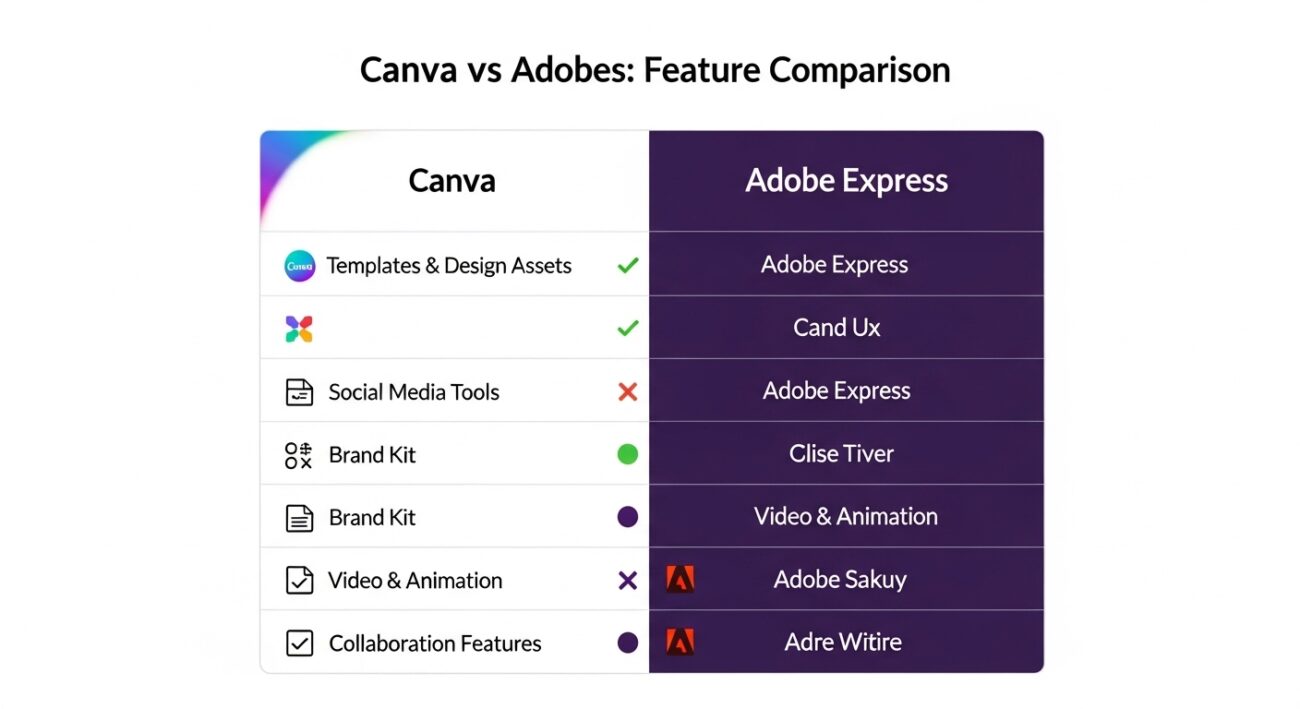
Templates & Design Assets
Canva is the undisputed leader in template volume. Whether you need a niche flyer for a local bake sale or a complex infographic, Canva has a template for it. Adobe Express or canva users often find that while Adobe has fewer templates, the quality often feels more “designer-led” and modern.
Social Media Design Tools
Both tools offer excellent social media schedulers. Canva’s “Magic Switch” allows you to turn one Instagram post into a LinkedIn banner and a YouTube thumbnail instantly. Adobe Express counters with “Linked Assets,” where updating a logo in the master file updates it across all your social templates automatically.
Brand Kit & Branding Tools
Canva allows you to set up multiple Brand Kits with logos, colors, and fonts. Adobe Express uses “Control Groups” and Creative Cloud Libraries, which offer more granular control for enterprise brands that need to lock down specific design elements so they can’t be changed by mistake.
Video & Animation Tools
Canva’s video editor is incredibly intuitive, feeling more like a slide-based editor. It is perfect for “talking head” videos or simple social ads. Adobe Express offers better “Quick Actions,” such as “Animate from Audio,” which uses AI to make characters talk, a feature that feels more like traditional animation.
Collaboration Features
Canva vs adobe express collaboration is a close race. Canva feels more like “Google Docs for Design”—very fluid and open. Adobe Express feels more structured, which is better for larger organizations that need a clear “Design-to-Marketing” handoff.
AI Design Tools: Canva vs Adobe Express
AI design tools comparison is the deciding factor for many.
Canva’s Magic Studio is a collection of various AI technologies. It can write copy, generate images, and even “expand” the background of a photo. It is built for ease of use. If you have a blurry photo, their AI can sharpen it; if you need a specific image, you just describe it. Adobe Express uses Adobe Firefly, which is arguably the most powerful generative AI in this space. Because Firefly is trained on Adobe Stock data, it is “commercially safe,” meaning you don’t have to worry about copyright issues with generated images. Adobe’s AI is better at “Generative Fill,” allowing you to add or remove specific objects from a photo with incredible realism. For those looking for AI content creation tools, Adobe offers a more “surgical” approach, while Canva offers a more “automated” approach.
Pricing Comparison
The design software pricing comparison often determines the creative software ROI for freelance creators and teams.
- Canva Pricing: Offers a very generous Free tier. Canva Pro is approximately $120/year for one person, while Canva for Teams starts at $100/year per person (minimum 3 people). The value is in the assets—you get millions of $1 photos for free.
- Adobe Express Pricing: Also has a Free tier. The Premium version is roughly $9.99/month. However, for most, the ROI comes because it is included in the Creative Cloud All Apps subscription. If you already pay for Photoshop, Adobe Express is essentially free.
If you are already paying for AI tools, you might compare these costs against our ChatGPT vs Google Gemini guide to see where your budget is best spent.
Which Tool Is Better for Different Users?
Your design tool selection framework should be based on your output goals.
- The Solo Content Creator: Choose Canva. If you are a “team of one,” you need the templates and the built-in stock library to move fast.
- The In-House Marketing Team: Choose Adobe Express. Especially if your company has a design department that uses Adobe tools. The synergy between the two is a massive time-saver.
- The Non-Profit or Teacher: Choose Canva. Their free programs for education and non-profits are legendary and offer Pro features for $0.
- The Professional Designer on the Go: Choose Adobe Express. It allows you to make quick edits to your professional files from your phone or a browser without losing quality.
Which Is Easier to Use?
In a design software usability comparison, Canva is the benchmark. Its interface is so simple that a child can use it, yet it is powerful enough for a professional marketer. The design tool learning curve is almost non-existent.
Adobe Express is also very easy to use, but it carries some of the “Adobe logic” that might take an hour or two to master if you’ve never used an Adobe product. However, for anyone who finds Photoshop intimidating, Adobe Express is a breath of fresh air.
When NOT to Choose Canva
Do not choose Canva if you need professional-grade vector control or if your brand requires the absolute precision of the Adobe ecosystem. While it is a great canva adobe alternative, it cannot replace Illustrator for logo design. Avoid Canva if you are working in a high-security corporate environment that is already built on the Adobe/Microsoft framework, as adding a new “cloud silo” can create IT friction.
When NOT to Choose Adobe Express
Do not choose Adobe Express if you are looking for the maximum variety of pre-made templates for every possible niche. Canva’s library is simply bigger. Also, do not choose it if you want an “everything app” that handles documents, whiteboards, and websites in one place; Adobe Express is focused strictly on visual assets, whereas Canva is trying to replace your entire office suite.
Final Verdict
The design tool final decision comes down to your current “tech stack.”
- Choose Canva if you want the ultimate “speed-to-production” tool with the world’s largest library of templates and assets. It is the best choice for those who want design to be easy and all-in-one.
- Choose Adobe Express if you want professional-grade AI and a seamless connection to the world’s best design software. It is the best choice for brands that value consistency and Adobe’s high-end creative power.
To see how these tools fit into a broader team workflow, check out our comparison of Notion vs ClickUp or see how they integrate with suites like Google Workspace vs Microsoft 365.


